

Notion
Notion Labs · Productivity
Notion AI is the built-in assistant inside the Notion workspace. It drafts and edits pages, searches your workspace and connected apps, and runs multi-step tasks through Notion Agent.
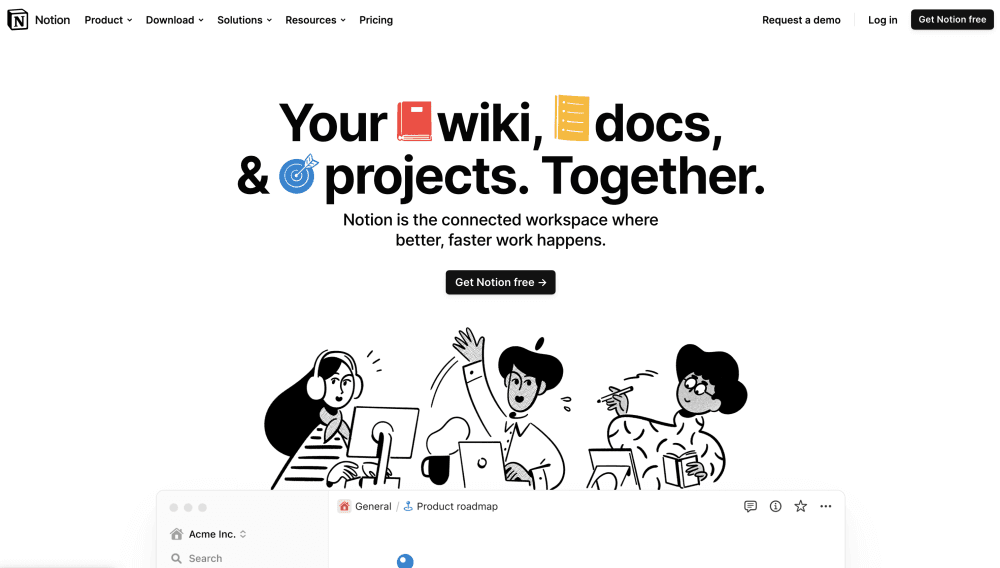
About Notion
What Is Notion AI
Notion AI is the AI layer woven into Notion, the note-taking and project workspace. It lives in the same place as your pages, databases, and tasks, so you don't bounce between Notion and a separate chatbot. Ask a question, and it pulls answers from your notes, your connected apps, and the web, then cites where each answer came from.
The main draw is context. A generic chatbot knows nothing about your projects, but Notion AI reads the workspace you already have and works from it. That makes it useful for summarizing a long thread, drafting a doc from existing pages, or building a database structure for a new project. The trade is that it's only as good as what you keep in Notion, and a messy workspace produces muddled answers.
Two things shape whether it fits. Notion AI comes with the Business and Enterprise plans, and the Free and Plus tiers only get a small set of complimentary responses to try it out. Pricing is per member, so the cost grows with your team. If you already run Notion as your team's home base, the AI sits on top of work you've done. If you only want a chat assistant, a standalone tool is cheaper.
Getting Started
- Open your Notion workspace and click the AI icon in the sidebar or press the AI shortcut on any page. On a new workspace, upgrade to Business to unlock the full feature set.
- Ask in plain language or highlight text and pick an action like summarize, improve writing, or translate. The AI reads the page you're on and nearby context.
- Connect the apps you want it to reach. Link Slack, Google Drive, and other tools through Notion Connectors so enterprise search can pull answers from them.
- Hand off bigger jobs to Notion Agent. Describe the task and let it create or edit pages, databases, and charts on your behalf.
- Review the output. Notion AI follows your workspace access rules, so you only see what you already have permission to open.
Product Information
A quick look at Notion's pricing, supported platforms, and performance.
Best for
The users, tasks, and scenarios where this tool fits best.
Users
- Small teams that already live in Notion
- Knowledge workers juggling many documents
- Project managers
Tasks
- Drafting a first version of a document
- Summarizing a long meeting
- Searching across tools
- Building a database
- Translating a page
Scenarios
- Onboarding a new teammate
- Weekly reporting
- Resurfacing old knowledge
Key features
Notion Agent
Notion Agent takes on whole tasks rather than answering one prompt. It reads your workspace and connected apps, then creates or edits pages, databases, charts, and more on your behalf. You can personalize how it looks and give it instructions and skills to shape its behavior. The point is that it does the work end to end, not just suggests what to do.
Enterprise Search
Enterprise Search reaches across your Notion workspace and the apps you've connected, so a single query can turn up an answer that lives in Slack, Google Drive, or a buried page. It returns results with citations, so you can check the source. This is the feature that makes Notion AI useful for teams whose knowledge is scattered across tools.
AI Meeting Notes
AI Meeting Notes joins your calls, transcribes them, and produces a summary with key points and action items. Instead of one person taking notes and sharing them later, the notes land in the workspace where the rest of the project lives. It's part of the Business and Enterprise plans.
AI Writing and Editing Blocks
Inside any page, you can highlight text and ask the AI to improve it, shorten it, change its tone, or translate it. You can also drop in an AI block that generates a custom output, like a table or a summary, directly in the page. It handles the small writing chores that otherwise pull you out of the document.
Databases, Autofill, and Formulas
Notion AI works inside databases, not just documents. Autofill can populate a property across many rows, like summarizing each entry or extracting a value. It also writes formulas and fills in automations, so building the logic behind a database takes less trial and error.
Custom Agents and Workers
Beyond the built-in agent, Business and Enterprise users can build Custom Agents that handle recurring work, such as answering questions in Slack or routing tasks. Workers let you extend Notion with custom code to build agent tools and sync external data. Both run on Notion credits, which are shared across the workspace.
Pros and cons
Pros
- The assistant works with the context you already keep in Notion, so answers reflect real projects instead of generic knowledge.
- Enterprise search unifies your workspace and connected apps, which cuts the time spent hunting across tools.
- Notion Agent takes on multi-step tasks and edits pages and databases directly, not just drafts text.
- It sits inside the tool your team already uses, so there's no extra app to adopt or pay for.
- Enterprise plans offer zero data retention with LLM providers and options like HIPAA compliance.
Cons
- Full Notion AI comes with Business and Enterprise plans, so the Free and Plus tiers get only a limited trial.
- Pricing is per member, which adds up fast for larger teams.
- Heavy use of Custom Agents and premium models draws on Notion credits, so the cost isn't flat.
- Quality depends on your workspace. Disorganized or sparse pages give weak answers.
Frequently asked questions
Notion AI is the assistant built into the Notion workspace. It drafts and edits pages, searches your workspace and connected apps, transcribes meetings, and runs multi-step tasks through Notion Agent, all inside the tool you already use for notes and projects.
Related content
Explore related tools, skills, and articles for Notion.
Notion Alternatives

Base Code
Base44 (Wix) · Coding · ProductivityBase Code is a shared cloud development environment from Base44. Teammates describe changes to an existing GitHub codebase in chat, preview them live and send them back as pull requests.

Knocket
Knocket (Tencent RTC team) · Productivity · Business · ChatbotKnocket is a free live chat and contact page tool that lets visitors message you from your website, app, or a shareable link, with every reply handled from Telegram or one inbox.

FloorGen
Vinit Kumar (FloorGen) · Productivity · China AIFloorGen is a browser-based floor plan maker that turns a sentence or a sketch into an editable 2D plan and a 3D walkthrough. Export to PDF, DXF or video, and draw without an account.