

Notion Avatar Maker
Notion Avatar Maker (independent project) · Image
Notion Avatar Maker is a free browser-based avatar generator that builds hand-drawn, black-and-white profile pictures in the style Notion users know. You can either mix and match facial features, hairstyles, and accessories by hand, or let its AI turn a photo or a short text description into a finished avatar in seconds. Everything runs in your browser, needs no install, and the results ship under a CC0 license, so you can use them almost anywhere.
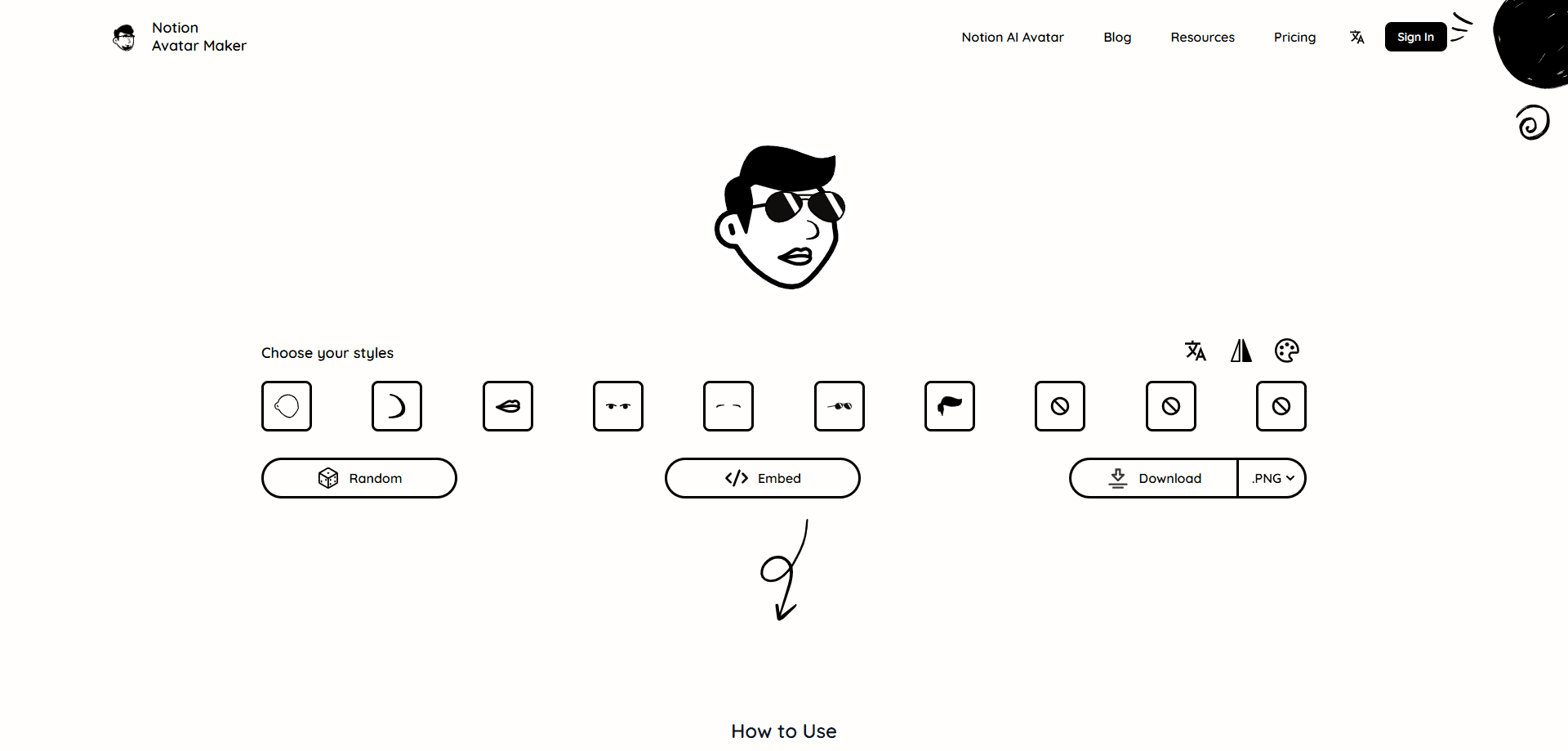
About Notion Avatar Maker
What Is Notion Avatar Maker
Notion Avatar Maker is an independent web tool that works as a custom avatar creator in Notion's signature hand-drawn, minimalist look. The idea is simple. Notion doesn't offer much in the way of profile pictures, so this project fills that gap with a maker that anyone can use without design skills. The original editor works like a paper-doll builder. Click through faces, hair, glasses, and backgrounds until the picture feels right, then download it at high resolution.
The newer AI generator adds a faster path. Instead of assembling parts by hand, you upload a photo or type something like "a man with a beard, wearing a hat," and the tool produces an avatar that matches that style. It's aimed at people who want a distinctive profile picture fast and don't care about tweaking every detail. No design background required.
The biggest limitation is scope. This is a single-purpose tool, not a design suite, and it isn't affiliated with Notion. Free users get one generation per day on the AI side, and the output sticks to one visual style. If you need photo-realistic portraits or heavily branded artwork, you'll want a different kind of avatar generator.
Getting Started
- Open notion-avatar.app in a modern browser like Chrome, Firefox, Safari, or Edge.
- Pick a mode: the hand-drawn editor if you want full control, or the AI generator if you'd rather start from a photo or a text prompt.
- For the editor, click through hairstyles, facial features, accessories, and backgrounds, using the flip and background buttons to fine-tune the look. For the AI path, upload a JPG or PNG under 2MB, or type a short description.
- Hit generate or finish your selection, then download the high-resolution avatar.
- Use the file on Notion, social media, or anywhere else. Under the CC0 license, no attribution is required. Grab the file and go.
Product Information
A quick look at Notion Avatar Maker's pricing, supported platforms, and performance.
Best for
The users, tasks, and scenarios where this tool fits best.
Users
- Notion users
- Social media users
- Teams and communities
Tasks
- Building an avatar by hand
- Turning a photo into a stylized avatar
- Generating from text
Scenarios
- Setting up a new Notion workspace
- Refreshing a stale profile picture
- Creating several avatars at once
Key features
Hand-drawn Editor
The core tool is a click-through builder for assembling an avatar part by part. You choose hairstyles, facial features, and accessories, then adjust orientation with a flip button and restyle the background. It's the fastest way to get an avatar that matches Notion's black-and-white aesthetic without touching any design software.
AI Photo to Avatar
Upload a JPG or PNG (up to 2MB) and the generator restyles your photo into the hand-drawn Notion look. This is handy when you want something recognizable as you but still on-brand for a Notion page. Processing usually takes a few seconds.
Text to Avatar
Don't have a photo you like? Type a short description such as "a short-haired woman with earrings, confident expression" and the AI builds an avatar that fits. It's a low-effort way to get a specific look, and it works especially well for characters, personas, or anyone building an identity around a particular role.
High-resolution Downloads
Finished avatars download at high resolution, so they stay sharp whether you use them as a tiny profile icon or a larger header image. That matters if you plan to reuse the same avatar across a website and social profiles.
CC0 Licensing
Every avatar you create is released under the CC0 license, which means you can use it commercially with no attribution. For freelancers and small teams, that removes the usual licensing headaches around profile art.
Pro Plan and Credits
The free tier allows one AI generation per day. Pro Monthly ($9.99) unlocks unlimited generations, high-quality output, priority processing, and generation history. A $4.99 credit pack gives you 10 generations that never expire, for people who only need a handful now and then.
Browser-based, No Install
Everything runs in the browser, so there's nothing to download or update. It works on Chrome, Firefox, Safari, and Edge, and it skips Internet Explorer entirely. Simple as that.
Pros and cons
Pros
- Free to start, with a working editor that needs no account
- Two ways to create: a manual editor for control and AI for speed
- CC0 license allows commercial use without attribution
- Runs entirely in the browser with no install
- High-resolution output that holds up at larger sizes
Cons
- Free AI generation is capped at one avatar per day, so testing options takes patience
- The visual style is fixed to the Notion hand-drawn look, with no realistic option
- Not affiliated with Notion, which may surprise users expecting an official tool
Frequently asked questions
It creates custom profile pictures in Notion's hand-drawn style. You can build one by hand or generate one from a photo or text description, then download it for use on Notion, social media, or other platforms.
Related content
Explore related tools, skills, and articles for Notion Avatar Maker.
Notion Avatar Maker Alternatives

Google EmbeddingGemma 2
Google DeepMind · Writing · Image · CodingGoogle EmbeddingGemma 2 is a 740M-parameter open model that turns text, code, images, audio, and video frames into vectors in one 768-dimension space, running on phones and laptops.

Tractionwave
TractionWave · Image · MarketingTractionWave is an AI attention heatmap tool for static ads. Upload a PNG or JPG and it returns predicted attention, ranked hotspots, and fixes before you spend budget.

Imejis.io
Imejis.io · Image · MarketingImejis.io is an AI design studio for agents and marketing teams. Describe an image in plain words, and it writes the copy, builds the layout, reflows it to every size, then exports a finished file.