

Notion Business OS
Landmark Labs · Productivity
Notion Business OS is a paid Notion template system from Landmark Labs that links projects, tasks, finances, marketing, CRM and research inside one workspace.
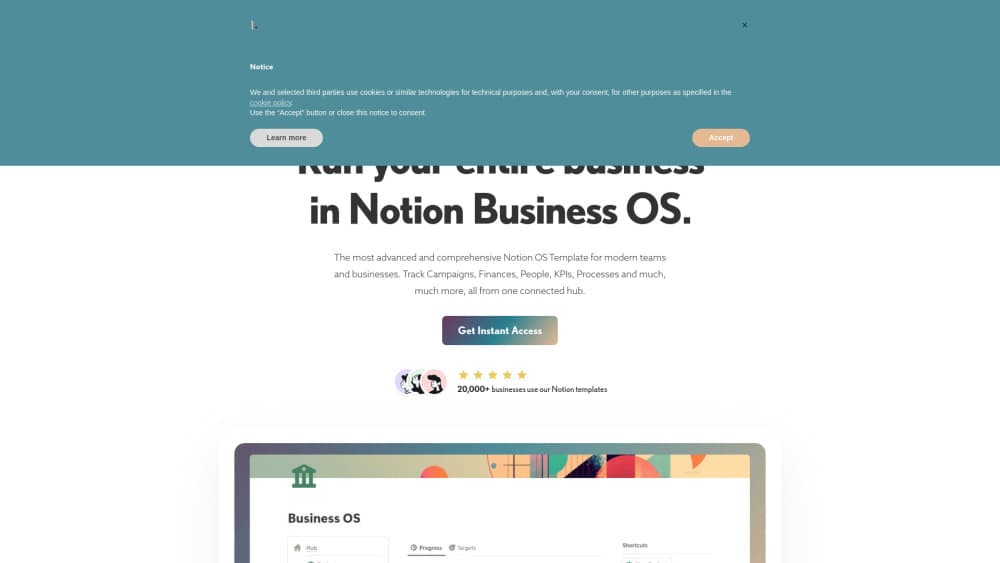
About Notion Business OS
What Is Notion Business OS
Notion Business OS is a template system, not a standalone app. Landmark Labs built a Notion workspace for business owners who already run on Notion and want one hub instead of a pile of half-finished pages. You duplicate it into your own account and get connected databases for projects, people, money, content and research. The result is an all in one Notion workspace for a company of five to fifty people.
Most Notion business templates stop at a task board. This one goes further than a typical Notion project management template. Each project dashboard pulls its tasks, invoices, campaign numbers and notes into a single view, so you don't spend the morning hunting for links.
The trade-off is real. Nothing works without Notion, and the AI writing features lean on a Notion AI subscription. Plan on an afternoon of deleting sample rows and renaming sections before the system fits your company.
Getting Started
- Buy the template on the Landmark Labs site and open the duplicate link that arrives by email.
- Duplicate it into a workspace where you have admin rights, then rename the top page.
- Watch the tutorial for the area you'll use first, usually projects or finance.
- Swap the sample projects, contacts and revenue rows for your own data.
- Invite teammates, then generate a filtered task view for each person.
Product Information
A quick look at Notion Business OS's pricing, supported platforms, and performance.
Best for
The users, tasks, and scenarios where this tool fits best.
Users
- Founders and small teams
- Solo consultants and freelancers
- Operations and marketing leads
Tasks
- Running client projects and marketing campaigns
- Tracking revenue and expenses
- Planning content and keywords
- Researching competitors and markets
Scenarios
- Replacing four or five disconnected tools
- Onboarding a new hire into one system
- Quarterly planning and review
Key features
Interlinked Project and Campaign Dashboards
Each project or campaign gets a standalone dashboard. Tasks, payments, content and meeting notes connect back to it, so opening one page answers most questions about a launch. This link structure is the main reason the system feels like a workspace rather than a folder of documents.
One-Click Team Task Views
The task database generates a filtered view for each team member with a single click. Everyone sees their own queue without you maintaining separate boards by hand. Managers keep one master list and still get a clean per-person view for standups.
Finance Tracking With Profit and Loss Charts
Revenue and expense entries are categorized, then rolled into profit and loss calculations and charts. Small teams use it as a basic Notion finance tracker that sits next to the projects generating the invoices. It handles summaries well. It won't replace proper bookkeeping software for tax filings.
Marketing, Funnel and Content Dashboards
A distribution dashboard breaks channel performance into one view, and the funnel section tracks conversion rates between stages. The content side adds a keyword database, a calendar and generative AI prompts for drafting. Marketing work and its results end up in the same place, which makes weak channel performance easier to spot.
CRM, Products and Business Model Pages
The people database covers contacts, team members and buyer personas, so it functions as a lightweight Notion CRM template. A products and services area breaks down what you sell and which offers perform. A business model page summarizes markets, offerings, channels and personas on one screen.
Nine Analysis Frameworks and Built-In Tutorials
Nine business analysis frameworks ship with the template, ready for problem solving when a launch stalls. Landmark Labs also includes more than a dozen step-by-step tutorials, a business systems course as a bonus, and email or Loom support. That guidance matters for a system this large, since a template nobody understands is just clutter.
Pros and cons
Pros
- Deep linking between projects, money, marketing and people means fewer duplicated spreadsheets.
- Per-person task views generate in one click, which saves hours of manual board building.
- Finance, funnel and content dashboards sit in the same workspace as the work that feeds them.
- Lifetime updates, a bonus course and more than a dozen tutorials lower the learning cost.
- A 30-day money-back guarantee makes the one-time price easier to test.
Cons
- The learning curve is steep. A team new to relational databases will spend days before the setup feels natural.
- AI drafting features depend on a separate Notion AI subscription, so the total cost is higher than the sticker price.
- Everything runs on Notion, which means page load speed and database limits shape your day.
- At the regular $289 price it's a serious purchase for a small business, and each workspace needs its own copy.
Frequently asked questions
It runs day-to-day business operations inside Notion. Projects, tasks, invoices, marketing channels, content, contacts and competitor notes all live in connected databases, with dashboards on top for reading the numbers quickly.
Related content
Explore related tools, skills, and articles for Notion Business OS.
Notion Business OS Alternatives

Base Code
Base44 (Wix) · Coding · ProductivityBase Code is a shared cloud development environment from Base44. Teammates describe changes to an existing GitHub codebase in chat, preview them live and send them back as pull requests.

Knocket
Knocket (Tencent RTC team) · Productivity · Business · ChatbotKnocket is a free live chat and contact page tool that lets visitors message you from your website, app, or a shareable link, with every reply handled from Telegram or one inbox.

FloorGen
Vinit Kumar (FloorGen) · Productivity · China AIFloorGen is a browser-based floor plan maker that turns a sentence or a sketch into an editable 2D plan and a 3D walkthrough. Export to PDF, DXF or video, and draw without an account.