

Notta
Langogo (Notta) · Productivity · China AI
Notta is an AI notetaker that records meetings and voice memos, transcribes them in 58 languages, and turns each conversation into summaries and slides.
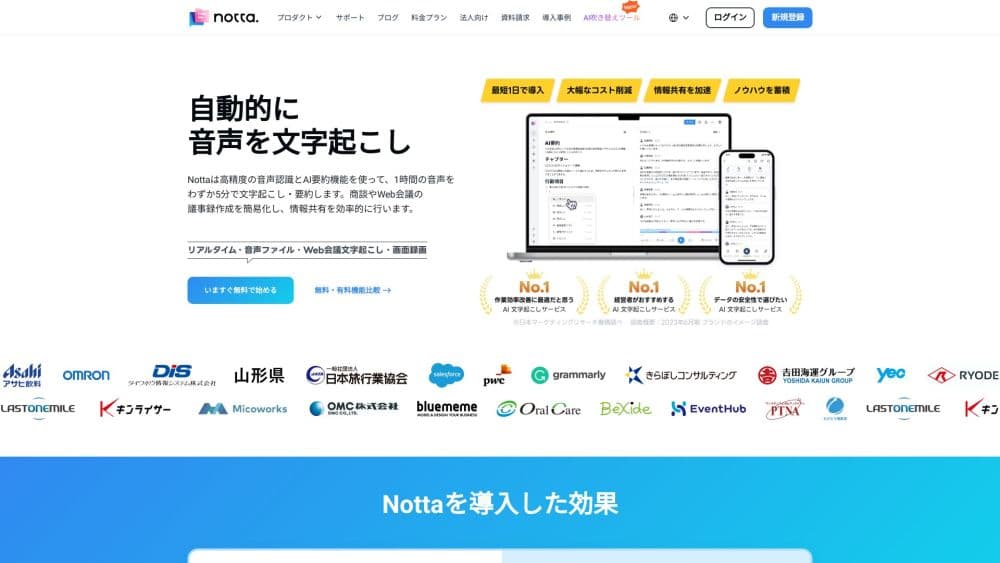
About Notta
What Is Notta
Notta is an AI meeting notetaker that captures live audio or uploaded files and turns speech into searchable text. It works on web, mobile, and desktop, and it can join Zoom, Microsoft Teams, and Google Meet calls on its own. The team behind it, Langogo, also sells a pocket translator, so multilingual transcription sits at the center of the product rather than at the edge.
The problem it solves is the pile of work that lands after a meeting ends. Notta writes the transcript, separates speakers, and pulls out decisions and next steps. Its Notta Brain layer then builds visuals from a recording, such as ready-to-share slides and infographics, so a one-hour call doesn't have to be rewatched to find the useful parts.
The biggest catch is how tightly the free plan is capped. Free gives you 120 transcription minutes a month and cuts every single conversation at 3 minutes, which rules out most real meetings. Pro lifts the ceiling to 1,800 minutes a month and 5 hours per recording, and Business removes the monthly limit entirely.
Getting Started
- Sign up at notta.ai with an email or a Google account and land on the Free plan.
- Pick a language from the 58 supported for transcription, or upload an existing audio or video file instead of recording live.
- Record through the mobile app, the desktop app, or the Chrome extension, or let Notta join a scheduled call as a bot.
- Open the finished transcript, edit the speaker labels, then generate a summary, slides, or an export in txt, docx, pdf, or srt.
Product Information
A quick look at Notta's pricing, supported platforms, and performance.
Best for
The users, tasks, and scenarios where this tool fits best.
Users
- Sales and customer success teams
- Journalists and podcasters
- Students and researchers
Tasks
- Turning a meeting into minutes
- Transcribing interview audio
- Building slide decks from a conversation
Scenarios
- Remote teams spread across time zones
- Multilingual meetings
- Solo note-taking on the move
Key features
Live and file transcription in 58 languages
Notta writes down speech in real time from a live microphone or an uploaded file, covering 58 languages for transcription and 42 for translation. Speaker identification runs automatically and adds timestamps, so a long recording reads as a structured conversation. The company reports 98.86% accuracy on its Play Store listing, which is a vendor figure rather than an independent result.
Automatic AI summaries
Every finished transcript can be condensed into a summary that lists key points and action items. Notta's own marketing argues the summary often reads more clearly than the raw transcript, which matches how most people use the feature: skim the summary, dive into the transcript only when needed.
Notta Brain for slides and infographics
Notta Brain is the AI layer that builds deliverables from a recording. It generates PowerPoint files, structured infographics, and cross-recording insights, so a client interview can become a deck without manual formatting. The feature runs on AI Credits, and Pro, Business, and Enterprise plans share a monthly allocation.
Bot-free recording with Notta Desktop
The desktop app records meetings on Mac and Windows without dropping a visible bot into the participant list. That matters for sales calls and one-on-ones where a guest bot changes how people talk. It captures audio across Zoom, Microsoft Teams, Google Meet, and dozens of other apps.
Transcript editing, translation, and export
Transcripts stay editable after the recording ends, so you can fix names and speaker labels before sharing. Notta exports to txt, docx, pdf, and srt, and can translate a finished transcript into another language on paid plans. Bilingual transcription and translation are sold as separate add-ons on top of Pro and Business.
Team workspaces and security controls
Business and Enterprise add team seats, usage reports, and advanced security controls, with SAML SSO and audit logs at the top plan. Notta holds SOC 2 Type II and ISO/IEC 27001:2013 certifications, and its Play Store listing also cites GDPR compliance. Those controls matter most to companies that handle client or patient conversations.
Pros and cons
Pros
- Handles meeting transcription, summaries, and slide generation in one place instead of three tools.
- Covers 58 transcription languages and 42 translation languages, a wide spread for a single app.
- Notta Desktop records without adding a bot to the call, which keeps interviews natural.
- The mobile app and Apple Watch app make quick voice capture easy away from a desk.
- SOC 2 Type II and ISO 27001 certifications give enterprise buyers a required checkbox.
Cons
- The Free plan's 3-minute cap per conversation makes it useless for most real meetings.
- Bilingual transcription and translation cost extra on top of Pro and Business.
- CRM and Zapier integrations are locked to Business, so solo users on Pro can't push notes into other tools.
- There is no clearly published public API, so teams that want to build on Notta should confirm access before committing.
Frequently asked questions
Yes. Notta has a Free plan that gives one seat 120 transcription minutes a month, up to 3 minutes per conversation, 50 file uploads a month, and 10 AI summaries a month. It suits short voice memos and testing, not full meetings.
Related content
Explore related tools, skills, and articles for Notta.
Notta Alternatives

Base Code
Base44 (Wix) · Coding · ProductivityBase Code is a shared cloud development environment from Base44. Teammates describe changes to an existing GitHub codebase in chat, preview them live and send them back as pull requests.

Knocket
Knocket (Tencent RTC team) · Productivity · Business · ChatbotKnocket is a free live chat and contact page tool that lets visitors message you from your website, app, or a shareable link, with every reply handled from Telegram or one inbox.

FloorGen
Vinit Kumar (FloorGen) · Productivity · China AIFloorGen is a browser-based floor plan maker that turns a sentence or a sketch into an editable 2D plan and a 3D walkthrough. Export to PDF, DXF or video, and draw without an account.