

nudge
nudge · Productivity
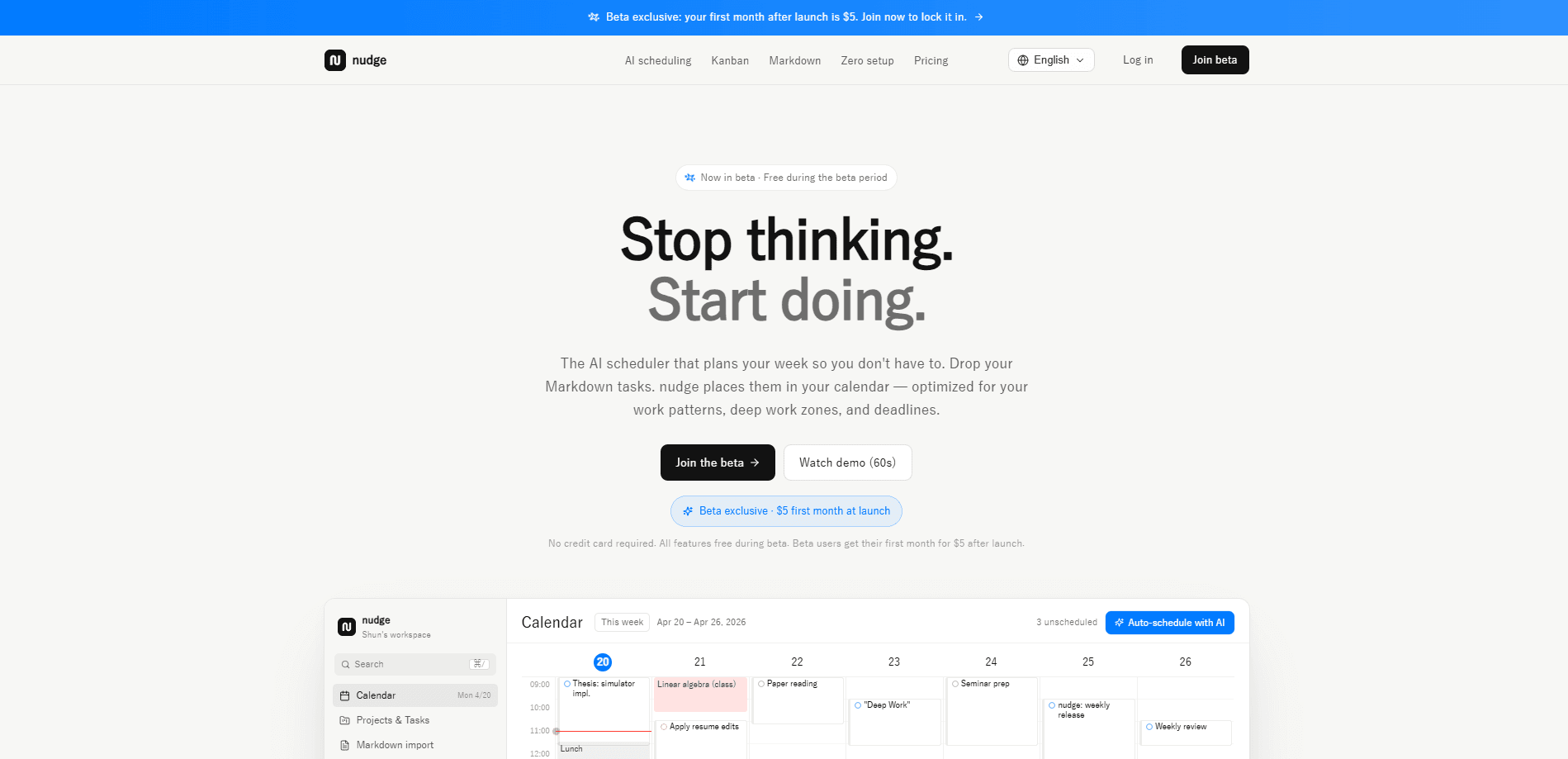
nudge is an AI scheduler that plans your whole week for you. Think of it as a task scheduler app that does the planning half. You dump tasks as plain text, and it sorts them into calendar slots based on deadlines, priorities, and when you actually do your best work. It runs in the browser, costs $20 a month after a cheaper first month, and puts a small cash stake behind deadlines you tend to skip.
About nudge
What Is nudge
nudge (also branded Nudge Task) is a web-based AI task scheduler built around one idea: planning is the machine's job now, not yours. Instead of dragging blocks around a calendar, you type what you need to get done in plain language and let the scheduler decide when each thing happens. The product is made in Tokyo and aimed at people who think a lot about their week but finish less of it than they planned.
The problem it targets is specific. Most AI planning tools give you an empty list and an empty calendar, then wait for you to fill both. nudge flips that. It reads your raw task text, groups it by deadline and priority, and drops it into the week around your deep-work routine. You open the app, see today's first task, and start.
The biggest limit is that it isn't a native mobile app. It lives on the web, so heavier editing sessions feel better on a desktop browser than on a phone. So what do you do on the go? You lean on Slack and Discord for quick capture instead of a dedicated mobile widget.
Getting Started
- Create an account at nudgetaskai.com and connect a card, which takes about a minute and can be canceled anytime.
- Hit ⌘K and brain-dump your tasks, one per line, in plain text.
- Review the auto-generated week and tweak any task that landed in the wrong slot.
- Optionally set a Money Lock on a deadline you keep pushing back.
- Start on today's first task and let the scheduler handle the rest.
Product Information
A quick look at nudge's pricing, supported platforms, and performance.
Best for
The users, tasks, and scenarios where this tool fits best.
Users
- Students juggling coursework with part-time work
- Indie hackers and solo founders
- Writers and researchers
- Chronic overplanners
Tasks
- Turning a messy list of to-dos into a workable week
- Rescheduling when a day falls apart
- Quick task capture from chat
- Committing to a deadline you keep avoiding
Scenarios
- Sunday-night planning for the week ahead
- A packed week with client calls and deep work mixed together
- A procrastination loop on one specific task
- Switching between app and calendar
Key features
Plain-text quick create
Pressing ⌘K opens a single input where every line you type becomes a task. There's no form. No dropdown for priority. No date picker to fight with. You write the way you think, and the AI works out what each line means before it schedules anything, which is why people who hate setup keep using it.
One-click auto scheduling
The core of the product is a button that schedules your entire week in one go. It weighs deadlines, priorities, and your deep-work routine, then places each task into a slot. One click. That's it. This is what separates an AI task scheduler from a plain to-do list: the plan builds itself.
Money Lock
Money Lock lets you put $5 on a deadline. If you finish the task on time, you pay nothing and the hold is released. If you let it slide, the money stays locked. That's the whole feature. It's a commitment device for the tasks that survive every productivity system because the cost of skipping them has always been zero, and a small locked amount changes that math in a way willpower alone rarely does.
Slack and Discord capture
You can add and reschedule tasks right from Slack and Discord DMs, so you don't have to switch apps to keep the schedule current. For teams and solo users who already live in chat, this keeps the planner in the same window as the conversation that created the task.
Deep-work aware placement
The scheduler treats focus time as a constraint, not an afterthought. Rather than packing your day edge to edge, it pushes deep-work tasks into the hours you've marked as your best, which is where the difference between a busy week and a productive one usually shows up. That matters more than it sounds.
Deadline-first ordering
Every task gets placed relative to its deadline, so the week fills backward from what actually matters. Urgent items don't quietly drift to the weekend. Long-term work doesn't get starved. Nothing gets lost in the noise.
Pros and cons
Pros
- Auto scheduling removes the daily decision of where each task goes.
- Plain-text capture is faster than filling out any task form.
- Money Lock adds real stakes to deadlines you'd otherwise ignore.
- Slack and Discord support keeps the planner next to your chat workflow.
- Setup is quick, roughly a minute to connect a card and start.
Cons
- No free plan, so you can't trial it without paying something up front.
- It's web-only, which makes heavy editing awkward on a phone.
- The AI schedule still needs a quick review, so it isn't fully hands-off.
Frequently asked questions
It's an AI task scheduler that takes tasks you type as plain text and places them into calendar slots for the week. You stop deciding when things happen and just start on the first scheduled task.
Related content
Explore related tools, skills, and articles for nudge.
nudge Alternatives

Base Code
Base44 (Wix) · Coding · ProductivityBase Code is a shared cloud development environment from Base44. Teammates describe changes to an existing GitHub codebase in chat, preview them live and send them back as pull requests.

Knocket
Knocket (Tencent RTC team) · Productivity · Business · ChatbotKnocket is a free live chat and contact page tool that lets visitors message you from your website, app, or a shareable link, with every reply handled from Telegram or one inbox.

FloorGen
Vinit Kumar (FloorGen) · Productivity · China AIFloorGen is a browser-based floor plan maker that turns a sentence or a sketch into an editable 2D plan and a 3D walkthrough. Export to PDF, DXF or video, and draw without an account.