

NudgeFile
NudgeFile · Productivity
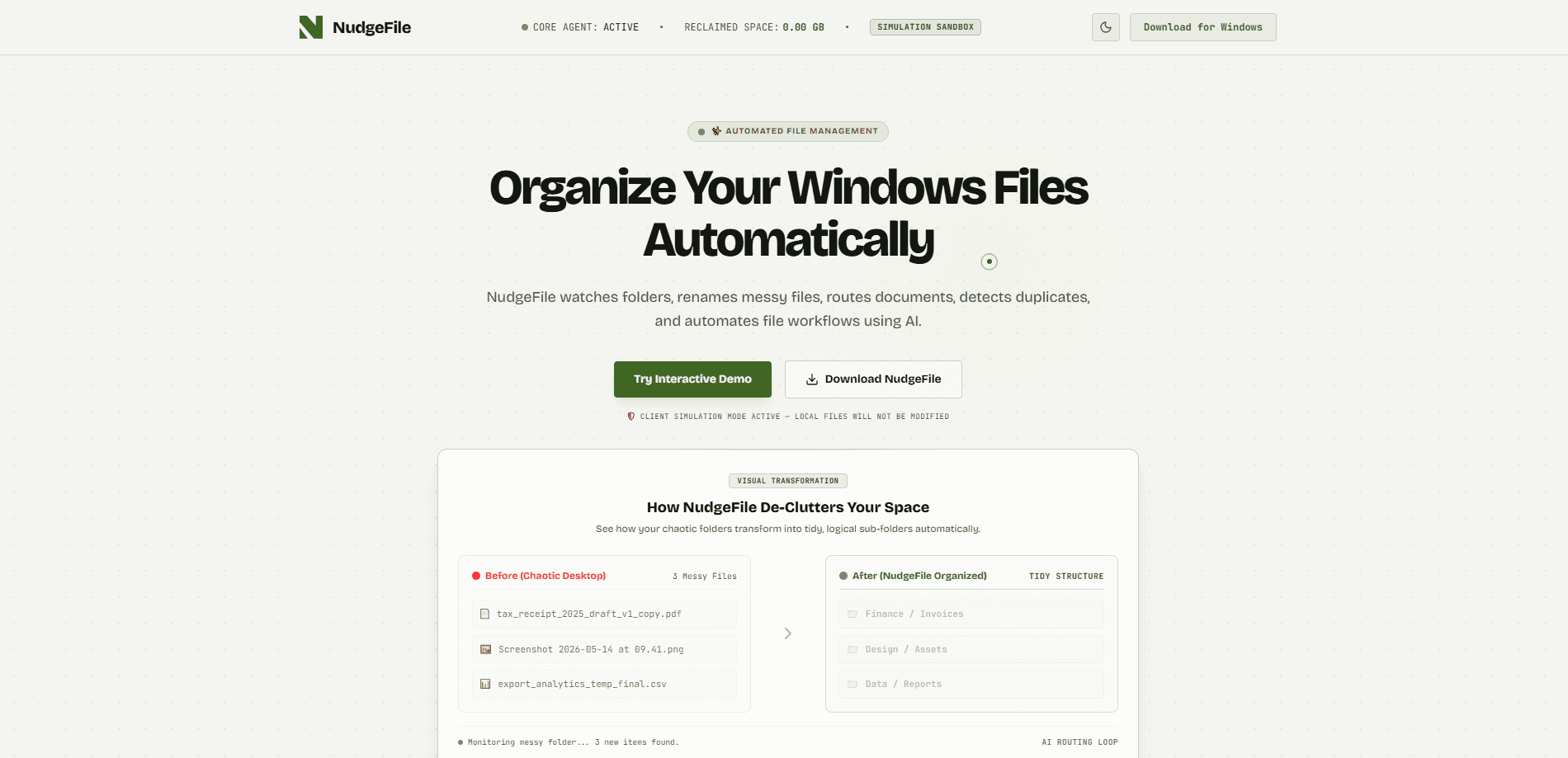
NudgeFile is an AI-powered document organizer for Windows that watches your folders in real time and tidies them up as you work. It renames documents, moves them into clean subfolders, flags duplicates, and runs rule-based file workflow automation. Every change waits for your approval, and the AI runs on your own machine instead of the cloud, so your files never leave your computer.
About NudgeFile
What Is NudgeFile
NudgeFile is a desktop file organizer built for Windows that turns a messy download or documents folder into something you can actually navigate. Instead of dragging files around by hand, you let it watch a folder and propose a cleanup plan. It reads what's inside a file, works out the type, and suggests a name and a home for it.
So NudgeFile is essentially an AI file organizer that stays out of your way until something needs sorting. That's the point. It waits for a file to land and then steps in.
The main problem it solves is the slow creep of clutter. Downloads pile up, scans land in the wrong place, and duplicate copies multiply. NudgeFile handles the repetitive part of sorting, and it keeps you in the loop before anything moves. That approval step matters if you've ever lost a file to an aggressive cleanup tool.
The biggest thing to know up front: it's Windows only, and the local AI needs a reasonably modern machine to run smoothly. If you work mostly on a Mac or rely on cloud storage across devices, this isn't the tool for you.
Getting Started
- Download NudgeFile from the official site and install it on your Windows PC.
- Pick the folders you want it to watch, such as Downloads, Documents, or a project directory.
- Let it scan those folders so it can index what's already there and spot duplicates.
- Review the suggested names, subfolders, and flagged duplicates it proposes.
- Approve the changes you want and let the automatic file sorting run in the background.
Product Information
A quick look at NudgeFile's pricing, supported platforms, and performance.
Best for
The users, tasks, and scenarios where this tool fits best.
Users
- Freelancers and small teams who generate lots of documents and invoices
- People with chronically messy Downloads folders
- Anyone who wants AI help but refuses to upload private files
Tasks
- Renaming scanned documents and receipts into a predictable format
- Clearing duplicate files before a backup
- Enforcing a folder structure across a project
Scenarios
- Handling a daily stream of client files
- Prepping a drive for archiving or handoff
- Onboarding a shared Windows workstation
Key features
Real-Time Folder Watching
NudgeFile monitors the folders you choose and reacts the moment a new file appears. It doesn't wait for a scheduled scan, so a downloaded PDF gets a proposed name and location while you're still reading your email, and the folder stays tidy without you thinking about it at all. You pick which folders it watches, which keeps it from meddling with the rest of your disk. Files show up. It handles them.
Content-Aware Renaming
The organizer opens a file, understands the content, and suggests a clearer name. A scan saved as "IMG_4471.pdf" can become something like "Electric Bill - March.pdf" based on what's inside, which means you stop opening twenty files just to find the one you need. Names land in a format you choose, so a folder of invoices ends up consistent instead of a grab bag of camera defaults. Small thing. Big difference when you're hunting for something at 11 p.m.
Duplicate Detection
It compares files by content rather than filename, which catches the copies that rename tricks hide. You get a list of suspected duplicates to review before anything is deleted. Think of it as a duplicate file finder that actually reads the file instead of trusting the name. For anyone preparing a backup, that alone can cut a lot of wasted space.
Rule-Based File Workflow Automation
You define rules, and NudgeFile applies them as files arrive. Send every invoice to an accounting subfolder, route screenshots to a images folder, or archive anything untouched for a year. Rules run quietly in the background, and you can tighten or loosen them as your workflow changes. Set it up once. Forget it. That's the goal, anyway. A good Windows file manager should save you time rather than add another chore to your list.
Human Approval Before Every Change
Nothing moves, renames, or gets deleted until you sign off. The tool queues up its suggestions and shows you the plan first, so you can skim the list and reject anything that looks wrong before it touches a single file on your drive. Does that slow things down? A little. It also rules out the nasty surprise of an automated tool clearing out something important while you weren't looking.
Local AI Processing
The AI runs on your machine, not on a remote server. Your documents are never uploaded for analysis, which matters a great deal if you deal with contracts, medical records, or anything sitting under a confidentiality agreement that you'd rather not hand to a third party. There's no cloud account to manage, and it keeps working offline. No signal, no problem.
Pros and cons
Pros
- Local AI processing means your documents stay on your own disk, with no cloud upload required.
- The approval step gives you final say before any file is renamed, moved, or deleted.
- Duplicate detection works on file content, catching copies that similar names can hide.
- Rule-based automation handles the repetitive filing you'd otherwise do by hand.
- Real-time watching keeps new files sorted as they arrive instead of after the mess builds up.
Cons
- Windows only, so Mac and Linux users are left out entirely.
- Running the AI locally can tax older or low-spec machines.
- There's no public API, which limits use in automated or custom pipelines.
- Pricing details aren't clearly published, so you'll want to confirm current plans on the official site before committing.
Frequently asked questions
It's a document organizer for Windows that watches your folders, proposes new names and subfolders, flags duplicates, and applies rules to sort files automatically. You approve the changes before anything happens.
Related content
Explore related tools, skills, and articles for NudgeFile.
NudgeFile Alternatives

Base Code
Base44 (Wix) · Coding · ProductivityBase Code is a shared cloud development environment from Base44. Teammates describe changes to an existing GitHub codebase in chat, preview them live and send them back as pull requests.

Knocket
Knocket (Tencent RTC team) · Productivity · Business · ChatbotKnocket is a free live chat and contact page tool that lets visitors message you from your website, app, or a shareable link, with every reply handled from Telegram or one inbox.

FloorGen
Vinit Kumar (FloorGen) · Productivity · China AIFloorGen is a browser-based floor plan maker that turns a sentence or a sketch into an editable 2D plan and a 3D walkthrough. Export to PDF, DXF or video, and draw without an account.