

Nugget AI
Nugget AI · Productivity
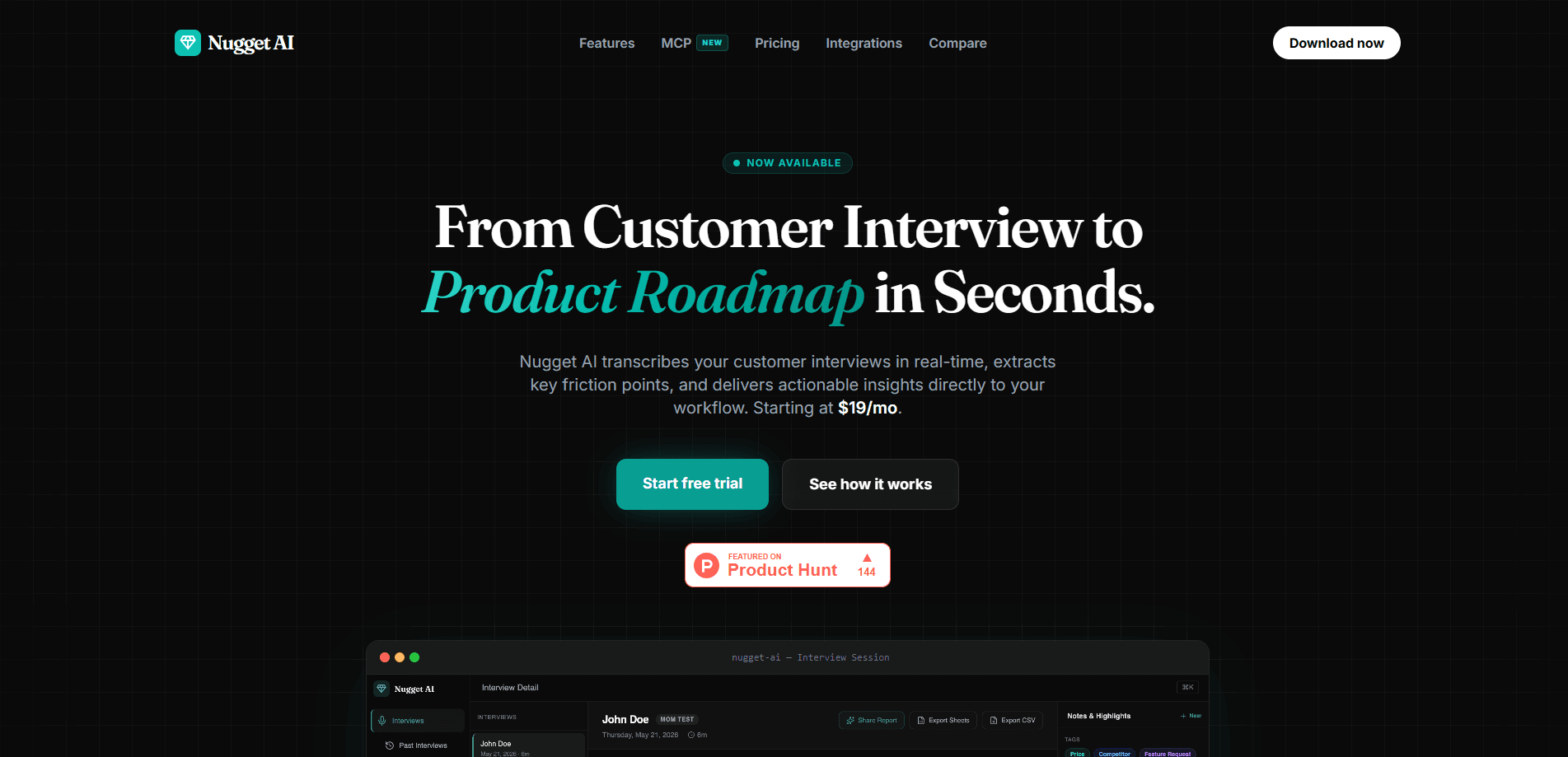
Nugget AI is an AI product research platform built for product managers who run a lot of customer interviews. It transcribes conversations in real time, pulls out the small signals people call nuggets, then clusters them into themes you can rank by frequency and severity. From there it scores opportunities and writes a PRD grounded in real quotes, which you can hand off to tools like Cursor or Linear through its MCP server.
About Nugget AI
What Is Nugget AI
Nugget AI is a research workspace that lives between your customer interviews and your product roadmap. Instead of dumping raw transcripts into a doc and re-reading them a month later, you record the call. The tool then flags the moments that matter: pain points, feature requests, and emotional friction. It tags each one by type. That's why a complaint about onboarding doesn't get buried under praise for the new dashboard.
The core promise is closing the loop from research to shipped work. Nugget scores opportunities using signal strength, user segments, and your own strategic goals. Then it turns the winner into a spec with problem statements, user stories, and acceptance criteria. Every claim links back to the interview it came from. No guessing which customer said what.
The biggest limit sits on the integration side. The MCP server that connects Nugget to Claude, ChatGPT, Cursor, and similar agents is locked to Pro and Team plans. Lighter users don't get the native AI workflow. It's also a browser-based tool with no mobile app. Capturing a hallway conversation still means opening a laptop.
Getting Started
- Create an account on the Nugget AI site and set up your workspace, then invite the teammates who'll share the research library.
- Record a live interview or upload an existing file, such as a Zoom recording, a support ticket export, survey results, or a Slack thread.
- Let the AI transcribe and extract nuggets, then review the tagged pain points and requests it found so nothing important slips through.
- Open the synthesis view to see clustered themes, then run the "Ask Your Data" chat to question patterns across dozens of conversations.
- Generate a prioritized opportunity and an AI-written PRD, then export it to Linear, GitHub Issues, or Jira with the evidence trail attached.
Product Information
A quick look at Nugget AI's pricing, supported platforms, and performance.
Best for
The users, tasks, and scenarios where this tool fits best.
Users
- Product managers who run a steady stream of customer interviews and need the findings organized without manual tagging
- Startup founders doing their own user research
- UX researchers and product designers who collect qualitative feedback across tickets, surveys, and calls
Tasks
- Turning a batch of interview recordings into ranked themes
- Drafting a PRD with real customer quotes
- Answering "what should we build next" with evidence
Scenarios
- Post-discovery sprint cleanups where you've finished 20 calls and need patterns, not another transcript pile.
- Weekly roadmap prep where you want a stakeholder-ready report generated from recent feedback.
- Handing research to a coding agent
Key features
Real-Time Transcription and Multi-Source Intake
Nugget AI transcribes interviews while they happen. The notes are ready the moment you hang up. If you'd rather work async, you can drop in Zoom recordings, support tickets, survey data, and Slack threads instead. Keeping every input in one library is what makes the later customer interview analysis possible.
AI Nugget Extraction
The platform automatically flags nuggets. These are the short signals hiding inside a long conversation. They split into pain points, feature requests, and sentiment, and each one gets tagged by type. That tagging is the difference between a searchable signal and a quote you'll never find again. It's what makes transcript analysis scale.
Cross-Interview Synthesis and Theme Clustering
Once you have enough conversations, the AI clusters nuggets into emergent themes ranked by frequency, severity, and recency. A built-in "Ask Your Data" chat lets you question the whole set at once. Ask what users say about onboarding friction. You get an answer in seconds. Compare that to an afternoon of reading transcripts.
Smart Prioritization
Opportunity scoring answers the "what should we build next" question with numbers instead of instinct. It weighs signal strength, user segments, and your strategic goals. Scenario modeling lets you compare directions before committing engineering time. Dismissing a priority is one click. That keeps the shortlist honest.
AI-Generated PRDs
A prioritized opportunity turns into a production-ready spec. It includes problem statements grounded in real user quotes, plus user stories, acceptance criteria, and UI suggestions. Iterative editing means you refine the draft rather than start from a blank page. Every claim stays traceable to the interview it came from. This is the customer insights tool piece most teams adopt first.
Dev-Ready Handoff
Specs break into discrete development tasks scoped for coding agents like Cursor or Claude Code. You can export to Linear, GitHub Issues, or Jira with the full evidence trail attached. The engineer picking up the ticket sees exactly which customer asked for it.
MCP Server for AI Agents
Nugget runs a Model Context Protocol server that plugs into Claude, ChatGPT, Codex, Cursor, Windsurf, and Claude Code. You generate a scoped, revocable token, paste a config snippet, and restart your client. Setup takes about 30 seconds. After that your AI agent can search interviews, pull customer quotes, and draft specs grounded in evidence. No copy-pasting of transcripts.
Pros and cons
Pros
- Real-time transcription removes the manual note-taking step from live interviews.
- Nugget tagging turns messy conversations into searchable, type-sorted signals.
- Evidence-linked PRDs keep every requirement tied to a real customer quote.
- The MCP server lets coding agents pull research directly, cutting out copy-paste.
- Multi-source intake covers recordings, tickets, surveys, and Slack in one library.
Cons
- The MCP server is limited to Pro and Team plans, so free and lower-tier users miss the native agent workflow.
- There's no mobile app, which makes capturing quick in-person feedback awkward.
- Pricing detail on the site is thin beyond the $19/mo starting point, so teams need to contact sales for exact tiers.
Frequently asked questions
It captures customer interviews, transcribes them, and pulls out the pain points, requests, and sentiment hiding in each conversation. It then clusters those signals into ranked themes and turns the strongest opportunity into a PRD with citations.
Related content
Explore related tools, skills, and articles for Nugget AI.
Nugget AI Alternatives

Base Code
Base44 (Wix) · Coding · ProductivityBase Code is a shared cloud development environment from Base44. Teammates describe changes to an existing GitHub codebase in chat, preview them live and send them back as pull requests.

Knocket
Knocket (Tencent RTC team) · Productivity · Business · ChatbotKnocket is a free live chat and contact page tool that lets visitors message you from your website, app, or a shareable link, with every reply handled from Telegram or one inbox.

FloorGen
Vinit Kumar (FloorGen) · Productivity · China AIFloorGen is a browser-based floor plan maker that turns a sentence or a sketch into an editable 2D plan and a 3D walkthrough. Export to PDF, DXF or video, and draw without an account.