

Mar, by Nusmark
Nusmark Ltd · Productivity
Mar by Nusmark is an AI scheduling assistant that connects to your calendars and chat apps, like WhatsApp and Slack, to answer questions, manage tasks, and take bookings.
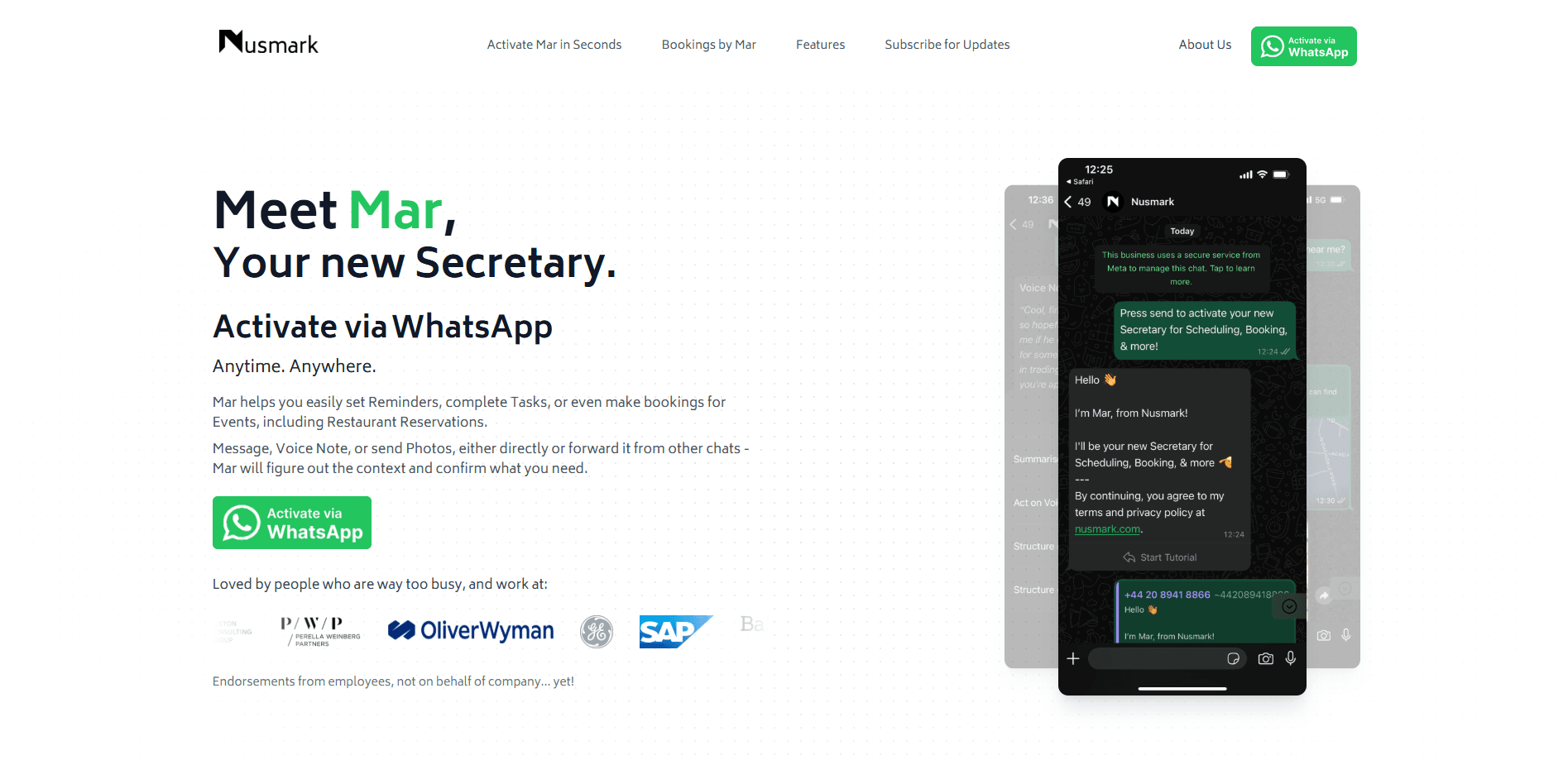
About Mar, by Nusmark
What Is Mar by Nusmark
Mar is the scheduling sidekick from Nusmark Ltd, a small London-based team that bills it as the scheduling AI that can answer questions on your behalf. You hand it your calendar and connect a chat app, and it handles the back-and-forth of finding a time, moving a meeting, and confirming a booking without you typing every reply yourself.
The pitch is simple. Instead of sending three messages to settle one slot, you point people at your booking link and let Mar negotiate availability directly. It plugs into Google, Outlook, and iCloud calendars, and the chat side covers WhatsApp, Slack, and Microsoft Teams. A web app handles the setup and the calendar view.
The limits matter too. Mar leans on the chat platforms and calendars you connect, so if your contacts refuse to use a link or your team lives somewhere Mar doesn't reach, the assistant has little to work with. Video meetings run in whichever conferencing tool is already on your calendar, not inside Mar. And the service isn't built for anyone under 16.
Getting Started
- Create an account at nusmark.com or in the web app and sign in with email, Google, or Apple.
- Connect the calendars you want Mar to read: Google Calendar, Microsoft Outlook, or iCloud.
- Claim your free booking link in the form nusmark.com/yourname and share it with the people who book time with you.
- Link a chat app. Add Mar to Slack or connect WhatsApp and verify the four-digit code it sends.
- Set your rules and reminders, then let Mar field incoming requests, answer questions, and move meetings as they come up.
Product Information
A quick look at Mar, by Nusmark's pricing, supported platforms, and performance.
Best for
The users, tasks, and scenarios where this tool fits best.
Users
- Freelancers and consultants
- Small teams on Slack or Teams
- Founders and operators
- Anyone juggling multiple calendars
Tasks
- Answering scheduling questions
- Rescheduling meetings
- Sharing a booking link
- Managing reminders and tasks
- Automating small routines
Scenarios
- A week of client calls
- A last-minute change
- Coordinating across time zones
- Running office hours
- Keeping a team in sync
Key features
Chat-Based Scheduling Assistant
Mar works inside the chat tools you already use. On Slack you add the app to your workspace, on WhatsApp you connect your number and verify a code, and on Teams you link the account the same way. Then you can ask it to find a time, move a meeting, or answer a scheduling question in plain language.
Free Booking Link
Nusmark hands every user a free booking link in the form nusmark.com/yourname, and the company says claiming it takes no credit card. You share the link and Mar coordinates availability and takes the booking, which is the core of the AI booking link idea: one address that always knows your free slots.
Google, Outlook, and iCloud Sync
Mar reads from Google Calendar, Microsoft Outlook, and iCloud, and Nusmark lets you connect more than one. Bring all your calendars and it checks availability across them, so a booking doesn't land on top of an event you forgot you had.
Reminders and Tasks
You can set reminders for upcoming meetings, choosing how many minutes ahead Mar should ping you, or zero for a nudge right at the start. Tasks sit alongside reminders, so the list of things to do stays tied to the calendar rather than a separate app.
Custom Rules and Memory
Mar lets you define rules and shortcuts that describe how you like to work, and Nusmark says the assistant remembers them and applies them automatically. It's the difference between a tool you configure once and a helper that learns your defaults over time.
Web App for Setup and Calendar View
The Flutter-based web app at app.nusmark.com is where you link accounts, manage profiles, and see the calendar Mar is working from. It's also where you copy your booking link and adjust settings, and the company keeps it in step with the chat experience, so your calendar booking link and AI appointment scheduling tool stay in sync.
Pros and cons
Pros
- Lives inside WhatsApp, Slack, and Teams, so scheduling happens where you already talk to people.
- A free booking link takes no credit card, which lowers the barrier to trying it.
- Connects Google, Outlook, and iCloud calendars at once, useful if your life is spread across accounts.
- Custom rules and shortcuts let you shape how the assistant behaves instead of accepting a fixed flow.
- Reminders and tasks keep follow-ups next to the calendar rather than in a separate to-do app.
Cons
- Pricing for the premium tier isn't published on the site, so you have to start the signup flow to see what it costs.
- The assistant depends on the chat apps and calendars you connect, so it's only as useful as the people willing to use those channels.
- There's no mobile app store listing; the mobile experience runs through the browser and the chat apps.
- Nusmark doesn't publish an API, so you can't wire Mar into your own tools right now.
Frequently asked questions
Mar is an AI scheduling assistant. You connect your calendars and a chat app, and it answers scheduling questions, moves meetings, sends reminders, and takes bookings through your free link so you don't handle every message yourself.
Related content
Explore related tools, skills, and articles for Mar, by Nusmark.
Mar, by Nusmark Alternatives

Base Code
Base44 (Wix) · Coding · ProductivityBase Code is a shared cloud development environment from Base44. Teammates describe changes to an existing GitHub codebase in chat, preview them live and send them back as pull requests.

Knocket
Knocket (Tencent RTC team) · Productivity · Business · ChatbotKnocket is a free live chat and contact page tool that lets visitors message you from your website, app, or a shareable link, with every reply handled from Telegram or one inbox.

FloorGen
Vinit Kumar (FloorGen) · Productivity · China AIFloorGen is a browser-based floor plan maker that turns a sentence or a sketch into an editable 2D plan and a 3D walkthrough. Export to PDF, DXF or video, and draw without an account.