

nxt: AI to do lists & tasks
nxt · Productivity
nxt: AI to do lists & tasks is a voice-first to-do app that turns spoken thoughts into a structured task list without any typing. You say what you need to do, the AI captures dates and context, then sorts everything by what deserves your attention next. It runs on the web, iPhone, and Android as a proper voice task manager, not just a notes app with a microphone bolted on. It's built for people who keep losing track of small tasks in their head.
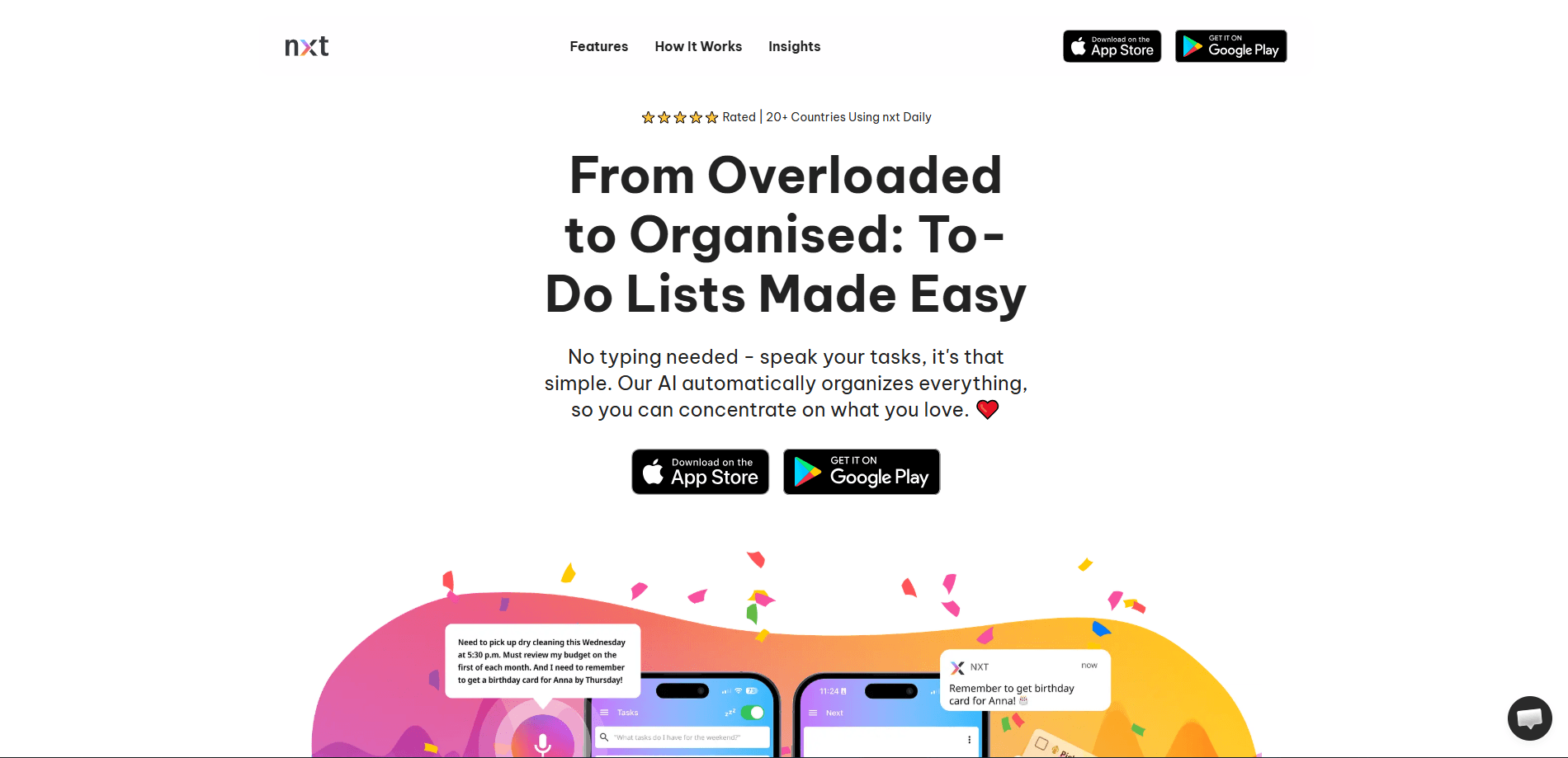
About nxt: AI to do lists & tasks
What Is nxt: AI to do lists & tasks
nxt is an AI task manager built around one idea: you shouldn't have to type out your whole day to organize it. Instead of opening a blank list and filling it in, you just talk. Say "remind me to pick up groceries tomorrow at 5" and nxt files the task, grabs the date, and puts it where it belongs. The AI does the sorting, so the busywork of maintaining a list mostly disappears.
The app leans on three things. Voice input handles capture, so a task takes seconds to add. AI prioritization looks at your schedule and suggests what to do next, which helps when a long list turns into decision paralysis. And a search layer that understands context lets you find a task by describing it roughly, even when you can't recall the exact words you originally used to save it.
It isn't a full project-management suite. No Gantt charts. No dependency chains. No team boards. If your work needs shared kanban columns, task assignees, and comment threads that keep a group of people in sync, nxt will feel thin for that purpose. It's aimed at one person managing their own day, not a team running a project.
Getting Started
- Sign up on the nxt website or install the app from the App Store or Google Play.
- Open the capture field and either speak a task out loud or type it; nxt pulls out the date, time, and topic on its own.
- Add a few tasks for today so the AI has something to prioritize, then open the suggestion view to see what it ranks first.
- Set your reminder preferences so notifications land when they're useful instead of constantly.
- Check the list once a day, mark what's done, and let new spoken tasks drop into place as they come.
Product Information
A quick look at nxt: AI to do lists & tasks's pricing, supported platforms, and performance.
Best for
The users, tasks, and scenarios where this tool fits best.
Users
- People who think faster than they type
- Anyone prone to decision paralysis
- Students juggling assignments
Tasks
- Quick capture of errands and reminders
- Daily planning
- Finding an old task
Scenarios
- Running a household's worth of small chores
- A busy workday with interruptions
- Getting thoughts out of your head before bed
Key features
Voice-Powered Task Creation
The core of nxt is speaking a task and letting the AI do the filing. Say "schedule a dentist appointment next week" and it grabs the timeframe and stores the task with that context attached. No typing, no date picker. It's the feature that makes capturing a task fast enough to actually keep up with how quickly thoughts arrive.
Intelligent AI Prioritization
nxt reads your schedule and priorities and suggests what to do next. Instead of a flat, unordered list, you get a ranked shortlist from a genuine task prioritization app rather than a plain checklist. The usefulness scales with how much you've entered. A nearly empty list gives it little to work with. So does one you never open. Feed it daily.
Contextual AI Search
Search works on meaning, not exact words. Ask for "the thing about the lease" and it can surface the right task even if you never typed "lease." For anyone who has stashed hundreds of small tasks over months and can no longer remember the exact phrasing they used, this is the difference between finding something and giving up.
Smart Reminders
Reminders arrive based on your patterns rather than a single fixed alarm. Think of it as a smart reminders app that nudges you when a task is actually relevant. The point is to avoid the notifications you learn to ignore. You set the preferences; the app picks the timing. Miss a day? It adjusts instead of piling up guilt.
Encouraging Feedback and Achievements
Completing tasks triggers success messages and small achievements. It's a small thing, and for some people it stays small. For others, the light reward loop is what keeps a to-do habit from collapsing after a week.
Cross-Platform Availability
nxt runs on the web plus iPhone and Android, so a task captured on your phone while you're out shows up the moment you sit down at a browser. That consistency matters for a tool whose entire pitch is catching thoughts at the exact moment they appear, before they slip away again.
Pros and cons
Pros
- Voice capture removes the friction that makes most to-do apps get abandoned within a week of enthusiastic downloading.
- AI prioritization offers a concrete next step instead of a flat, unordered list.
- Contextual search finds tasks by meaning, which helps as the list grows.
- Available on web, iOS, and Android, so capture and review aren't tied to one device.
- A free plan lets you test whether the voice-first approach fits before paying.
Cons
- Prioritization quality depends on how much you've entered; a sparse list limits it.
- Voice capture is awkward in loud places or when you can't speak freely.
- It's built for solo planning, so team features like shared boards are missing, which rules it out for group projects.
- Exact paid-tier limits aren't clearly published, so you may need to check in-app before committing.
Frequently asked questions
nxt turns spoken tasks into an organized to-do list. So what happens exactly? You say what you need to do, and the AI captures the task along with its date and context, then helps you decide what to tackle first.
Related content
Explore related tools, skills, and articles for nxt: AI to do lists & tasks.
nxt: AI to do lists & tasks Alternatives

Base Code
Base44 (Wix) · Coding · ProductivityBase Code is a shared cloud development environment from Base44. Teammates describe changes to an existing GitHub codebase in chat, preview them live and send them back as pull requests.

Knocket
Knocket (Tencent RTC team) · Productivity · Business · ChatbotKnocket is a free live chat and contact page tool that lets visitors message you from your website, app, or a shareable link, with every reply handled from Telegram or one inbox.

FloorGen
Vinit Kumar (FloorGen) · Productivity · China AIFloorGen is a browser-based floor plan maker that turns a sentence or a sketch into an editable 2D plan and a 3D walkthrough. Export to PDF, DXF or video, and draw without an account.