

OffboardIT by Stitchflow
Stitchflow · Productivity
OffboardIT by Stitchflow is a managed IT automation service that deprovisions departing employees across every app, including ones with no management API.
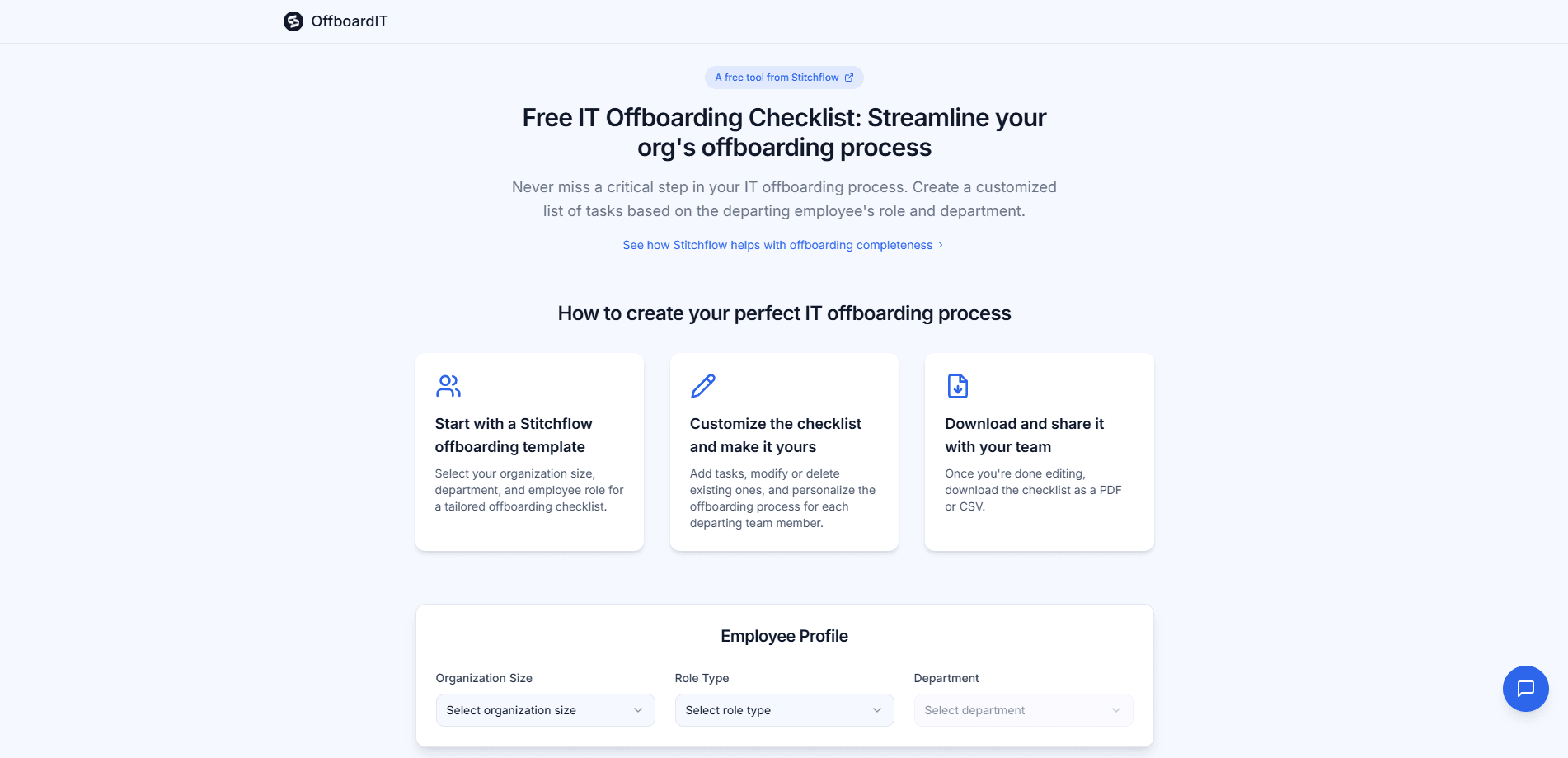
About OffboardIT by Stitchflow
What Is OffboardIT by Stitchflow
OffboardIT by Stitchflow is the offboarding arm of a managed IT automation service. Stitchflow learns how your company provisions and deprovisions people, builds those workflows for you, and then keeps them running as an offboarding workflow service. You never install a product or configure it yourself. The company does the building and the maintenance.
The problem it targets is familiar to anyone who runs IT for a growing team. When someone leaves, that person holds accounts across a dozen systems: your identity provider, email, file storage, chat, project tools, and whatever niche app a single team adopted. Most employee offboarding automation stops at the apps your identity provider knows about. Your identity provider reaches some of them through SCIM. It does not reach the rest. So somebody logs into each remaining console, clicks through the deactivation, and writes down that it happened. Stitchflow's own numbers put that work at 35 to 50 minutes per person, which is why we are talking about the repetitive part of IT that never gets fully finished.
Two limits matter before you sign up. This is a paid managed service with no self-serve tier, so it fits companies with a real IT function and a budget, not a solo founder. And the value depends on Stitchflow's team building your specific rules correctly. You are buying their implementation work, not a boxed tool you can trial on a credit card.
Getting Started
- Book an intro call and walk the team through your app stack and the rules behind each offboarding
- Let Stitchflow audit the setup and document every exception, like apps that need a file transfer before deactivation
- Approve the workflows they build and test them in your own environment before anything runs in production
- Trigger offboarding from a ticket or Slack, review the summary and let the audit trail log each action
Product Information
A quick look at OffboardIT by Stitchflow's pricing, supported platforms, and performance.
Best for
The users, tasks, and scenarios where this tool fits best.
Users
- IT operations teams
- Helpdesk and L1 support
- IT managers at growing companies
- Security and compliance leads
Tasks
- Employee offboarding
- Access deprovisioning
- SaaS license cleanup
- Manual evidence collection
- Exception handling
Scenarios
- A departing employee has access in six apps and only three are connected to your identity provider
- An app gates provisioning behind an expensive plan, so you reach it in a browser instead
- A compliance review asks for proof that access was removed on the last day, not weeks later
- A small IT team is drowning in offboarding tickets during a hiring surge or a round of layoffs
- An L1 helpdesk agent runs the whole offboarding without escalating to a senior admin
Key features
Offboarding Across Apps Without APIs
As IT offboarding software, the headline capability is reaching the apps your identity provider cannot. Many systems either have no management API or hide provisioning behind an enterprise plan, so SCIM never touches them. Stitchflow drives those consoles with a browser agent instead. It runs a dedicated Chromium instance locally, keeps credentials in your operating system keychain and uses a persistent profile, so the automation works the same console a person would. That is the difference between covering every app and covering the easy half.
Managed Build and Maintenance
Stitchflow is a service, not software you configure. The team audits your stack, documents each rule and exception, builds the workflows and then keeps them running as the underlying apps change. When an admin console gets redesigned or an API shifts, the vendor updates the integration. For buyers, that removes the slow decay that kills homegrown automation scripts once the person who wrote them moves on.
Audit Trail and Evidence
Every run produces a record. The service logs each action with timestamps and posts an offboarding summary to Slack or Jira, showing who was processed and which apps were covered. That matters for compliance reviews, where the question is not whether access was removed but whether you can prove it. A logged summary replaces the screenshot-and-spreadsheet habit most teams fall back on.
Slack and Jira Triggers
You start an offboarding from the tools your team already uses. A ticket in Jira or a message in Slack kicks off the run, and the result comes back in the same place. Helpdesk staff do not need admin access to every console to complete the task, which is what lets an L1 agent finish an offboarding without handing it up the chain.
License Cleanup and Spend Recovery
Offboarding is also a spending problem. Seats left open after someone leaves keep billing every month. Stitchflow reclaims licenses as part of the run, so the same workflow that closes accounts also stops the charges. Stitchflow positions this alongside its spend intelligence work, and for finance teams the reclaimed seats are often the easiest way to justify the service.
Deep, Read-and-Write Integrations
Stitchflow connects to more than 60 apps through deep API integrations that read and write, not just report. The service understands what roles, groups, last login and license state mean inside each app, so deprovisioning does the right thing rather than flipping a single flag. Read access is the default, and write access is enabled only where a workflow requires it.
Pros and cons
Pros
- Covers apps with no management API through a local browser agent, so offboarding does not stop at the SCIM-connected few
- Managed build and upkeep means your workflows keep working when consoles and APIs change, without your team maintaining scripts
- Timestamped audit trail and Slack or Jira summaries give compliance reviewers evidence instead of screenshots
- License reclamation in the same run cuts SaaS spend on seats that would otherwise keep billing
- Read-only by default with scoped write access, and the vendor holds SOC 2 Type II certification
Cons
- No self-serve plan, so there is no free trial to test before you commit and the setup starts with a sales conversation
- Pricing starts around $1,000 per month, which rules out solo founders and small teams without an IT budget
- The service is only as good as the rules Stitchflow captures, so a poorly scoped rollout leaves gaps you will not see until offboarding runs
- You are trusting an outside team with credentials and provisioning access, which some security teams will not allow
Frequently asked questions
It automates employee offboarding from start to finish. When a person leaves, it suspends their account, deprovisions apps across your stack, handles exceptions like file transfers and license reassignment, and logs every action for audit.
Related content
Explore related tools, skills, and articles for OffboardIT by Stitchflow.
OffboardIT by Stitchflow Alternatives

Udon
Udon · Coding · ProductivityUdon turns an Apple Silicon Mac into a home server you run from a browser, with container controls, file shares, and an optional AI sysadmin.

offstage
offstage cloud · Coding · Productivityoffstage gives AI coding agents and CI jobs a real Mac: a fresh macOS account on Apple silicon, driven over an API and billed by the second.

BotBus
Chengdu Tuyang Tusen Technology Co., Ltd. · Coding · ProductivityBotBus lets you control AI coding agents from your phone and watch: approve commands, start tasks and read results while the code stays on your desktop.