

OFFLIGHT
OFFLIGHT Ltd. · Productivity
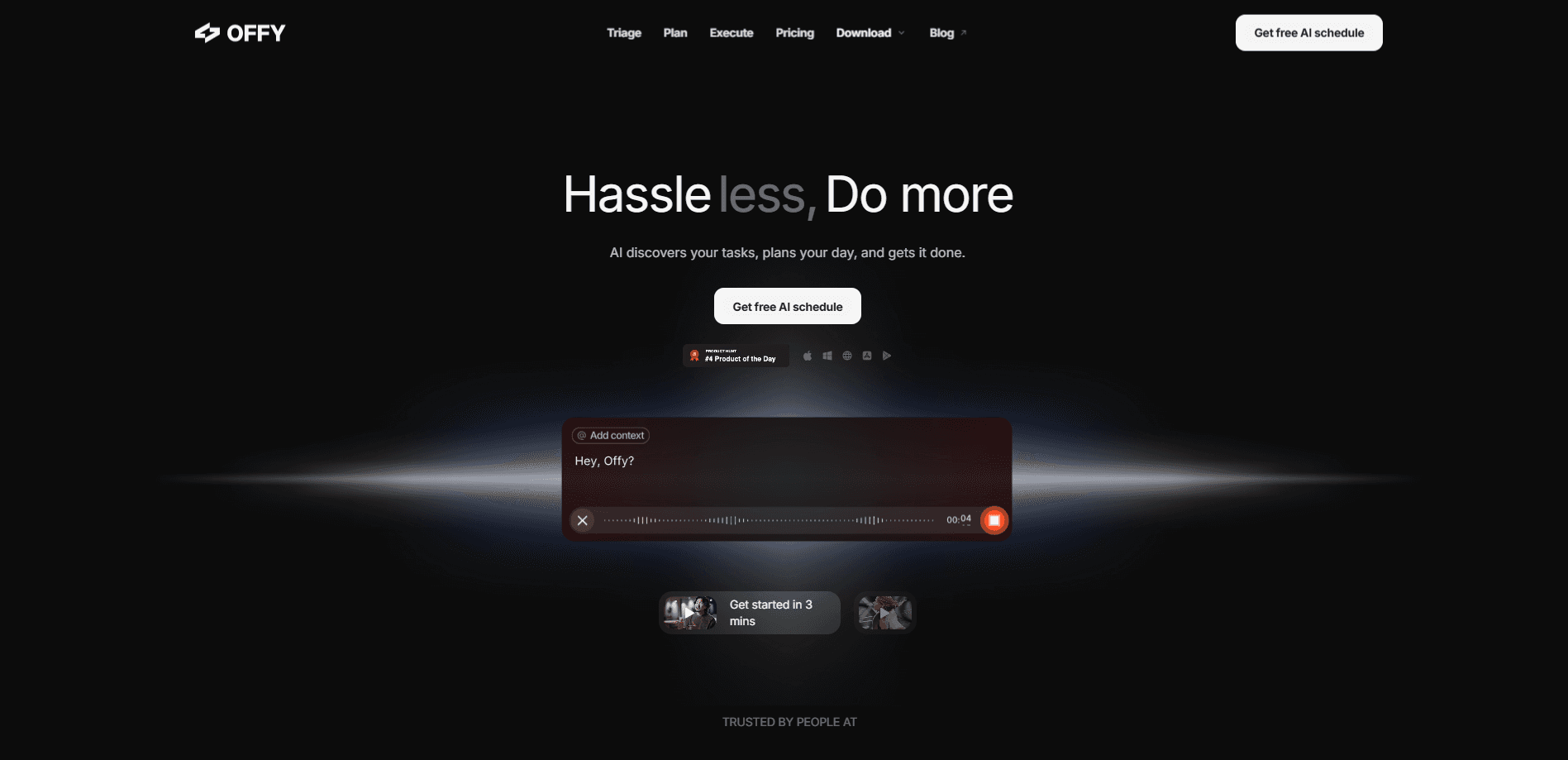
OFFLIGHT is an AI scheduler that finds your tasks across Slack, Gmail and Linear, then builds a time-based plan for the day and helps you execute it through an assistant called Offy.
About OFFLIGHT
What Is OFFLIGHT
OFFLIGHT is a daily planner built around an AI assistant named Offy. Instead of asking you to type every task into a list, it watches the tools you already work in and pulls the to-dos out of them. Assigned tickets in Slack, emails that need an answer, issues in Linear: all of it lands in one place, already sorted by what matters.
The pitch is that planning a day should take minutes, not a fresh round of manual admin. You tell Offy what your week looks like, and it turns a messy inbox of commitments into a schedule with real time blocks. It also splits large tasks into smaller steps that actually fit the hours you have.
What holds people back is scope. The mobile apps are lighter than the desktop and web versions, so some features, like creating new lists or adding integrations, still send you back to the computer. It's also a young product, and the paid tier is still labelled beta.
Getting Started
- Sign in at app.offlight.work with your Google account, which also connects your email and calendar
- Let Offy scan your connected tools so it can collect assigned tasks from Slack, Gmail, Linear and similar apps
- Review the triage list, mark what matters and drop what doesn't
- Ask Offy to plan the day, then run the schedule it builds and check off tasks as you go
Product Information
A quick look at OFFLIGHT's pricing, supported platforms, and performance.
Best for
The users, tasks, and scenarios where this tool fits best.
Users
- Busy professionals
- Parents and carers
- Freelancers and solo workers
- Students
Tasks
- Task triage
- Daily planning
- Task breakdown
- Email drafting
- Calendar management
Scenarios
- A day packed with meetings
- Requests arriving from many channels
- A short window to work
- Catching up after time away
Key features
Triage across your work tools
OFFLIGHT connects to Slack, Gmail, Linear and similar tools, then pulls the tasks assigned to you into a single list. It sorts them by priority so you can see what needs attention first. If you already live in these apps, this saves you from copying the same to-dos into a separate planner by hand.
AI day planner
Offy builds a time-based plan from your task list and your calendar. It works around meetings and blocks out stretches for focused work, so the plan reflects the hours you actually have. You can ask for a fresh plan when the day shifts halfway through.
Automatic task generation and splitting
Large tasks don't fit neatly into a schedule, so Offy breaks them into smaller steps and places each one where it fits. That turns something vague, like "write the report", into a set of pieces you can start on straight away. It also generates tasks from context when you don't spell out every step yourself.
Email drafts in Gmail
When messages need a reply, Offy prepares drafts from your Gmail. You review and edit them, then send. The idea is to clear routine correspondence without switching tabs or retyping the same kind of answer again and again.
Flexible connections through remote MCP
Beyond the built-in Slack, Gmail and Linear links, OFFLIGHT lets you connect other context and tools through remote MCP, a standard way for AI assistants to reach outside apps. That opens the door to pulling in sources the team hasn't shipped a native connection for yet.
Cross-platform sync
Your tasks and calendar stay in sync across web, macOS, Windows, iOS and Android. The desktop and web apps are the fullest experience, while the mobile apps cover the essentials, so you can create, plan, complete and delete tasks on the move. Lists and new integrations are still set up on the desktop side.
Pros and cons
Pros
- Pulls assigned tasks from Slack, Gmail and Linear automatically, so you don't maintain a separate list by hand
- Offy plans around your real calendar and splits big tasks into steps that fit the time you have
- Email drafts in Gmail cut down on routine typing for repetitive replies
- Works across web, macOS, Windows, iOS and Android, with a free tier to start
- Remote MCP support means you can connect tools beyond the built-in Slack, Gmail and Linear links
Cons
- The mobile apps are lighter than desktop: you can't create lists or add new integrations on phone
- Pro is still labelled beta, so expect features and pricing to move
- The free plan caps how many credits you get for AI actions, which limits heavy daily use
- No public REST API is documented, so connecting OFFLIGHT to custom systems means leaning on MCP rather than a standard API
Frequently asked questions
OFFLIGHT is an AI scheduler and daily planner. It connects to tools like Slack, Gmail and Linear and pulls the tasks assigned to you into one list. From there it builds a time-based plan for your day, and an AI assistant called Offy runs the triage and the task breakdown.
Related content
Explore related tools, skills, and articles for OFFLIGHT.
OFFLIGHT Alternatives

Udon
Udon · Coding · ProductivityUdon turns an Apple Silicon Mac into a home server you run from a browser, with container controls, file shares, and an optional AI sysadmin.

offstage
offstage cloud · Coding · Productivityoffstage gives AI coding agents and CI jobs a real Mac: a fresh macOS account on Apple silicon, driven over an API and billed by the second.

BotBus
Chengdu Tuyang Tusen Technology Co., Ltd. · Coding · ProductivityBotBus lets you control AI coding agents from your phone and watch: approve commands, start tasks and read results while the code stays on your desktop.