
Omniaseo
Omniaseo · Productivity · Marketing
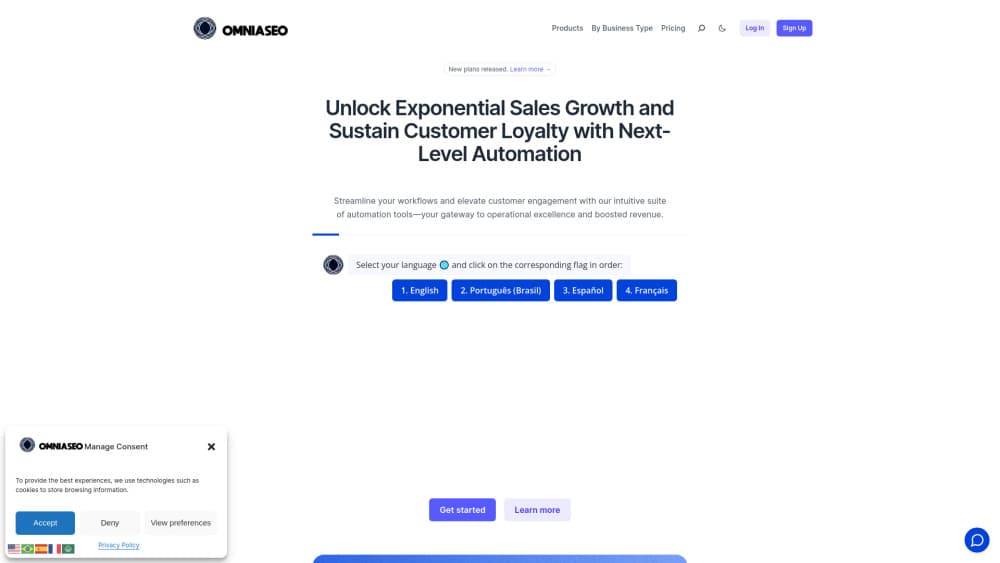
Omniaseo is an all-in-one business automation platform that puts WhatsApp customer service, Prysmbot chatbots, n8n workflows, and project tracking inside one shared workspace.
About Omniaseo
What Is Omniaseo
Omniaseo is an all-in-one SaaS platform from Brazil for small teams that got tired of stitching tools together. It packs a shared inbox for chat and WhatsApp, a bot builder, an automation layer, project boards, and a reporting dashboard behind one login. The pitch is simple: four subscriptions become one.
The product centers on a single loop. A conversation arrives, the contact and history show up next to it, a routine routes the next step, and the request becomes a task with an owner and a due date. Nobody copies details between apps. That loop is what distinguishes Omniaseo from a plain help desk or a standalone workflow builder.
The tradeoff is that the stack is opinionated. Every plan caps users, projects, inboxes, and storage, and the bot engine follows Prysmbot and Typebot conventions instead of offering a blank canvas. Teams already invested in a large CRM will find overlaps they can't remove. The platform suits lean operations better than departments with a dozen specialized tools already in place.
Getting Started
- Create an account and choose Starter or Standard. The 14 day trial begins at registration, and Premier can be switched on later from the dashboard.
- Connect a channel. Omniaseo Chat works out of the box; WhatsApp needs a number and an approved business account.
- Open your first project and add a real task. Empty workspaces report nothing useful, so start with live work.
- Configure one routine in Flow, or start from a Prysmbot template and adjust the questions.
- Invite the team and set who owns which inbox.
Product Information
A quick look at Omniaseo's pricing, supported platforms, and performance.
Best for
The users, tasks, and scenarios where this tool fits best.
Users
- Solo founders and small agencies
- Customer service teams on WhatsApp
- Operations leads
- Brazilian small businesses
Tasks
- Centralizing WhatsApp customer service
- Deflecting repeat questions with chat automation
- Turning a request into tracked work
- Light project management
Scenarios
- A store that sells through WhatsApp and needs orders, follow-ups, and post-sale questions in one queue.
- An agency juggling client requests across chat, email, and internal tasks, where ownership tends to get lost.
- A team that wants to test an AI assistant on real operational data before giving it write access.
Key features
One Inbox for Chat and WhatsApp
Omniaseo Chat collects website chat and connected WhatsApp conversations in a single queue. Agents see the contact record, past threads, and the current stage before replying. Assignment rules decide who picks up a new message, and supervisors can step in without taking the number away from the team.
Prysmbot Chatbots With Human Handoff
Prysmbot builds the first line of support: menus, qualifying questions, and scripted answers that run before anyone opens the inbox. When a bot hits a question it can't answer, the conversation moves to an agent with the transcript intact. Plan limits count chats, not seats, so heavy bot volume on a small team still fits the entry plan.
Flow Automations Built on n8n
Flow is the no-code automation layer, and it follows n8n logic: triggers, branches, and actions wired into a routine that runs on its own. A new form response can create a task, a closed conversation can start a follow-up, and a status change can notify the right person. The published plan limits don't cap executions, which matters for teams that run routines all day.
Project Views for Delivery Work
Projects carry the operational side: Kanban for flow, list for volume, calendar for deadlines, and Gantt for dependencies. Each card tracks stage, owner, and due date, and the same record appears in the dashboard. Teams that already run their delivery in a separate project tool will duplicate work here, so it suits groups that want one system rather than best-of-breed.
Omniaseo Connect for ChatGPT, Codex and Claude
Connect is the newest piece. It exposes workspace tools over MCP, so an assistant such as ChatGPT, Codex, or Claude can read context, prepare changes, and act within limits you set. Permissions are split into read, prepare, and act, and policy can require a person to approve before anything executes. Each plan includes a set number of active connections: one on Starter, five on Standard, fifteen on Premier.
Dashboards Tied to Recorded Work
The analytics area reads the data the workspace already holds: conversations handled, tasks by stage, and pipeline movement. Nothing needs a separate export. Reports stay useful only if the team logs work in Omniaseo itself, which is the honest limit of any built-in dashboard.
Pros and cons
Pros
- One subscription covers inbox, bot, automation, projects, and reporting, which cuts both cost and the number of logins.
- WhatsApp conversations get shared ownership and history, a real improvement over a single phone in the office.
- The MCP layer gives ChatGPT, Codex, or Claude scoped access with approval steps instead of full account access.
- Flow runs without an execution cap on published plans, so automation heavy teams don't watch a meter.
- A 14 day trial on Starter and Standard lets a team test a real workflow before paying.
Cons
- Pricing is quoted in Brazilian reais, and international card payments can add currency conversion fees.
- The entry plan allows one user only, so a two person team jumps straight to Standard at R$199.90.
- Bot building follows Prysmbot and Typebot logic, which takes time to learn if you've only used drag and drop chatbot tools.
- Storage is modest: 100 MB on Starter and 500 MB on Standard, so media heavy support will need Premier.
Frequently asked questions
A shared inbox for chat and WhatsApp, the Prysmbot bot builder, Flow automations, project views, dashboards, file storage, and Connect for AI assistants. All of it runs from one account and one workspace.
Related content
Explore related tools, skills, and articles for Omniaseo.
Omniaseo Alternatives

Base Code
Base44 (Wix) · Coding · ProductivityBase Code is a shared cloud development environment from Base44. Teammates describe changes to an existing GitHub codebase in chat, preview them live and send them back as pull requests.

Knocket
Knocket (Tencent RTC team) · Productivity · Business · ChatbotKnocket is a free live chat and contact page tool that lets visitors message you from your website, app, or a shareable link, with every reply handled from Telegram or one inbox.

FloorGen
Vinit Kumar (FloorGen) · Productivity · China AIFloorGen is a browser-based floor plan maker that turns a sentence or a sketch into an editable 2D plan and a 3D walkthrough. Export to PDF, DXF or video, and draw without an account.