

Omniaxe
Omniaxe · Productivity · Business
Omniaxe is a Chrome extension research tool for analysts, researchers, and students who need to extract, analyze, and organize data without leaving the browser.
About Omniaxe
What Is Omniaxe
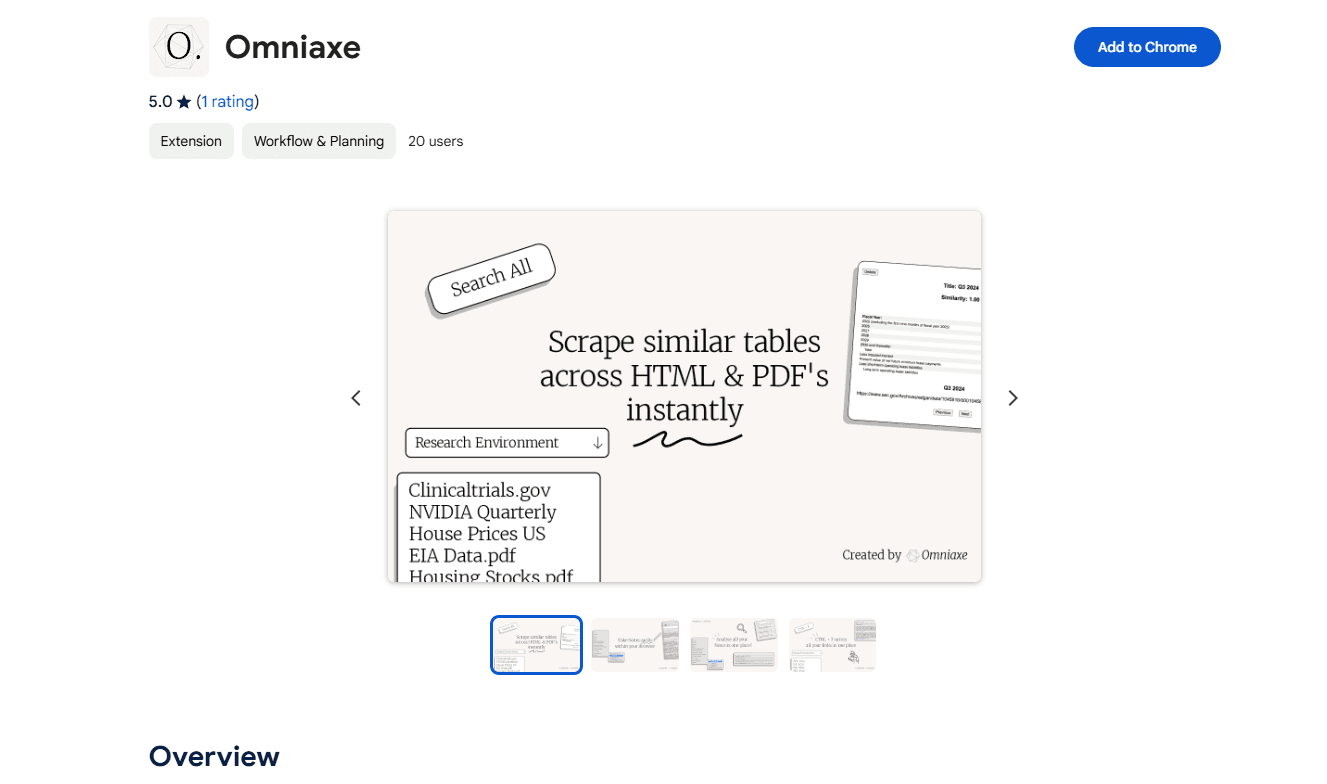
Omniaxe is a browser extension that turns Chrome into a research workspace. It pulls tables and text out of web pages and PDFs, runs AI analysis on whatever you collect, and keeps every note in one searchable place. More than a scraper, it's a full research analysis extension. Think of it as a data extraction tool, a note app, and an AI assistant sharing one button. The pitch is simple. Stop juggling three apps when one can do the job.
It's built for people who spend their week gathering information rather than producing it, and who need a single place to keep what they find. Think market analysts pulling competitor tables, grad students reading through papers, or writers collecting sources. The tool sits in your browser, so there's no separate desktop app to install or learn. Open a tab, click the icon, and you're working.
The catch? You're tied to a Chromium-based browser. And the AI analysis depends on the quality of your sources. A messy scanned PDF won't magically become a clean dataset. Bad inputs give bad summaries. That's just how it works.
Getting Started
- Install the Omniaxe extension from the Chrome Web Store and pin it to your toolbar.
- Open any web page or PDF and click the extension to start capturing tables or selecting text.
- Save captured data into a note, then add tags so you can find it later.
- Run the AI analysis on a note or dataset to get summaries and quick insights.
- Search across all saved notes to pull your research back together when you need it.
Product Information
A quick look at Omniaxe's pricing, supported platforms, and performance.
Best for
The users, tasks, and scenarios where this tool fits best.
Users
- Market and business analysts
- Researchers and grad students
- Students
- Content writers
Tasks
- Extracting tables from web pages
- Pulling data from PDFs
- Summarizing research notes
- Organizing findings
Scenarios
- Building a competitor comparison ahead of a strategy call.
- Working through a stack of academic papers in one sitting.
- Gathering market data for a business case or pitch deck.
- Keeping a running research log while browsing a new topic area.
Key features
Data extraction from pages and PDFs
Omniaxe captures tables from HTML pages and PDFs with a click. That kills the manual copy-paste step that eats up most of a research session. Pick the table you want, and it lands in your workspace ready to use. It works best on clean, text-based sources. Scanned images are a different story.
AI-powered analysis
Once your notes and data are saved, Omniaxe runs AI analysis over them to produce summaries and surface patterns. This is most useful when you've collected a batch of material and want a quick read on what it says before you dig in yourself. Treat the output as a starting point, not a finished conclusion.
Centralized note-taking
Every capture lands in one notes system, not scattered files and browser bookmarks. Tag notes, then search across them later. That matters when a project spans weeks and dozens of sources. The whole point is keeping your research findable rather than letting a promising lead disappear into a tab you closed last Tuesday and never thought about again. Buried in tabs is no way to work.
Tagging and search
Notes can be tagged and retrieved by keyword, so a note you saved months ago is still within reach when a new project suddenly needs it. This is the difference between a real research tool and a pile of loose text you'll never open again. It's a small feature on paper, yet it quietly decides whether you actually reuse the material you collected or just rebuild the same findings from scratch later.
Browser-based workflow
Omniaxe lives in Chrome, so there's no context switch to a separate app. You capture, annotate, and analyze in the same window you're reading in. Does that actually help? It keeps you in flow. But it also means the tool only works where Chrome works.
Research organization
Omniaxe works as a research productivity tool, grouping extraction, analysis, and note management into a single interface. For analysts who juggle several tools to do one job, that consolidation cuts setup and handoff time. Less switching. More reading.
Pros and cons
Pros
- Combines data extraction, AI analysis, and note-taking in one extension, so you don't pay for or learn three separate tools.
- Pulls tables from both web pages and PDFs, which covers most day-to-day research sources.
- Tagging and search keep long research projects organized and easy to revisit.
- Runs entirely in the browser, with nothing extra to install.
- Has a free tier, so you can test it on real work before paying.
Cons
- Only works in Chrome. Firefox and Safari users are out of luck.
- Extraction quality drops on scanned or image-heavy PDFs, which means more manual cleanup.
- The AI analysis is only as good as your source material, so messy inputs give messy summaries.
- No public API, so it can't be wired into automated pipelines.
Frequently asked questions
Omniaxe is a Chrome extension that handles data extraction, AI analysis, and note-taking in one place. It's aimed at analysts, researchers, and students who need to collect and make sense of information while browsing.
Related content
Explore related tools, skills, and articles for Omniaxe.
Omniaxe Alternatives

Base Code
Base44 (Wix) · Coding · ProductivityBase Code is a shared cloud development environment from Base44. Teammates describe changes to an existing GitHub codebase in chat, preview them live and send them back as pull requests.

Knocket
Knocket (Tencent RTC team) · Productivity · Business · ChatbotKnocket is a free live chat and contact page tool that lets visitors message you from your website, app, or a shareable link, with every reply handled from Telegram or one inbox.

FloorGen
Vinit Kumar (FloorGen) · Productivity · China AIFloorGen is a browser-based floor plan maker that turns a sentence or a sketch into an editable 2D plan and a 3D walkthrough. Export to PDF, DXF or video, and draw without an account.