

Omnigen
Omnigen · Image · Video
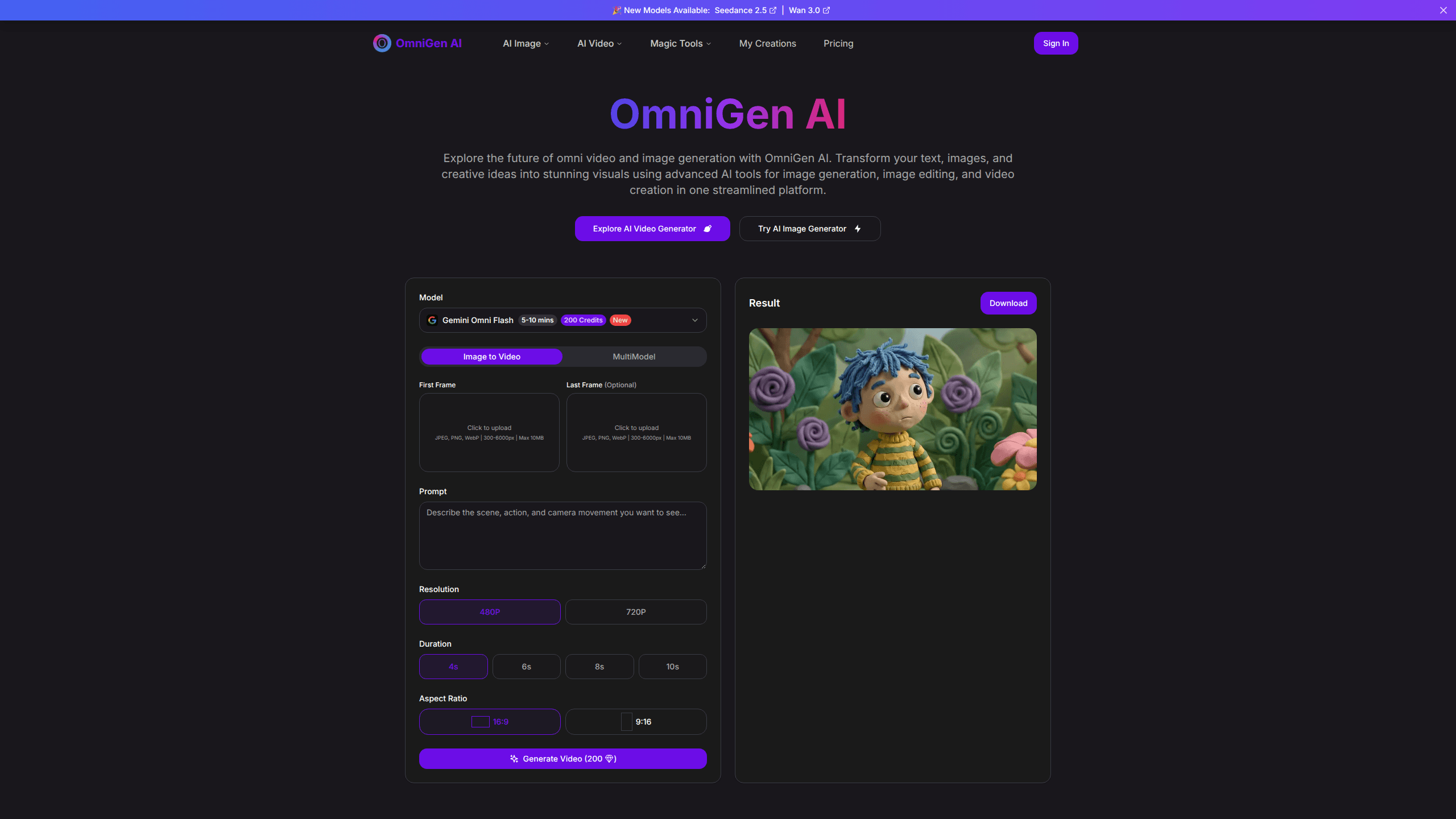
Omnigen is an online AI image and video generator that handles text to image, image editing, and image to video work in a single web app. You type a prompt, skip to upload if you want, and the platform returns a finished image or short clip. It runs in the browser. Nothing to install. Pricing works on credit packs instead of a monthly subscription.
About Omnigen
What Is Omnigen
Omnigen is a browser-based creative tool built around one idea: you shouldn't need a stack of separate apps to make an image and then animate it. The platform bundles an AI image generator, an image editor, and an AI video generator behind one login. You move from a rough concept to a rendered visual without exporting files between tools.
The appeal is the unified workflow. Most alternatives make you pick a text-to-image model, then a separate upscaler, then a video tool, then stitch everything together. Painful. Omnigen folds those steps into one workspace, which cuts the friction for people who just want a result.
The catch is that it's a closed platform. You work inside Omnigen's model choices and its credit system. There's no free tier listed on the pricing page. If your budget is zero, this isn't the tool. And like any hosted generator, heavy use gets expensive fast once credits run out, so it pays to watch your balance before a long session.
Getting Started
- Open [omnigenai.org](https://omnigenai.org/) in a browser and sign in.
- Pick a mode: text to image, image editing, image to image, text to video, or image to video.
- Write a prompt and upload any reference images, starting frames, or ending frames the mode supports. Keep uploads within the stated limits (JPEG, PNG, or WebP, 300-6000px, up to 10MB each).
- Generate the result, then adjust the prompt, model, aspect ratio, or duration if it's off.
- Download the finished image or clip and keep working from the same dashboard.
Product Information
A quick look at Omnigen's pricing, supported platforms, and performance.
Best for
The users, tasks, and scenarios where this tool fits best.
Users
- Content creators who need images and short clips from one dashboard
- Marketers building quick visuals for social posts
- Hobbyists exploring AI art without installing software
Tasks
- Generating images from text prompts
- Editing and refining existing photos
- Turning a still into motion
Scenarios
- Drafting concept art before a bigger project
- Making short video clips for a post or ad
- Testing a prompt idea quickly
Key features
Unified Image and Video Workflow
Omnigen combines text to image, image editing, and video generation into one platform rather than splitting them across apps. It's an omni AI generator in the sense that one interface covers several generation tasks. That means a project can move from a text prompt to a still image to a short clip without changing tools. For anyone who's tired of paying for three separate AI subscriptions, the consolidation is the main draw.
Text to Image Generation
The text to image mode converts a written description into a finished image. You control the output through the prompt and adjust resolution and aspect ratio to fit the destination, whether that's a square post or a wide banner. Want a wide banner instead of a square post? Change the aspect ratio and re-run. It's the core of the platform, and the site frames it as the feature the rest of the tool is built around.
Image Editing
Beyond creating from scratch, Omnigen can edit images you upload. The site puts image editing in the same framework as generation, so you're not switching products to fix a file. When a generated image is close but not quite right, you can adjust it instead of regenerating from zero. That saves credits.
Image to Video Conversion
The video side takes a starting frame and animates it, with an optional ending frame to steer where the motion lands. You set the duration and aspect ratio, then download the clip. Short clips only. It's aimed at short motion pieces, not long-form editing. Treat it as a way to add movement to a still rather than to cut a full video.
Browser-Based Access
Omnigen runs entirely in the browser, so there's no download, install, or GPU requirement on your end. The heavy lifting happens on the platform's servers. The trade-off is that you're dependent on a stable connection and on the platform staying online, since none of this runs locally.
Pay-As-You-Go Credits
Instead of a monthly subscription, Omnigen sells credit packs that stay valid for twelve months. Packs range from a $9.90 trial to a $99.90 pro option, and the price per hundred credits drops as you buy more, landing at about half a cent per credit on the biggest pack. No auto-renewal. You top up when you need to rather than paying every month, which suits people who create in bursts and then go quiet for weeks.
Pros and cons
Pros
- Image generation, editing, and video all live in one browser workspace, so there's no tool-switching.
- No subscription and no auto-renewal: credits are bought once and last a year.
- Cheaper per-credit pricing on larger packs, which helps if you generate in volume.
- Runs entirely online, so it works on modest hardware without a GPU.
- Optional ending frame gives more control over how an image to video clip resolves.
Cons
- No free tier on the pricing page, and the smallest pack costs $9.90, so you can't try it for nothing.
- Credits expire after twelve months, which means unused balance is lost if you stop creating.
- You can't run it offline or self-host, so you're tied to the platform's uptime and your connection.
- The site doesn't list a public API, so automating generations from your own code isn't an option right now.
Frequently asked questions
Omnigen generates images and short videos from text prompts and reference images. People use it for concept art, social media visuals, and quick animation from a single still, all inside one browser workspace.
Related content
Explore related tools, skills, and articles for Omnigen.
Omnigen Alternatives

X Ray Interpreter
X-ray Interpreter · ImageX Ray Interpreter is a web-based AI radiology tool that turns X-rays, CT scans, MRI, ultrasound, and PET images into plain-language reports. You upload a scan, get a preliminary X-ray interpretation in moments, then ask follow-up questions if something needs explaining. It works as a second opinion and a learning aid, not as a medical diagnosis.

Aieasypic
AIEasyPic · ImageAIEasyPic is an AI image generator that turns plain text prompts into finished artwork in seconds. You can also train custom models on your own photos, swap faces in existing images, and create short video clips from text, all from a browser. It suits casual creators who want quick visuals and hobbyists who want to build a personal model without touching any code.

Chargen
Chargen · ImageChargen is an AI character generator and worldbuilding toolkit built for Dungeons & Dragons and other tabletop RPGs. It turns a one-line idea into a painted character portrait, spins up NPCs, monsters, maps and encounters from the same session, and keeps every creature's details close at hand. The tabletop RPG art side runs on a credit system called Gold, while the text generators stay free for everyone.