

OnlyCheat
100xProjects (Get Project) · Coding · Business
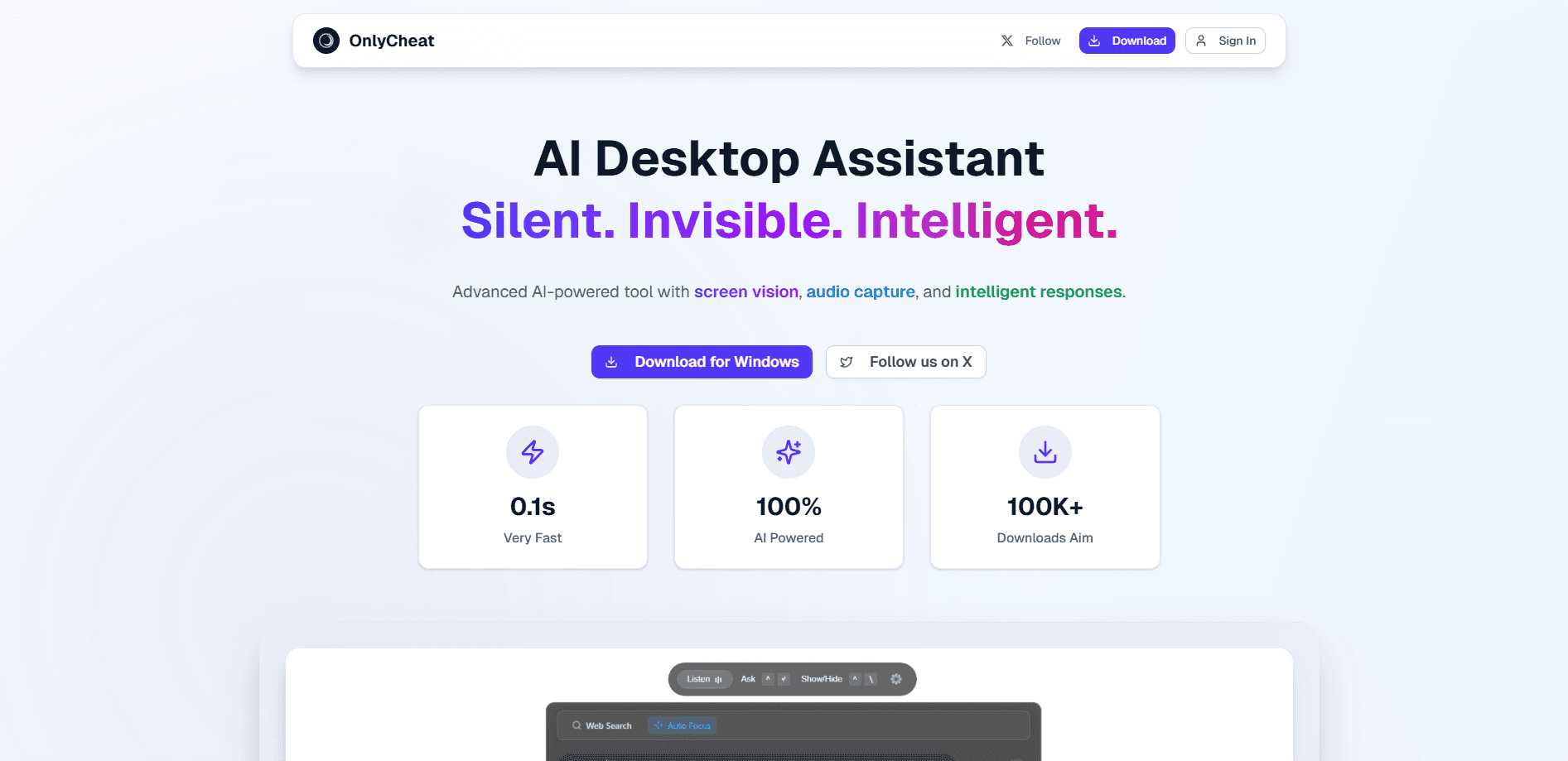
OnlyCheat is an AI interview assistant that listens to your call, reads your screen, and shows real-time answers on a hidden panel made for technical job interviews.
About OnlyCheat
What Is OnlyCheat
OnlyCheat is a desktop app for job interviews. It runs on Mac and Windows, listens to the call through your mic, reads the question on your screen, and puts a suggested answer on a second panel that only you can see. The pitch is simple: as an interview copilot, it gives you the answer while the question is still hanging in the air instead of after the round is over.
The problem it targets is interview anxiety, especially the technical rounds where a question about how TCP differs from UDP can stall an otherwise strong candidate. The app transcribes the audio as it happens, keeps a running transcript, and answers coding or concept questions in real time. A single hotkey, Command B, hides the panel and brings it back, and the panel stays out of screen shares and recordings, an undetectable AI interview tool on your side of the screen so the people on the call see what they always saw.
The limits are worth knowing up front. OnlyCheat pricing is built around live interviews rather than general study, its AI time is sold in hour blocks rather than a monthly subscription, and the pricing is in Indian rupees. It is also an assistant, not a replacement for knowing your field, and it does nothing for written take-home tests where there is no live call to listen to.
Getting Started
- Download OnlyCheat for Mac or Windows from the official site and install it. The install takes about two minutes.
- Create an account. Every new account starts with ten minutes of free AI time, so you can test it before paying.
- Join your interview on Zoom, Meet, Teams, HackerRank, or LeetCode as you normally would.
- Let the app listen and read the screen, then read the answer that appears on the hidden panel while the question is being asked.
- Press Command B to hide the panel if you need a clear screen, and press it again to bring the answer back.
Product Information
A quick look at OnlyCheat's pricing, supported platforms, and performance.
Best for
The users, tasks, and scenarios where this tool fits best.
Users
- Software engineers facing live technical rounds
- Candidates preparing for multiple companies at once
- People who freeze on behavioral or system design questions
Tasks
- Answering live coding and concept questions
- Building a clean CV before the round
- Keeping a record of every round
Scenarios
- A first screening call where you want a safety net
- A packed week of interviews at several firms
- A question that catches you mid-sentence
Key features
Real-Time Answers on a Hidden Panel
OnlyCheat reads the question from your call and your screen and returns a suggested answer while the interviewer is still speaking. The output sits on a panel that stays off screen shares and recordings, so nobody else on the call sees it. Command B hides the panel instantly and brings it back, which means you are not clicking through menus mid-answer.
Live Audio Transcription
The app transcribes the conversation as it happens, so the question on the table is already in context when the answer is generated. That running transcript is what lets it answer a follow-up without you restating the original question. The transcript is also stored, and the storage is unlimited on every paid plan.
Screen Capture Analysis
Beyond the audio, OnlyCheat reads what is on your screen, which matters for coding rounds where the task itself is on the page rather than spoken aloud. It can pull a question out of a coding challenge or a shared document and work from that. This is the part that separates it from a plain transcription tool.
Works Across Interview Platforms
The app is built to sit alongside Zoom, Meet, Teams, HackerRank, and LeetCode without showing up in the shared view. You join the call the way you always do, and the panel stays on your side of the screen. That platform-agnostic approach means you do not have to change how you take the interview.
AI Resume Builder
Every plan includes an AI Resume Builder that turns your experience into a formatted document. The lower block bundles five CV uploads and five templates, while the higher bundles add unlimited uploads, all templates, and watermark-free output. It fits the same job hunt as the interview tool, so you are not paying two services.
Jobs for You
The tool includes a free job-matching feed that surfaces roles as you use it. It is bundled at no extra cost rather than sold as a separate tier. For anyone running a broad search, it keeps openings in the same place as the interview prep.
Pros and cons
Pros
- The hidden panel stays out of screen shares and recordings, so the people on the call see nothing unusual.
- Answers arrive in real time, which addresses the exact moment when a technical question catches you off guard.
- Screen capture and audio transcription work together, so it handles both spoken and on-screen questions.
- Hour blocks stay valid for sixty to one hundred twenty days, which suits a multi-round job hunt better than a monthly plan.
- Ten free minutes on every new account let you test the tool on a real call before paying.
Cons
- Pricing is in Indian rupees and runs through Cashfree, which adds a currency and payment step for candidates outside India.
- AI time is sold in hour blocks that expire, so unused hours are lost if your job hunt slows down.
- It is an assistant that suggests answers, so it does not teach you the underlying skill and works poorly for written take-home tests.
- The app only covers Mac and Windows, so there is no phone or browser version for a quick look on mobile.
Frequently asked questions
OnlyCheat is an AI interview assistant for technical job interviews. It listens to your call, reads your screen, and shows real-time suggested answers on a hidden panel. It suits engineers and candidates who want support during live screening and coding rounds.
Related content
Explore related tools, skills, and articles for OnlyCheat.
OnlyCheat Alternatives

Udon
Udon · Coding · ProductivityUdon turns an Apple Silicon Mac into a home server you run from a browser, with container controls, file shares, and an optional AI sysadmin.

offstage
offstage cloud · Coding · Productivityoffstage gives AI coding agents and CI jobs a real Mac: a fresh macOS account on Apple silicon, driven over an API and billed by the second.

BotBus
Chengdu Tuyang Tusen Technology Co., Ltd. · Coding · ProductivityBotBus lets you control AI coding agents from your phone and watch: approve commands, start tasks and read results while the code stays on your desktop.