

OpenDream
OpenDream · Image
OpenDream is a free AI image generator that turns text prompts into anime, photoreal, and logo images in seconds. It runs in your browser and you keep the rights to sell what you make.
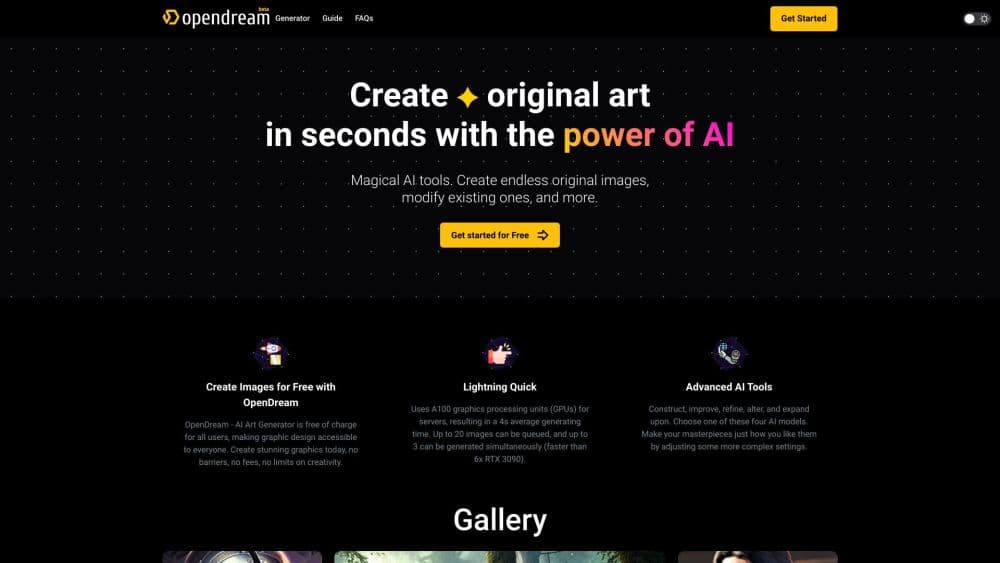
About OpenDream
What Is OpenDream
OpenDream is a browser-based AI art generator built for people who want to make pictures without touching design software. You type a description, pick a style, and the platform draws the image for you. It leans heavily on templates, so you don't need to know anything about prompts to get something usable.
The platform targets beginners first. Templates carry preconfigured prompts and settings, which means a student making a character sheet or a small business owner building a logo can both get a clean result on the first try. It runs entirely in the browser, so there's nothing to install and no powerful hardware required.
The limits are worth knowing up front. The free plan generates one image at a time, blocks NSFW prompts, and puts you in a slower queue. OpenDream runs on a fixed set of models rather than letting you plug in your own, so if you want fine control over the underlying model you'll need a different kind of tool.
Getting Started
- Go to opendream.ai and create an account with email, Google, or Discord.
- Pick a template if you want a shortcut, or skip it and write your own prompt.
- Describe the subject in the prompt box, and adjust the style, aspect ratio, and number of images.
- Hit generate, then save or share the results you like.
Product Information
A quick look at OpenDream's pricing, supported platforms, and performance.
Best for
The users, tasks, and scenarios where this tool fits best.
Users
- Beginners
- Anime and character fans
- Small business owners
Tasks
- Making logos and icons
- Turning photos into new images
- Generating character art
Scenarios
- Testing an idea before paying
- Producing visuals for social posts
- Prototyping a brand look
Key features
Template Library
OpenDream ships a catalogue of ready-made templates that come with prompts and settings already filled in. You pick one, type a short subject, and the platform handles the rest. It's the fastest path for anyone who doesn't want to learn prompt syntax.
Four Image Models
The platform currently offers four models, including Dreamlike Photoreal 2.0 and Dreamlike Anime 1.0, and builds them on a Stable Diffusion base. Each one is tuned for a different look, so photorealism and anime art come from separate engines rather than one generalist model.
Commercial Use Rights
Images you create can be used commercially. OpenDream states that you generally keep ownership as the creator, which matters for freelancers and small teams who plan to sell what they make. Check the current terms before any large commercial run.
Parameter Controls
Paid users get the dials that experienced makers expect. You can set guidance scale, sampling steps, sampler, aspect ratio, seed, and generate up to 32 images at once. The defaults work fine, and the controls are there when you want to chase a specific result.
Photo to Image Variations
You can upload an existing image and generate variants in a similar style. That opens up a quicker route to iterating on a look than writing a prompt from scratch, and it helps keep a set of images visually consistent.
Credits System
Every generation costs credits, with one image at two credits. Free accounts claim 24 credits per day, while paid plans add 3,000 or 12,000 credits a month. The model is simple to read, but the daily cap on free accounts runs out fast during heavy use.
Pros and cons
Pros
- Free plan with daily credits lets you try the tool before spending anything.
- Template library removes the learning curve for first-time AI art users.
- Commercial-use rights are built in, which suits freelancers and small businesses.
- Multiple specialized models cover both photoreal and anime styles.
- Simple credit pricing makes it easy to estimate what a generation costs.
Cons
- The free plan generates only one image at a time and puts you in a slower queue, which slows down batch work.
- NSFW prompts are blocked on the free tier, so adult-content makers need to look elsewhere.
- The model lineup is fixed, so there's no way to bring your own or swap in a newer engine.
- Free credits reset daily and don't roll over, so heavy users hit the cap quickly.
Frequently asked questions
OpenDream generates images from text prompts and templates. People use it for anime characters, logos, icons, photoreal scenes, and image variations, all from a web browser.
Related content
Explore related tools, skills, and articles for OpenDream.
OpenDream Alternatives

Google EmbeddingGemma 2
Google DeepMind · Writing · Image · CodingGoogle EmbeddingGemma 2 is a 740M-parameter open model that turns text, code, images, audio, and video frames into vectors in one 768-dimension space, running on phones and laptops.

Tractionwave
TractionWave · Image · MarketingTractionWave is an AI attention heatmap tool for static ads. Upload a PNG or JPG and it returns predicted attention, ranked hotspots, and fixes before you spend budget.

Imejis.io
Imejis.io · Image · MarketingImejis.io is an AI design studio for agents and marketing teams. Describe an image in plain words, and it writes the copy, builds the layout, reflows it to every size, then exports a finished file.