
OpenArt
OpenArt AI · Image · China AI
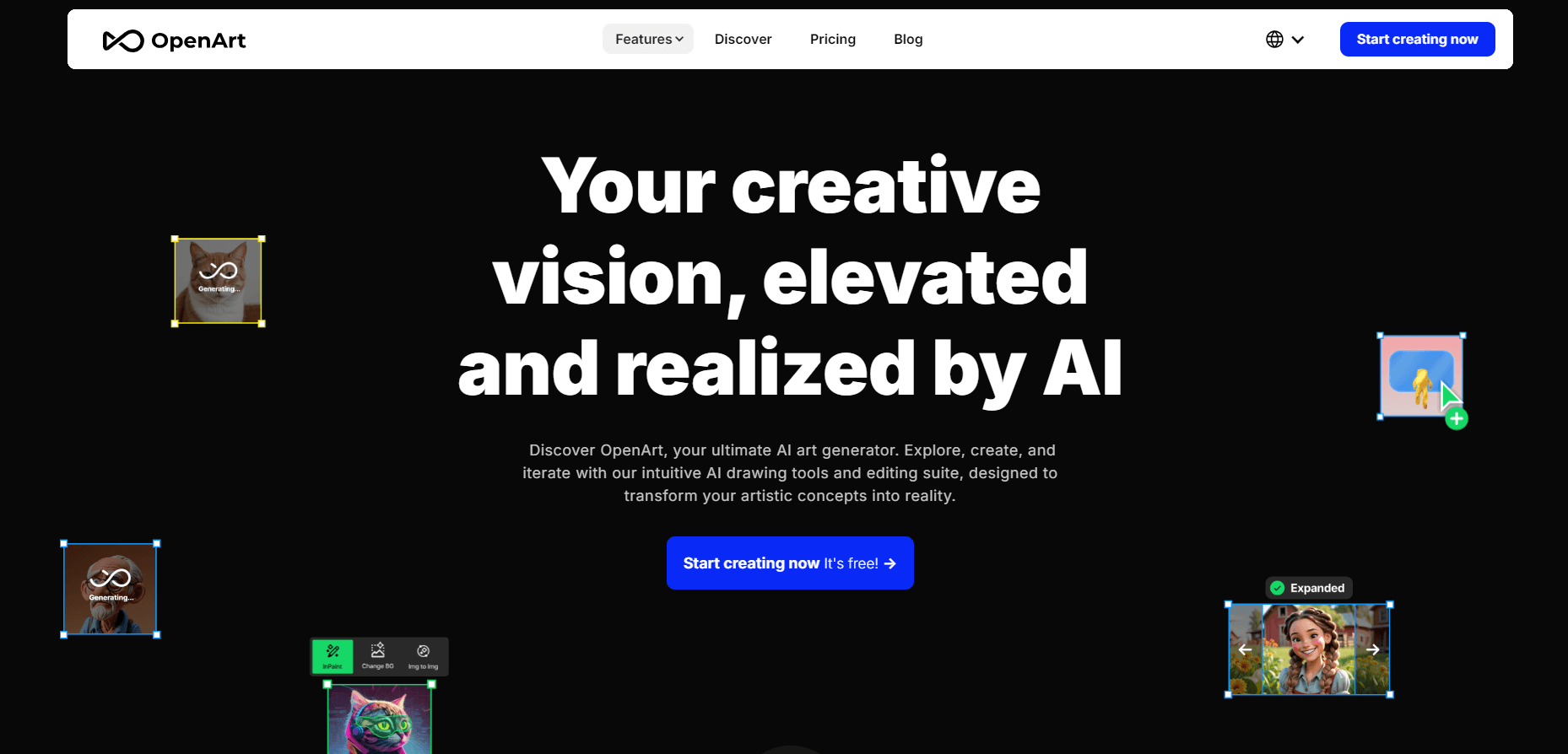
OpenArt is an AI art generator, AI image generator, and AI video generator in one browser studio. It turns text prompts into visuals and consistent characters, with many models in one place.
About OpenArt
What Is OpenArt
OpenArt is a browser-based AI creation studio that generates images and videos from written prompts, then lets you edit, upscale, and assemble them without leaving the page. It was founded in 2022 by Coco Mao and John Qiao, both former Google engineers, and now serves more than 10 million creators. Instead of locking you to a single model, it pipes in 100+ premium image, video, and audio models, including Nano Banana, Seedance, Kling, Sora, and GPT Image.
The platform's pitch is range. You can generate a still from text, animate it into a clip, keep a character looking the same across scenes, or hand a reference image to Seedance for a polished video. Feature tools like Character Builder, Image Upscale, and Director sit next to the generators, so a rough idea can move all the way to a finished short film or social clip.
OpenArt pricing runs on credits, and different models and video lengths burn different amounts, so a long Seedance render can drain a plan fast. Basic image generation is unlimited on paid plans, but video and high-end models are metered. Free users get a limited trial, and commercial use rights only unlock on paid tiers.
Getting Started
- Open openart.ai and sign in with an email or Google account.
- Claim your trial credits, then pick a model from the image or video catalog.
- Type a prompt or upload a reference image, choose an aspect ratio, and generate.
- Refine the result with editing tools like upscale, character consistency, or the Director chat.
- Upgrade to a paid plan for unlimited basic images, video generation, and commercial rights.
Product Information
A quick look at OpenArt's pricing, supported platforms, and performance.
Best for
The users, tasks, and scenarios where this tool fits best.
Users
- Content creators
- Marketing and brand teams
- Character-driven storytellers
Tasks
- Generating images from text
- Turning stills into video
- Editing and upscaling
Scenarios
- Short-form social content
- Consistent characters for a series
- Building inside an AI agent
Key features
Text-to-Image Generation
Type an everyday description and OpenArt returns an image from your chosen model. The catalog spans GPT Image, Nano Banana, Seedream, Grok Imagine, and more, so you can match the model to the job rather than accept a single house style. On paid plans, basic image generation is unlimited, which removes the usual per-image anxiety.
AI Video and Motion Control
OpenArt turns text or a still image into video through models like Seedance, Kling, and Sora. Motion Control copies motion from a reference clip, while start and end frames let you steer a transition. This is the part that eats credits fastest, since video renders cost far more than a single image.
Character Builder and Consistency
Character Builder creates a character and keeps their look stable across scenes, which is the hard part of AI storytelling. Each plan caps how many consistent characters you can keep, from about 13 on Starter up to 353 on Wonder. It's aimed at series, comics, and any project that needs the same face more than once.
Director and One-Click Stories
Director lets you lay out a storyboard and shape shots by chatting, from a loose idea to granular edits. One-Click Stories turns a prompt into a multi-scene sequence automatically. Both push OpenArt beyond single images toward finished narrative clips.
Image Editing Suite
Upscale adds resolution and detail, relight resets the lighting on a subject, and background change swaps a scene without a reshoot. Face smoothing and unblur round out a toolkit meant to fix rough output in place. These edits are what make a quick generation presentable for a real post.
OpenArt MCP and CLI
An OpenArt connector plugs image and video generation into ChatGPT, Claude, Cursor, and other agents over a single URL, no API keys needed. A command-line tool does the same from a terminal. Both keep credits and results tied to your OpenArt account, so agent output lands in your library.
Pros and cons
Pros
- One studio covers image, video, audio, and 3D instead of separate subscriptions
- 100+ premium models in a single place, synced as new ones launch
- Basic image generation is unlimited on paid plans
- Character Builder keeps faces consistent across scenes
- MCP and CLI connect the models to ChatGPT, Claude, and Cursor
Cons
- Video and high-end models burn credits quickly, so heavy use raises cost
- Commercial use rights are locked behind paid tiers, not the free trial
- The free plan is a limited trial rather than an ongoing no-cost tier
- The sheer number of models and settings can overwhelm a first-time user
Frequently asked questions
Yes, with limits. New accounts get a set of trial credits to test the platform, and basic image generation has become unlimited. The catch is that the free path is a trial rather than a permanent tier, and video generation and commercial use rights require a paid plan.
Related content
Explore related tools, skills, and articles for OpenArt.
OpenArt Alternatives

Google EmbeddingGemma 2
Google DeepMind · Writing · Image · CodingGoogle EmbeddingGemma 2 is a 740M-parameter open model that turns text, code, images, audio, and video frames into vectors in one 768-dimension space, running on phones and laptops.

Tractionwave
TractionWave · Image · MarketingTractionWave is an AI attention heatmap tool for static ads. Upload a PNG or JPG and it returns predicted attention, ranked hotspots, and fixes before you spend budget.

Imejis.io
Imejis.io · Image · MarketingImejis.io is an AI design studio for agents and marketing teams. Describe an image in plain words, and it writes the copy, builds the layout, reflows it to every size, then exports a finished file.