

OpenCraft AI
OpenCraft AI · Productivity
OpenCraft AI, also called Ocai, is a pay as you go AI agent that runs real tools inside a sandbox, splits long jobs across AI subagents, and remembers your projects between sessions.
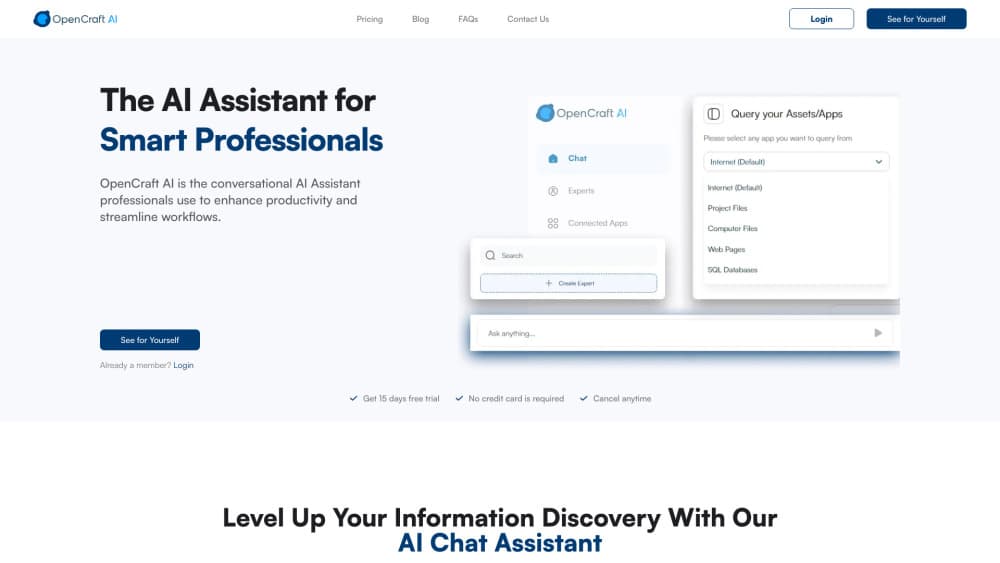
About OpenCraft AI
What Is OpenCraft AI
OpenCraft AI is an AI agent platform from a company of the same name. You type one brief, and the agent plans the steps, writes and runs code, opens files, searches the web, and comes back with a finished deliverable instead of a draft you still have to finish yourself. The product ships as a web app and as a desktop app for Windows, macOS, and Linux.
The models behind it are open weight. OpenCraft runs its own three lines, Ocai Swift, Ocai Core, and Ocai Ultra, and also offers DeepSeek v4 Pro and Kimi K3. The company's pitch is that no single vendor can gate the product, because a stalled model gets replaced by another one mid task without you re-prompting.
Where it differs from a chat assistant is the execution layer. Work happens in an isolated sandbox with real tools, real code, and real files, so a long task can run unattended. The company says nothing the agent does can escape the sandbox or delete your local files.
The limits are worth knowing before you commit. Billing runs on credits, so heavy use costs real money and you have to watch the balance. There's no published developer API, which rules out wiring Ocai into your own backend for now. Output still needs a human read, especially on numbers and citations. Memory lives on the company's servers unless you go the enterprise route, where the stack can run on infrastructure you own.
Getting Started
- Sign up at opencraftai.com with an email address or a Google account. New accounts open with free credits and no card.
- Pick a model line for the job: Swift for quick chats, Core for everyday work, Ultra for long reasoning runs.
- Write the brief in plain language. Attach files, point at a folder, or paste a link if the task needs source material.
- Watch the agent work. It shows the steps as it goes, and you can stop it or redirect it before the run finishes.
- Review the output, then export it. If the result needs another pass, reply in the same thread so the context carries over.
Product Information
A quick look at OpenCraft AI's pricing, supported platforms, and performance.
Best for
The users, tasks, and scenarios where this tool fits best.
Users
- Freelancers and consultants
- Founders and small product teams
- Analysts and researchers
Tasks
- Multi-step research reports
- Code and file work
- Data questions in plain English
Scenarios
- Overnight batch work
- Client work with separate contexts
- Teams with data residency rules
Key features
Sandboxed Execution With Real Tools
Every task runs in an isolated environment where the agent can write code, run it, read files, and produce artifacts. The point is containment: a failed script can't touch your laptop, and a long job can run without supervision. That's what separates this from a chat window that only talks about the work.
Parallel AI Subagents
A single request can fan out into several subagents that work at the same time, then merge their results. For research or a multi file cleanup, that cuts wall clock time in a way one linear thread can't. You still write one brief, not five.
Automatic Model Fallback
If a model stalls, hits a limit, or produces junk, another one picks up the task. The swap happens without a new prompt from you. This is the practical argument for an open model AI assistant: you aren't stuck waiting for one provider's queue or quota to clear.
Persistent Memory Across Projects
Ocai keeps a memory of your files, decisions, and earlier threads, and it pulls that context into later runs. The effect shows up over weeks rather than minutes. Repeat work gets shorter because you stop re-explaining the background. Check that old context hasn't gone stale.
Document Analysis and Web Research
You can drop in PDFs, spreadsheets, decks, and code folders, and the agent reads them before it answers. It also searches the live web when a task needs current numbers. The document analysis AI piece is the one most knowledge workers will use daily, since most real briefs arrive with attachments.
Conversational SQL and Data Work
The agent can query a database in plain language, inspect the schema, and walk through what a result means. For a marketing or ops team without an analyst on call, that shortens the loop between a question and a number. Complex joins still deserve a review before anything ships.
Pros and cons
Pros
- Pay as you go pricing removes the subscription treadmill: credits never expire, and light months cost almost nothing.
- The sandbox makes unattended runs realistic, which is rare among consumer facing agents.
- Open weight models mean the underlying engine can be swapped or audited, and no vendor can quietly deprecate the product out from under you.
- Parallel subagents plus memory compound over time, so repeated work gets faster instead of starting from zero.
- Free credits with no card lower the cost of finding out whether the workflow fits.
Cons
- Credit billing is harder to budget than a flat fee, and a long agent run can burn through a balance faster than expected.
- There's no public API or documented integration path, so teams that need Ocai inside their own stack are stuck.
- Answers still need verification, and the agent can present a confident summary of a document it read only partly.
- Memory is stored on the vendor's servers in the standard plan, which is a real obstacle for regulated work.
Frequently asked questions
It handles multi-step work that would otherwise take several tools and several prompts: research reports, document review, code changes, data queries, and drafting. You give it a brief, and it plans and executes the steps in a sandbox.
Related content
Explore related tools, skills, and articles for OpenCraft AI.
OpenCraft AI Alternatives

Base Code
Base44 (Wix) · Coding · ProductivityBase Code is a shared cloud development environment from Base44. Teammates describe changes to an existing GitHub codebase in chat, preview them live and send them back as pull requests.

Knocket
Knocket (Tencent RTC team) · Productivity · Business · ChatbotKnocket is a free live chat and contact page tool that lets visitors message you from your website, app, or a shareable link, with every reply handled from Telegram or one inbox.

FloorGen
Vinit Kumar (FloorGen) · Productivity · China AIFloorGen is a browser-based floor plan maker that turns a sentence or a sketch into an editable 2D plan and a 3D walkthrough. Export to PDF, DXF or video, and draw without an account.