

OpenWorker
Andrew Ng's team · Productivity
OpenWorker is an open-source desktop AI coworker from Andrew Ng's team that runs on your machine and finishes real tasks instead of just answering questions. It connects to your files, repos, Slack, email, and calendar, then carries work through to a deliverable like a reviewed codebase, a polished document, or a triaged inbox. You bring your own model key or point it at a local model. It checks in before any action that leaves your computer.
About OpenWorker
What Is OpenWorker
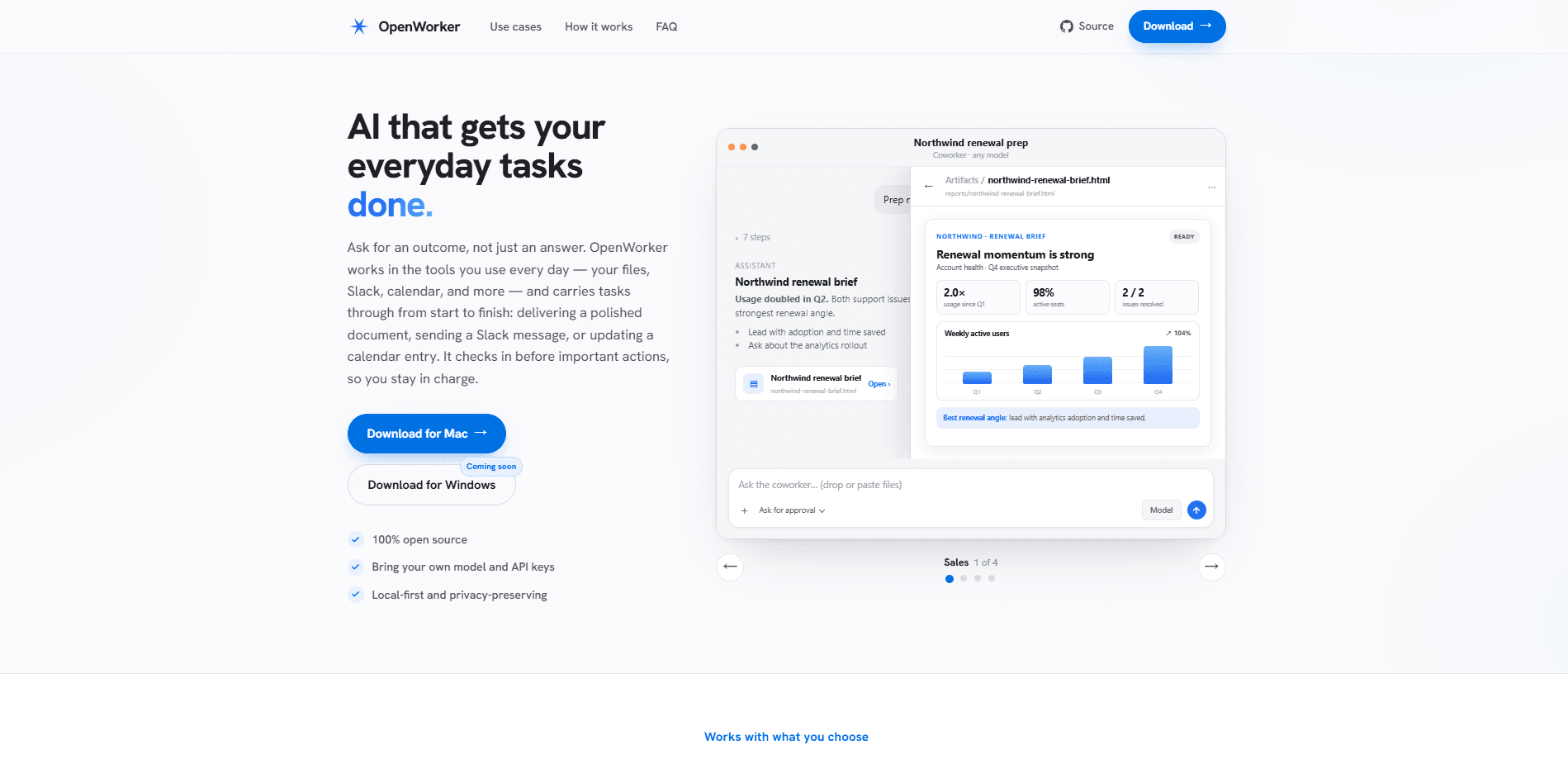
OpenWorker is a local-first AI agent that lives as a desktop app on macOS and Windows. It isn't a chatbot that hands you advice. Tell it what outcome you want, and it plans the steps, works across your files and connected tools, and produces something finished. That could be a vulnerability review with fixes ready to apply, a cloud configuration report, or a customer brief pulled from your CRM and inbox.
The team behind it shipped security-focused "coworkers" first, and there's a reason. Attackers already use AI to move faster, and defenders deserve the same advantage, but only if it's governed. So every action an agent takes is logged, and anything consequential waits for your approval before it runs.
The main limit is where it runs. OpenWorker is desktop software, not a web app you open in a browser. There's no mobile version, and on Mac it needs Apple Silicon hardware with macOS 12 or newer. Windows builds aren't code-signed yet. That means SmartScreen throws up a warning during install. If you want a browser-based agent, this isn't it.
Getting Started
- Download the installer for Mac (Apple Silicon) or Windows 10/11 from the official site.
- Open the app and add a model key for OpenAI, Anthropic, or Google, or point it at a local model running through Ollama.
- Pick a coworker, such as a security review or cloud posture check, or just describe the outcome you want in plain language.
- Connect the tools the task needs, like your repo, calendar, or Slack, and let it plan the steps.
- Approve the actions it flags, then collect the finished file, report, or reply.
Product Information
A quick look at OpenWorker's pricing, supported platforms, and performance.
Best for
The users, tasks, and scenarios where this tool fits best.
Users
- Developers and security engineers
- Privacy-conscious teams
- Small teams without an AI budget
Tasks
- Reviewing a codebase for vulnerabilities
- Auditing cloud configuration
- Preparing for a customer call
- Producing documents and spreadsheets
Scenarios
- Triaging a security incident
- Keeping up with a busy inbox and calendar
- Running standing automations
- Checking release status across tools
Key features
Bring Your Own Model
OpenWorker doesn't lock you to one provider. You add an API key for OpenAI, Anthropic, Google, or an open-weight provider, or you run everything on your own hardware through Ollama. That flexibility matters. If your team already has model contracts, or if you'd rather keep inference entirely on-device, it's your call. Nice to have options.
Local-First and Private by Default
The agent runs on your machine, and your data only leaves it through the model and integrations you choose. There's no mandatory cloud account sitting in the middle. For teams handling sensitive code or client material, that changes whether the tool is even allowed on the network.
Security Coworkers First
The opening lineup is built for security work. A supply-chain posture review scans a repo and its dependencies, triaging every scanner finding by reachability, so you're not drowning in noise. A cloud posture check audits your configuration and drafts fixes. These arrive with the tools and working style for one job already set up.
Governed by Design
Every action an agent takes is governed and logged. Before anything consequential, like sending a message, changing a calendar, or running a command, OpenWorker checks in and waits for your approval or a redirect. You stay in charge, and there's a transcript to show what happened and why.
The Fixer Is Never the Only Checker
This is the detail that separates real review work from theater. Findings come from deterministic scanners such as semgrep plus model reasoning, and any proposed fix gets re-scanned and diff-reviewed before you approve it. The model doesn't grade its own homework on security fixes.
Standing Automations With Transcripts
Beyond one-off tasks, you can set recurring jobs: a morning brief, a weekly report, or a watch over a channel. They run on a schedule and keep full transcripts, which is useful when you need to trace what an automation did last Tuesday.
Everyday Work, Not Just Security
The same app handles ordinary tasks. It preps a customer call from your CRM and inbox, turns scattered notes into a shippable plan, produces documents and spreadsheets, and keeps your calendar and Slack threads handled.
Pros and cons
Pros
- Free and fully open source, so you can inspect the code and the governance logic yourself.
- Local-first design keeps code and documents on your machine unless you send them out through a model you picked.
- Bring-your-own-model support spans OpenAI, Anthropic, Google, open-weight providers, and local Ollama.
- Approval check-ins and logging make autonomous actions auditable instead of a black box.
- Security coworkers ship with scanners and diff-reviewed fixes rather than model guesses alone.
Cons
- Desktop only, with no browser or mobile version, so it won't fit workflows that live entirely online.
- Mac support needs Apple Silicon and macOS 12 or newer, which rules out older Intel Macs.
- Windows builds aren't code-signed yet, so SmartScreen warns during install and some IT policies may block it.
- It's in open beta, so you should expect rough edges and occasional fixes as the team polishes it.
Frequently asked questions
It runs tasks end to end on your desktop and hands back finished work. Instead of replying with advice, it reviews code, audits cloud setups, preps briefs, produces documents, and triages your inbox. Before anything consequential, it checks in.
Related content
Explore related tools, skills, and articles for OpenWorker.
OpenWorker Alternatives

Base Code
Base44 (Wix) · Coding · ProductivityBase Code is a shared cloud development environment from Base44. Teammates describe changes to an existing GitHub codebase in chat, preview them live and send them back as pull requests.

Knocket
Knocket (Tencent RTC team) · Productivity · Business · ChatbotKnocket is a free live chat and contact page tool that lets visitors message you from your website, app, or a shareable link, with every reply handled from Telegram or one inbox.

FloorGen
Vinit Kumar (FloorGen) · Productivity · China AIFloorGen is a browser-based floor plan maker that turns a sentence or a sketch into an editable 2D plan and a 3D walkthrough. Export to PDF, DXF or video, and draw without an account.