
OptySleep
OptiSelf · AI Assistant
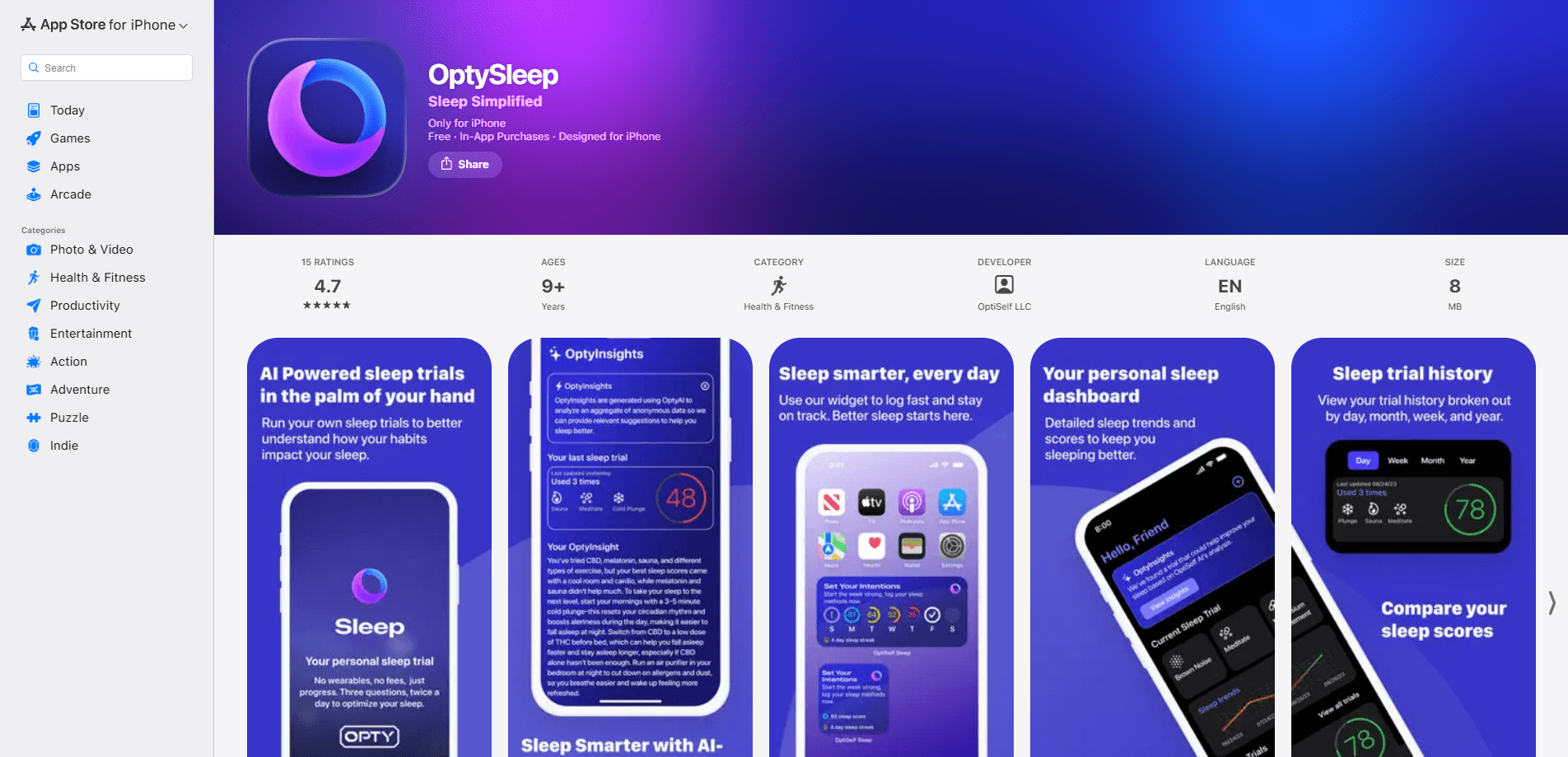
OptySleep, formerly OptiSelf Sleep, is a sleep tracking app for iPhone that turns your nightly rest into a personal experiment. Instead of just logging hours, it asks you to pick the methods you're testing, such as an earlier bedtime or less caffeine, then shows how each one moves your sleep over time. Think of it as a sleep tracker without wearable gear, and a no subscription sleep tracker on top of that. No band to buy, no monthly fee. You name a goal, try a few changes, and let the trends tell you what actually helps.
About OptySleep
What Is OptySleep
OptySleep is the sleep-focused product from OptiSelf. The company built it around one idea: most sleep apps hand you a chart and leave the decisions to you, while a self-run experiment tells you which habit made the difference. Its own site calls it "a self-run clinical trial at your fingertips."
That framing matters because it changes what you do each night. Rather than chasing a single sleep score, you select the methods you want to test, log them consistently over several weeks, and watch the trends shift day by day as your habits change. The app reads your sleep through the iPhone, so there's no band, ring, or watch involved.
The catch is that it leans on your own consistency. If you skip logging, the trends get thin and the app has less to work with. Thin data, weak answers. It's also iPhone-only, so Android users are out of luck. There's no subscription, which keeps the cost at zero, but it also means the feature set stays focused rather than sprawling.
Getting Started
- Download OptySleep on your iPhone and open it for the first time.
- Set a goal, such as falling asleep faster or waking up less often.
- Choose the methods you want to test from the list the app offers.
- Log your habits and let the app track your sleep each night.
- Check the trends after a week or two and adjust the methods that aren't working.
Product Information
A quick look at OptySleep's pricing, supported platforms, and performance.
Best for
The users, tasks, and scenarios where this tool fits best.
Users
- Sleep tinkerers
- Wearable-averse sleepers
- Subscription-weary users
Tasks
- Testing one habit at a time
- Spotting what disrupts sleep
- Building a routine you can keep
Scenarios
- You've tried general sleep advice and want to know which single change works for you.
- You wake up at the same time each night and want data on why before seeing a professional.
- You want a tracking tool that costs nothing and asks nothing to get started.
Key features
Track the Methods You Choose
The core of OptySleep is method tracking. You select the specific habits you want to test, and the app keeps score on each one as the nights add up. The method-tracking idea is the part that separates it from a plain sleep log, because it forces a question most apps skip: which single change made the difference, and would you even notice if you hadn't written it down. For anyone who has read a dozen sleep tips and still can't say what works, that's the whole point of keeping a record at all.
Day-by-Day Sleep Trends
Trends in OptySleep give you a running look at how your sleep is changing based on the methods you've picked. Instead of one abstract score, you see the movement across days, which makes it easier to tell a real shift from a bad night. Bad nights happen. That view is what turns scattered logs into a decision about what to keep doing. It's the piece that makes adjusting your habits feel less like guesswork, because you can compare two steady weeks and see which method quietly moved your sleep in the direction you wanted.
Sleep Tracking Without a Wearable
OptySleep reads your sleep without a band, ring, or watch. That's the difference for anyone who's given up on wearables because they're uncomfortable or need charging. Your iPhone is the whole sensor setup, so there's nothing to remember to put on before bed. Nothing on your wrist. The trade-off is that phone-based tracking is less precise than a dedicated device, and you'll want the phone placed where it can pick up your movement through the night.
Goal-First Setup
The app starts from a goal rather than a feature menu. You say what you're trying to fix, and the methods and trends are framed around getting there faster. No clutter. This keeps the experience pointed at one outcome instead of burying you in settings, attention to detail, or options you'll never touch. For someone overwhelmed by the feature lists in other sleep apps, the narrower focus is the appeal.
No Subscription Model
OptySleep doesn't charge a monthly or yearly fee. There's no premium tier locking the useful parts behind a paywall, which sets it apart from most sleep trackers that gate insights behind a subscription and bill you again every month for access you already expected. For a habit-testing app you might use intensively for a few weeks and then lightly, that's a fair model. You just download it and start. No card, no trial clock.
Pros and cons
Pros
- No wearable needed, so there's nothing to buy, charge, or wear overnight.
- Free with no subscription, which is rare for a sleep tracking app.
- The self-experiment framing tells you which habit changed your sleep, not just how you slept.
- Day-by-day trends make it easy to adjust your methods and see results.
- Goal-first setup keeps the experience focused on one problem.
Cons
- It's iPhone-only, so Android users can't use it at all.
- Phone-based tracking is less accurate than a dedicated wearable, especially for deep and REM stages.
- Trends depend on you logging consistently; skip nights and the picture gets thin.
- The narrow feature set may feel limited if you want alarms, audio, or guided wind-downs.
Frequently asked questions
OptySleep helps you test which habits improve your sleep. You pick methods, log them nightly, and the app shows trends so you can see what's actually working. It's aimed at people who want to run a small experiment on their own sleep rather than just read a score. Is it a good fit for you? That depends on whether you'll log consistently.
Related content
Explore related tools, skills, and articles for OptySleep.
OptySleep Alternatives

Iplan AI
Iplan AI · Productivity · AI AssistantIplan AI is an AI travel planner that turns a few trip details into a full day-by-day itinerary in seconds. You answer questions about your destination, interests, budget, and travel companions, and the tool builds a plan you can edit, share, and carry with you on any device. It targets travelers who want a solid draft without spending hours in spreadsheets and browser tabs. Think of it as an itinerary generator that does the tedious part for you.

Screenhelp
Screenhelp · Productivity · AI AssistantScreenhelp is an AI screen assistant that turns a single keyboard shortcut into real-time help. You press Ctrl+Shift+Space, it captures what's on your screen, and it streams an answer into a private panel in about two seconds. Think of it as an AI screenshot helper you trigger on demand. It runs on Mac, Windows, and the web, starts free with 30 answers a month, and stays invisible during screen sharing on Zoom, Teams, and Google Meet.

Rainbow
Rainbow · AI AssistantRainbow is an AI weather forecast app built around short-term precipitation nowcasting. Its engine pushes min-by-min rain and snow predictions up to four hours ahead, blending live satellite and radar feeds into hyperlocal forecasts. The app adds live rain radar, a seven-day outlook, precipitation alerts, home-screen widgets, and a hurricane tracker, and it runs on both Android and iOS with a free tier plus paid upgrades.