

Osum - AI Insights
Osum · Business
Osum is an AI market research tool that turns any product or business URL into instant reports, covering SWOT analysis, buyer personas, competitor research, and growth opportunities.
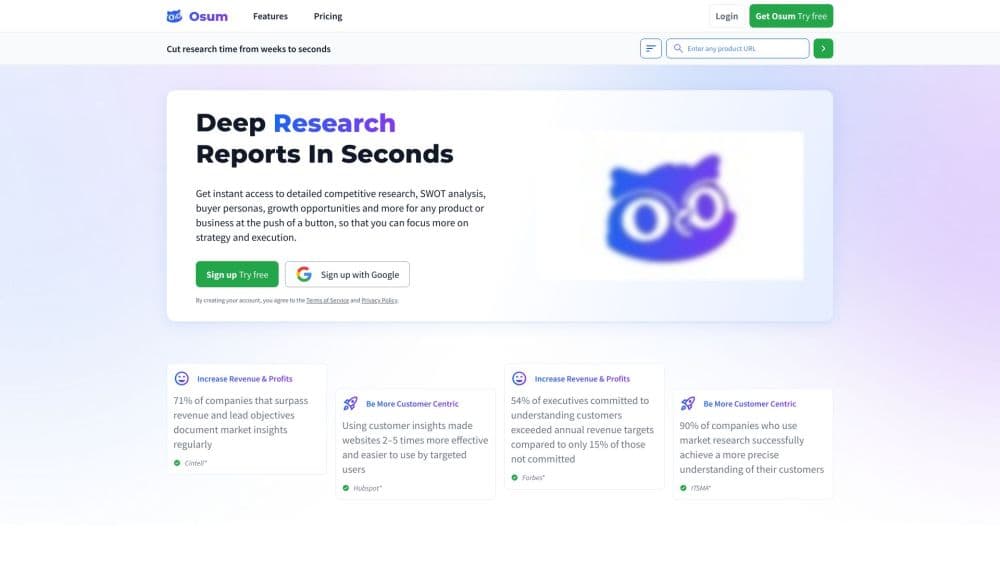
About Osum - AI Insights
What Is Osum
Osum is an AI insights platform built for market research. You paste a product or business URL, and the engine studies what it finds, then hands back a structured report in seconds. The output covers the same ground a research team would touch over days: competitive positioning, a SWOT analysis, buyer personas, and growth opportunities. Analysts and consultants use it to skip the blank-page stage and get straight to strategy.
The pitch is speed and coverage under one roof. Instead of stitching together several tools for competitor research, persona building, and trend tracking, you run one query and read everything in a single report. You can export the finished analysis to PDF. Paid tiers raise how many reports you can generate each month, from 5 on Pro up to 25 on Enterprise.
The trade-off is that this is a research accelerator, not a substitute for firsthand data. Reports are generated from public signals on the web, so anything private or newly launched may come back thin. The pricing ladder is also steep, jumping from $39.99 a month to $1,999.99, which puts the top tiers out of reach for solo users.
Getting Started
- Go to osum.com and sign up with an email or a Google account to open your workspace.
- Paste the URL of the product or business you want to research into the query field.
- Let the engine analyze the page and generate the report in seconds.
- Review the market research overview, SWOT analysis, personas, and opportunity sections it returns.
- Export the report to PDF, or run more queries for additional products and competitors as your plan allows.
Product Information
A quick look at Osum - AI Insights's pricing, supported platforms, and performance.
Best for
The users, tasks, and scenarios where this tool fits best.
Users
- Startup founders
- Freelancers and consultants
- Marketing and product teams
Tasks
- Sizing up competitors
- Building buyer personas
- Running a SWOT analysis
- Validating a product idea
Scenarios
- Preparing for a client pitch
- Entering a new market
- Planning a product launch
Key features
Insight Engine
The Insight Engine is the core of the platform. You feed it a product or business URL and it returns a full market analysis, pulling together competitive positioning and market context in one pass. It's the tool most users start with, since everything else builds on the report it generates.
SWOT Persona Profiler
This feature produces a SWOT analysis without the manual legwork. It lays out strengths, weaknesses, opportunities, and threats for whatever you point it at, which is the section strategy decks lean on most. It pairs the internal read with a persona profile so you see both the business and the customer side.
Persona Profiler
The Persona Profiler builds out your ideal customer. It covers work habits, ideals, likes and dislikes, and a day-in-the-life view rather than stopping at demographics. For teams that usually stall on audience research, this is the piece that gets a persona draft onto the page fast.
Competitor and Market Insights
Beyond a single product, Osum sketches the wider market. On higher plans you get market size and growth insights, competition and collaboration angles, and OKR suggestions grouped by department. It's aimed at giving marketing, sales, and product teams a shared starting point.
Trend Tracker and Brand Lens
Trend Tracker flags opportunities and threats as markets shift, which helps you spot a move before competitors do. Brand Lens sharpens how a brand reads in the market, useful when your positioning has drifted or a rebrand is on the table.
Sales and Content Tools
Two tools round out the set for go-to-market teams. Sales Optimizer homes in on the return from each prospect, and Content Catalyst turns research into campaign ideas. Together they connect the analysis to the revenue side instead of leaving it in a report.
Pros and cons
Pros
- Turns a single URL into a full market research report in seconds, so you skip days of manual desk research.
- Bundles competitor analysis, SWOT, personas, and trend tracking in one place, saving several separate subscriptions.
- Reports export to PDF, which makes them easy to hand to a client or drop into a deck.
- Higher tiers add market size, growth insights, and OKR suggestions aimed at whole departments.
Cons
- There's no free plan, so you can't test the output before paying the $39.99 monthly minimum.
- Reports are built from public web signals, which means niche or brand-new products may produce thin results.
- The jump from $39.99 to $1,999.99 a month is steep, and the team features sit at the high end.
- A low-tier plan caps you at 5 reports a month, which runs out fast if you're researching many products.
Frequently asked questions
Osum runs AI market research on any product or business. You paste a URL and it returns competitive positioning, a SWOT analysis, buyer personas, and growth opportunities, which teams use to plan strategy, launches, and client pitches.
Related content
Explore related tools, skills, and articles for Osum - AI Insights.
Osum - AI Insights Alternatives
Liveplan
Palo Alto Software · BusinessLivePlan is business plan software that helps founders and small business owners turn an idea into a funder-ready plan. It combines AI-assisted writing, market research with cited sources, and connected financial forecasting so your income statement, cash flow, and balance sheet move together when you change one number. Over 1.5 million businesses have used it to plan, forecast, and track performance against real accounting data. That's a lot of founders. It's also a signal the tooling survived contact with real lenders.

Swms
Swms AI · Writing · Productivity · BusinessSwms is an AI safety compliance tool that turns a plain description of a job into ready-to-use safety documents. Describe your project, trade, and known hazards, and it writes a safe work method statement, job hazard analysis, safe work procedure, RAMS, or safety data sheet in seconds. It also ships with Oscar, a chat assistant that answers workplace safety questions in any language. Teams in construction, mining, transport, and warehousing use it to cut the paperwork that usually eats into a workday.

Rows
Rows (Superhuman) · Productivity · BusinessRows is an AI spreadsheet and data analysis tool that imports live data from more than 50 sources, then lets you work with it using plain language instead of SQL queries or nested formulas. You can pull numbers out of PDFs, connect ad platforms, databases, and bank accounts, and ask the AI to build reports, merge datasets, or set up models that recalculate themselves. It runs in the browser, works like a spreadsheet, and now sits under the Superhuman umbrella.