

OtterAI Transcribe Voice Notes
Otter.ai · Productivity
Otter.ai is an AI notetaker that transcribes meetings live, writes summaries with action items, and turns every conversation into searchable notes.
About OtterAI Transcribe Voice Notes
What Is Otter.ai
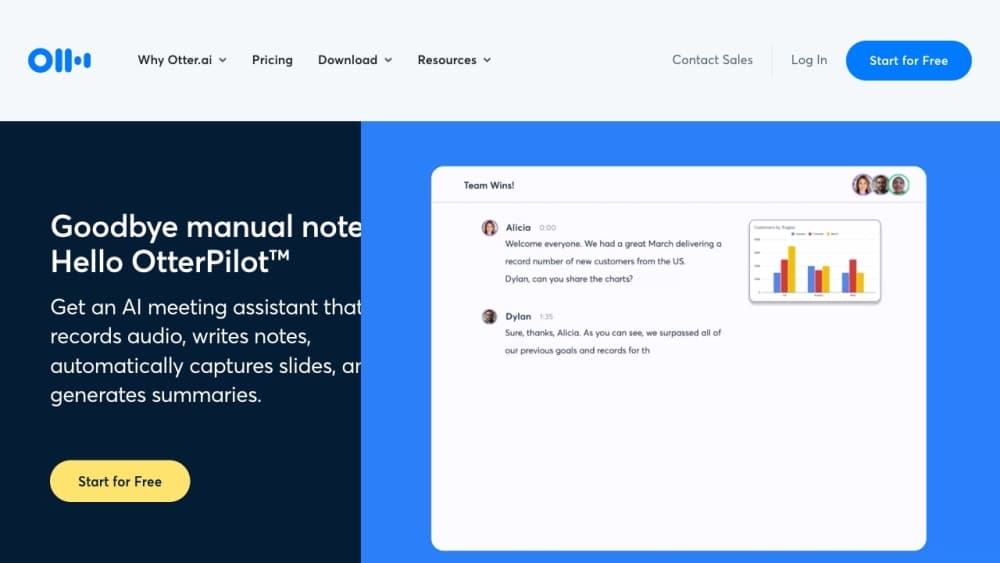
Otter.ai is an AI meeting assistant that joins your calls, records the audio, and turns speech into text in real time. It sits on top of the tools teams already use, so Zoom, Google Meet, and Microsoft Teams calls get transcribed without anyone taking manual notes. The company behind it, Otter.ai, positions the product as a conversational knowledge engine rather than a plain transcription app.
The main problem it solves is the gap between a meeting ending and anyone remembering what was decided. Otter captures who said what, pulls out decisions and next steps, and stores everything in a searchable workspace. You can then ask the built-in AI Chat a question in plain language and get an answer pulled from your own recordings.
The biggest limitation is how much the free tier holds back. Basic caps you at 300 transcription minutes per user each month, adds a 30-minute ceiling per conversation, and limits imported files to three for the life of the account. Live notes and most integrations sit behind paid plans.
Getting Started
- Sign up at otter.ai with a Google, Microsoft, or Apple account and land on the Basic plan.
- Connect a calendar or invite the Otter notetaker to a Zoom, Google Meet, or Microsoft Teams call so it can join automatically.
- Record live from the desktop app, the Chrome extension, or the mobile app if you'd rather keep bots out of the call.
- Open the finished transcript, check the auto-generated summary, and share the notes through a channel or a public link.
Product Information
A quick look at OtterAI Transcribe Voice Notes's pricing, supported platforms, and performance.
Best for
The users, tasks, and scenarios where this tool fits best.
Users
- Sales teams
- Students and teachers
- Journalists and media crews
Tasks
- Capturing meeting action items
- Transcribing interviews
- Querying past meetings
Scenarios
- Remote and hybrid teams spread across time zones
- Back-to-back sales calls
- Solo research and note-taking
Key features
Live transcription with speaker recognition
Otter writes down what people say as they say it, in English, Spanish, French, German, Japanese, and Chinese. It separates speakers by name, so a transcript reads as a conversation rather than a wall of text. Live notes also show up as captions inside Google Meet and Zoom, which helps anyone who joins late or struggles to follow fast speech.
Automated summaries with action items
Every meeting ends with a summary that lists decisions, action items, and an outline. Otter assigns next steps to the people who agreed to them instead of leaving them buried in the transcript. The point is a short read you can scan in a minute, not another document to slog through.
AI Chat across your meetings
Otter AI Chat answers plain-language questions by searching your recordings and connected apps. You can ask what a client wanted, draft a follow-up email, or pull together a report without opening each transcript. Query limits depend on your plan, running from 20 per user a month on Basic up to 200 on higher tiers.
Recording without a meeting bot
A desktop app for Mac and Windows records conversations directly, so no bot appears in the participant list. That matters for sales calls, interviews, and one-on-ones where a visible notetaker changes the tone. You can still capture audio through the built-in mic, Bluetooth, or AirPods, or record on mobile.
Integrations that push notes outward
Otter connects to Zoom, Google Meet, Microsoft Teams, Slack, and Dropbox, and it can sync notes into Salesforce or HubSpot. An MCP server lets AI chat tools like ChatGPT and Claude pull meeting knowledge into their own workflows. Export options cover mp3, txt, pdf, docx, and srt, with bulk export on the higher plans.
Shared channels and team workspaces
Channels group meetings by team, project, or topic so recordings and notes stay in one shared space. Collaborative editing, comments, and real-time annotation let teammates mark up a transcript together. Admin controls add SSO, SCIM provisioning, custom data retention, and HIPAA compliance as an add-on for regulated teams.
Pros and cons
Pros
- Joins Zoom, Google Meet, and Microsoft Teams on its own, so no one has to remember to hit record.
- Combines transcription, summaries, and action items in a single workspace instead of three separate tools.
- AI Chat query and transcript archives stay searchable across months of meetings.
- Desktop recording keeps bots out of sensitive calls.
- Enterprise controls cover SSO, SCIM, and HIPAA for teams that need them.
Cons
- The Basic plan's 300 monthly minutes and 30-minute per-conversation cap run out fast for regular users.
- Live notes and most integrations require a paid seat, so the free tier is closer to a trial.
- Imported file limits on the paid tiers still cap how much back-catalog audio you can process at once.
Frequently asked questions
Yes. Otter.ai has a free Basic plan that covers 300 transcription minutes per user each month, unlimited in-app meetings, and basic integrations. It is free forever, but the monthly minutes and the 30-minute per-conversation limit make it best for light use.
Related content
Explore related tools, skills, and articles for OtterAI Transcribe Voice Notes.
OtterAI Transcribe Voice Notes Alternatives

Base Code
Base44 (Wix) · Coding · ProductivityBase Code is a shared cloud development environment from Base44. Teammates describe changes to an existing GitHub codebase in chat, preview them live and send them back as pull requests.

Knocket
Knocket (Tencent RTC team) · Productivity · Business · ChatbotKnocket is a free live chat and contact page tool that lets visitors message you from your website, app, or a shareable link, with every reply handled from Telegram or one inbox.

FloorGen
Vinit Kumar (FloorGen) · Productivity · China AIFloorGen is a browser-based floor plan maker that turns a sentence or a sketch into an editable 2D plan and a 3D walkthrough. Export to PDF, DXF or video, and draw without an account.