

Outpost
Outpost Labs, LLC · Productivity · Marketing
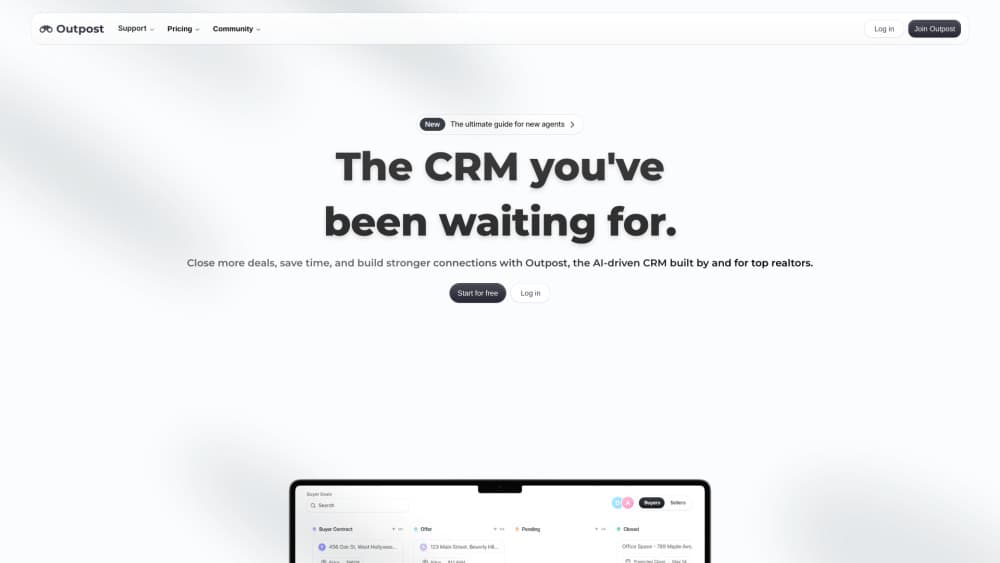
Outpost is an AI CRM for real estate agents and client-driven teams, pairing automatic lead scoring with email sync, booking, and no-code routines in a modular app.
About Outpost
What Is Outpost
Outpost is a customer relationship manager built by Outpost Labs, LLC, a Los Angeles company. It targets people who make a living from a steady stream of clients: real estate agents, brokers, insurance and mortgage reps, and small founder-led teams. The pitch is narrow and practical. You keep a contact list, and the software decides who to call next.
The difference from a classic CRM sits in that second half. Outpost scores every contact on its own, using signals from your email and your activity, then surfaces the leads worth attention today. Emails get matched to the right person without manual filing, and the scheduler removes the calendar back-and-forth. On top of that you get routines, which are saved automations that run on a trigger you set.
The limits are worth knowing before you pay. There's no permanent free tier, only a 7-day trial. The jump from one seat at $39 to a 10-seat block at $460 leaves little room for a two-person team. And the integration story leans on Google, so a shop standardized on Microsoft 365 should check fit first. Outpost doesn't publish API documentation either.
Getting Started
- Sign up at outpost-crm.app and start the 7-day trial. No card is required at this step.
- Connect your email account so Outpost can link messages to existing contacts and create new ones.
- Import your contact list or let it build from your inbox, then open the prioritized view to see which leads score highest.
- Turn on the apps you need, such as Booking or a pipeline board, and skip the ones you don't.
- Build a routine for the follow-up you repeat every week, then work from the queue instead of a spreadsheet.
Product Information
A quick look at Outpost's pricing, supported platforms, and performance.
Best for
The users, tasks, and scenarios where this tool fits best.
Users
- Real estate agents
- Small brokerage teams
- Founder-led sales teams
Tasks
- Deciding who to call today
- Keeping email and contacts in sync
- Booking appointments without the back-and-forth
Scenarios
- A listing-heavy week
- A team handoff
- Automating a repeatable follow-up
Key features
AI Lead Prioritization
Outpost scores each contact on its own and ranks the list, so the top of your screen is the shortlist for the day. The scoring leans on activity and email signals rather than a field you fill in by hand. Agents who track a few hundred contacts get the most out of it, since the ranking needs data to work with.
Email Sync With Contact Matching
Connect a mailbox and Outpost reads the traffic, then ties each thread to a contact record. You stop copying notes out of your inbox, and a reply from two years ago is still attached to the right person. The matching is automatic, which is useful and also the reason to review new contacts early on.
Outpost Booking
Booking is a scheduling layer that lives inside the CRM. You share availability, the contact picks a slot, and the meeting shows up on the record. Fewer emails per appointment is the whole point, and it works best when your calendar is already the source of truth.
Routines and Automation
A routine is a saved sequence that fires on a trigger you choose, from a single reminder to a multi-step follow-up. The builder is visual, so you don't write code to get a weekly check-in out the door. Complex logic still has a ceiling, and anything unusual is easier to run by hand.
Modular Apps and Add-ons
Outpost ships as a set of apps you switch on: pipeline views, booking, notes, and others from its app library. The Individual plan lets you add only what you use, which keeps the monthly bill lower than an all-in-one suite. The tradeoff is assembly time at the start, since a bare account does very little until you pick.
Shared Workspace for Teams
On the Business plan, up to 10 people share apps, contacts, and live updates, so two agents never call the same lead twice in an hour. Permissions and visibility controls decide who sees which records. Real-time collaboration is the feature most teams notice in week one.
Pros and cons
Pros
- Lead scoring runs without setup work, so a solo agent gets a ranked call list on day one instead of building reports.
- Email and contact matching removes the note-taking tax that makes most CRMs go stale after a month.
- The modular model lets you pay for booking, pipeline, or add-ons separately, which keeps the entry price at $39.
- Desktop and mobile run the same feature set, so a follow-up started in the car finishes at the desk.
Cons
- There's no free tier, only a 7-day trial, and $39/mo per individual is steep for someone testing a first CRM.
- Team pricing jumps from one seat to a 10-seat block at $460, which is awkward for a two or three person shop.
- No public API documentation means you can't plan a custom integration or a data export pipeline with confidence.
Frequently asked questions
It stores contacts and then ranks them, using email activity and other signals to decide who deserves attention first. Around that core it adds email sync, scheduling, and saved automations, so the daily routine of follow-up happens in one window.
Related content
Explore related tools, skills, and articles for Outpost.
Outpost Alternatives

Base Code
Base44 (Wix) · Coding · ProductivityBase Code is a shared cloud development environment from Base44. Teammates describe changes to an existing GitHub codebase in chat, preview them live and send them back as pull requests.

Knocket
Knocket (Tencent RTC team) · Productivity · Business · ChatbotKnocket is a free live chat and contact page tool that lets visitors message you from your website, app, or a shareable link, with every reply handled from Telegram or one inbox.

FloorGen
Vinit Kumar (FloorGen) · Productivity · China AIFloorGen is a browser-based floor plan maker that turns a sentence or a sketch into an editable 2D plan and a 3D walkthrough. Export to PDF, DXF or video, and draw without an account.