

OVI. Notion System by mybetterselfAI
Jimmy Preis (mybetterselfAI) · Productivity · Leaning
OVI. Notion System by mybetterselfAI is an AI-powered Notion journal that pairs a structured daily reflection template with a custom GPT coach, so overthinkers can turn looping thoughts into clear next steps.
About OVI. Notion System by mybetterselfAI
What Is OVI. Notion System by mybetterselfAI
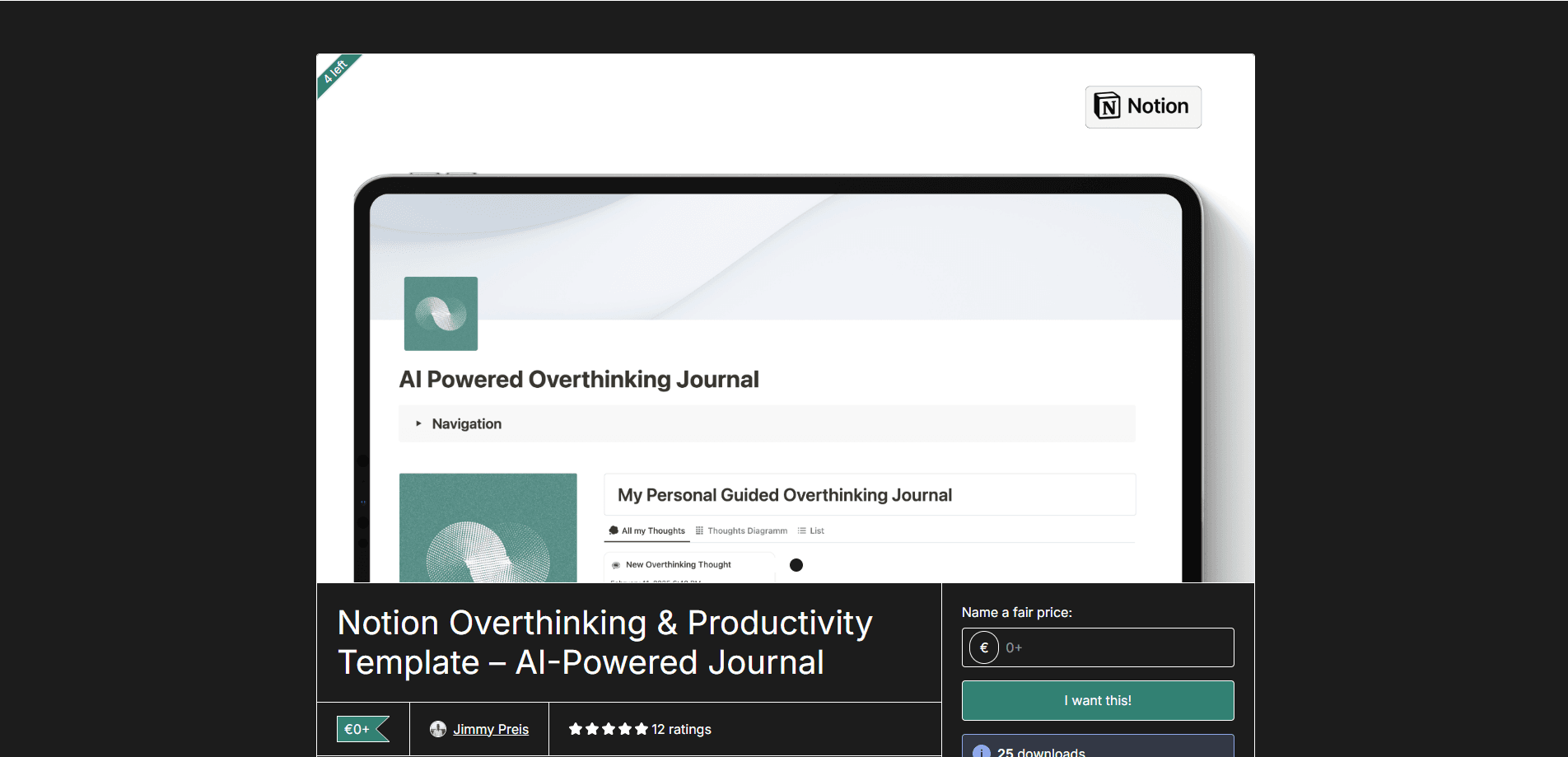
OVI. Notion System by mybetterselfAI is a productivity and reflection template built inside Notion. Its name stands for Overthinking AI Coach, and the product ships as two connected pieces: a structured Notion workspace for daily journaling, and a custom-trained GPT called OVI that walks you through each entry. You write down what's keeping you stuck, the GPT asks follow-up questions, and the template turns those answers into a plan you can act on.
The problem it targets is decision fatigue. Freelancers and founders often get stuck in analysis paralysis, circling the same options without picking one. OVI doesn't try to think for you. It asks the questions that break a loop, then parks the answers somewhere you can revisit, which is the part a chat window alone can't do.
One important limit sits in the fine print. OVI is a productivity tool, not a therapist. The creator states plainly that it doesn't offer medical, psychological or therapeutic advice, and that it's no substitute for a licensed professional. Read it as a thinking structure, not a mental health service.
Getting Started
- Buy the template on Gumroad, then open the download link to add the duplicated Notion page to your own workspace
- Open the custom OVI GPT through the link included with the template, or paste the built-in prompts into free ChatGPT if you prefer
- Run your first entry by writing what's on your mind in the thoughts section, then let the GPT guide you through the reflection questions
- Log the mental block and the next action you land on in the tracker, then revisit the dashboard to spot patterns over time
Product Information
A quick look at OVI. Notion System by mybetterselfAI's pricing, supported platforms, and performance.
Best for
The users, tasks, and scenarios where this tool fits best.
Users
- Freelancers
- Solo entrepreneurs
- Creatives and knowledge workers
- Notion users who overthink
Tasks
- Daily reflection
- Breaking decision paralysis
- Capturing mental blocks
- Turning insights into action
- Tracking patterns
Scenarios
- A freelance project stalls because you can't pick a direction
- Sunday planning turns into a loop
- You're weighing whether to take a client
- Post-decision second-guessing
- You want a cheap habit, not a new subscription
Key features
Custom-Trained OVI GPT Coach
The centerpiece is OVI, a custom GPT trained on the template's reflection method. Instead of dumping a generic answer, it asks the questions a good coach would, one step at a time, so you reach your own conclusion. You open it through the link that comes with the purchase, or you can run the built-in prompts yourself inside free ChatGPT if you'd rather not use a custom GPT.
Structured Daily Journal Template
The Notion page gives every entry the same shape: what's on your mind, what's underneath it and what you'll do next. That fixed structure is the point, and it's what turns a decision fatigue tool into something you actually finish. A blank page invites rambling, and a rigid form invites you to quit. OVI lands in between, with enough scaffolding to keep an entry short and enough room to think.
Overthinking and Productivity Tracker
Alongside the journal sits a tracker that logs your mental patterns over time. You record the block, the trigger and how you resolved it, and the dashboard shows which situations keep showing up. Seeing the same trigger three weeks running is often more useful than any single insight, because it points at something structural rather than a one-off bad day.
Decision-Fatigue Workflow
The workflow is built for the moment you're stuck between options. It walks you from listing the choices, to naming what you're actually afraid of, to committing to one and setting a date to review it. That last step matters. A decision without a review date tends to get quietly reopened, which is how loops restart.
Works With Free Notion and ChatGPT
The template is built to run without paid Notion AI or a Pro subscription. The Notion side works on the free plan, and the GPT side works with the free tier of ChatGPT, so a buyer with both free accounts can use the whole system. That design choice keeps the ongoing cost at zero, which matters for a tool aimed at freelancers watching their expenses.
One-Time Purchase, No Subscription
OVI is sold once on Gumroad for a flat price, and there's no recurring fee after that. You get the Notion template, the reflection prompts and the link to the custom GPT in one go. For people who are already wary of stacking monthly subscriptions, paying once and owning the setup is a deliberate draw.
Pros and cons
Pros
- Runs on the free Notion plan and free ChatGPT, so there's no monthly bill after purchase
- Pairs a structured journal with a custom GPT, which covers both the writing and the questioning side of reflection
- The tracker surfaces repeating triggers over time, not just single-session insights
- Built-in prompts work even if you'd rather skip the custom GPT entirely
- One-time price keeps the commitment low for a habit you might drop
Cons
- It's a productivity tool, and the creator states it isn't medical, psychological or therapeutic advice, so it won't replace a professional if you're struggling
- You need a Notion account and a ChatGPT account to use the system as intended
- The Notion template and the GPT live in two places, so a new user has to set up both before the workflow clicks
- The product is a small independent release with a modest review base, so there's less public feedback to judge before buying
Frequently asked questions
It's an AI-powered journaling template for Notion. You get a structured daily reflection page plus a custom-trained GPT called OVI, short for Overthinking AI Coach, that guides you through each entry. The goal is to turn looping thoughts into a clear next action.
Related content
Explore related tools, skills, and articles for OVI. Notion System by mybetterselfAI.
OVI. Notion System by mybetterselfAI Alternatives

Udon
Udon · Coding · ProductivityUdon turns an Apple Silicon Mac into a home server you run from a browser, with container controls, file shares, and an optional AI sysadmin.

offstage
offstage cloud · Coding · Productivityoffstage gives AI coding agents and CI jobs a real Mac: a fresh macOS account on Apple silicon, driven over an API and billed by the second.

BotBus
Chengdu Tuyang Tusen Technology Co., Ltd. · Coding · ProductivityBotBus lets you control AI coding agents from your phone and watch: approve commands, start tasks and read results while the code stays on your desktop.