

Pablooo.club - Free screenshots library
Graines SAS · Productivity · Other
Pablooo.club is a free UI benchmark library that collects real app screenshots and user flows, and an MCP server that puts 8,000+ mobile and desktop screens inside tools like Claude Code and Cursor.
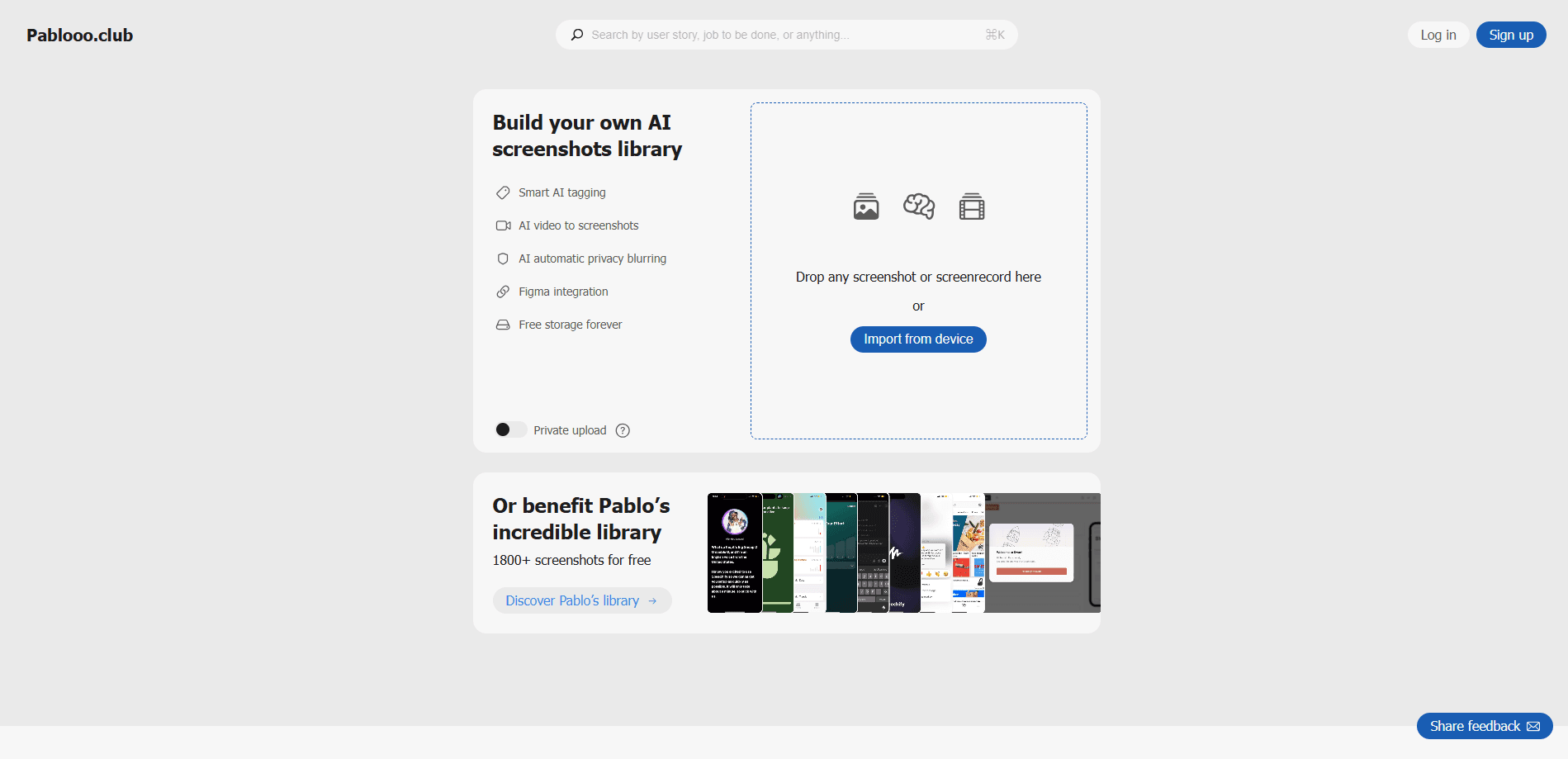
About Pablooo.club - Free screenshots library
What Is Pablooo.club
Pablooo.club is a community-driven library of iOS, Android, and web app screenshots, and a free UI benchmark tool for anyone researching interfaces. Designers, product managers, and developers use it to research how real products handle a screen or a flow, instead of sketching UI from a blank page. It's run as a free Mobbin alternative to paid UI benchmarking subscriptions, and it started in 2025.
The search works by product, screen type, or job-to-be-done. You can browse full user flow screenshots end to end, and add your own captures when you want to give something back. The public library and the MCP server are both free to use.
The main limit is scale and polish. An independent project of this kind can't match the sheer catalog depth of a paid service, and every screenshot comes from a real product, so the site stays clear that it isn't affiliated with the apps shown. Takedowns are handled by email when a screenshot shouldn't be public.
Getting Started
- Open pablooo.club and search by product, screen type, or the task you're trying to solve.
- Sign in with email, Google, or Apple if you want a personal library; browsing the public library needs no account.
- Browse a flow to see how screens connect, or download individual screenshots for reference.
- Add the MCP server to Claude Code, ChatGPT, Cursor, or Claude Desktop to pull screens straight into your design work.
Product Information
A quick look at Pablooo.club - Free screenshots library's pricing, supported platforms, and performance.
Best for
The users, tasks, and scenarios where this tool fits best.
Users
- Product designers
- Product managers
- Front-end and app developers
- AI coding users
Tasks
- Benchmarking a paywall
- Reviewing an onboarding flow
- Extracting design do and don'ts
- Collecting references
Scenarios
- Starting a new interface and needing real examples before wireframes
- Checking how a category leader solves a specific screen before a design review
- Getting design feedback from an AI assistant that can actually see the competitor screens
- Studying flows across iOS, Android, and web in one place
Key features
Free UI Screenshot Library
The public library holds real screenshots of iOS, Android, and web products, organized by app, screen type, and job-to-be-done. You can browse individual screens or follow a full user flow, which is often more useful than a single snapshot. Everything in the public library is free to search and view.
MCP Server for AI Assistants
Pablooo.club runs a Model Context Protocol server that brings 8,000+ mobile and desktop screenshots into AI agents and code editors. The setup is a single command in Claude Code, and there's one-click install for ChatGPT, Cursor, and Claude Desktop. No API keys or registration are needed to connect.
Visual Carousel Search
The default MCP tool returns an interactive visual carousel of up to 50 screenshots right inside your chat window, so you can compare screens without leaving the conversation. It's the fastest way to see a set of onboarding or paywall designs side by side.
Structured JSON Results
A second tool returns the same search as structured JSON instead of a UI component. That output is meant for programmatic work, such as piling the results into another tool or a pipeline that extracts patterns from competitor screens.
Screenshot Fetch for Vision Analysis
The server can download a specific screenshot from the CDN and convert it to base64, which lets a vision-capable assistant inspect the actual design. You can ask it to read the typography, spacing, or layout of a single screen and comment on it.
Facet Discovery for Accurate Queries
A dedicated tool lists valid exact-match values for the app and screen type filters. That keeps searches precise when you aren't sure what a facet is called, so results match what you meant to find.
Community Contributions
The library grows from screenshots people add themselves, and accounts let you keep a personal collection separate from the public one. Sign-in works with email, or through Google and Apple, which only handle authentication.
Pros and cons
Pros
- Completely free, including the MCP server that paid tools charge monthly for
- Real screenshots from shipped products, not mockups or redesigns
- Search covers apps, screen types, and jobs-to-be-done, so you can find the exact screen you need
- MCP setup for Claude Code is a single command with no keys or sign-up
- Visual carousel and JSON output serve both browsing and automated workflows
Cons
- The catalog can't match the depth of a paid library, so niche screens may be missing
- Screens are community-contributed, which means coverage and tagging quality vary
- The library is a reference tool only; it doesn't generate or edit designs for you
- Personal-library features need an account; public browsing doesn't
Frequently asked questions
It's a free library of real app screenshots for UI research. You use it to find how other products design a specific screen or flow, and the MCP server lets an AI assistant search those screens for you.
Related content
Explore related tools, skills, and articles for Pablooo.club - Free screenshots library.
Pablooo.club - Free screenshots library Alternatives

Udon
Udon · Coding · ProductivityUdon turns an Apple Silicon Mac into a home server you run from a browser, with container controls, file shares, and an optional AI sysadmin.

offstage
offstage cloud · Coding · Productivityoffstage gives AI coding agents and CI jobs a real Mac: a fresh macOS account on Apple silicon, driven over an API and billed by the second.

BotBus
Chengdu Tuyang Tusen Technology Co., Ltd. · Coding · ProductivityBotBus lets you control AI coding agents from your phone and watch: approve commands, start tasks and read results while the code stays on your desktop.