

PageOn.ai
PageOn.AI · Image · Video · Productivity
PageOn.AI is an AI presentation maker that turns a prompt, a document or a link into a designed deck, infographic or interactive page you can edit block by block.
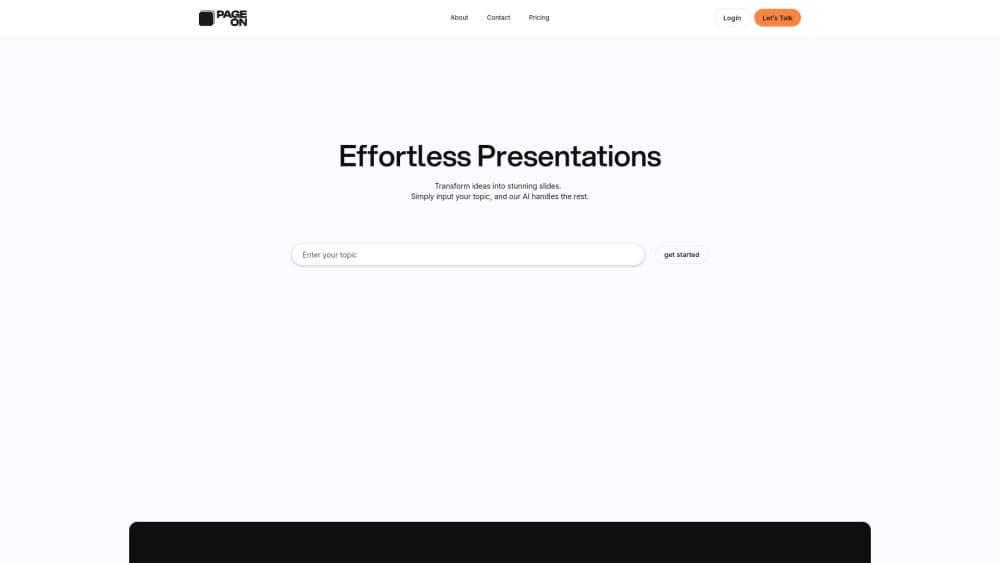
About PageOn.ai
What Is PageOn.AI
PageOn.AI sits in the gap between Gamma and Notion. You describe what you want to present, and a set of AI agents researches the topic, plans a page order and lays out the slides. What comes back isn't a locked template. It's a canvas built from blocks you can drag, delete or swap.
The product calls itself an AI presentation and infographic maker. The output is closer to a living web page. Charts stay clickable. Videos play inline. Maps pan. SVG graphics animate. A static file still exists for the moments when someone demands a deck attachment.
The main limit is the browser. There's no desktop app and no offline mode. On the free plan you get a single file, so anyone who builds decks weekly hits the paywall quickly.
Getting Started
- Create an account at pageon.ai with a Google, email or work login.
- Type a goal, paste a document or drop in a link. Add a page count and aspect ratio if those matter to you.
- Choose a template, or let the agents pick one once they finish researching.
- Rework the result with slash commands, drag and drop, or by asking an agent to rebuild one block.
- Share the live link, or export to PDF, PPTX or image.
Product Information
A quick look at PageOn.ai's pricing, supported platforms, and performance.
Best for
The users, tasks, and scenarios where this tool fits best.
Users
- Founders and consultants who pitch weekly
- Marketing teams that ship one-pagers and launch pages
- Teachers and students
Tasks
- Turning a long report or PDF into a presentable deck
- Building an infographic from scratch
- Restyling an existing deck for a new client
Scenarios
- A Monday investor update you only learned about on Sunday night
- A sales kickoff where the numbers will change during the meeting
- A classroom explainer built from a research paper
Key features
AI Agents That Research and Plan Before They Design
Most AI slide generators jump straight from prompt to layout, which is why the first draft so often misses the point. PageOn.AI splits the job. One agent researches the topic and gathers sources, another sets the page order, and the layout comes last. You can watch the plan and correct it before a single slide is drawn. That extra step costs a minute or two and saves a full rebuild.
Block Editing That Works Like a Document
The editor borrows Notion's grammar. Type a slash, pick a block, drag it where you want it. Text, images, charts, embeds, 3D models and diagrams all live in the same flow, so rearranging a page feels like moving paragraphs rather than nudging shapes on a slide. Anyone who has fought PowerPoint's text boxes will notice the difference in the first five minutes.
Interactive Presentations With Live Charts, Maps and Media
This is where the AI deck builder separates itself from export-first tools. Plotly charts respond to the underlying data, YouTube and audio files play inside the page, and location data can render as a map you can zoom. SVG graphics scale without blurring and can be animated. For a reader on the web, the result behaves like a small site. For a reader holding a PDF, it behaves like a normal document.
Brand Kit Applied Across Every Page
Upload a logo and the system extracts your colors. Paste a website URL and it reads the same information off the page. If you have neither, you can describe the look in words and get a palette back. Once the brand kit is set, every new page inherits it, which matters most for teams producing a steady stream of decks and one-pagers under one identity.
Export to PDF, PPTX and Image
Interactive pages are great until a client asks for the file. Exports cover PDF, PowerPoint and image formats, and the "Made with PageOn" badge comes off on paid plans. Treat the export as a snapshot: the web version keeps the live charts and video, the file keeps the layout.
Real-Time Collaboration
Teammates can open the same page and edit together, the way they would in a shared doc. Comments and handoffs happen in place rather than over email with version numbers attached. For a two-person pitch team this is convenience. For an agency running several client decks at once, it decides whether the tool survives the quarter.
Pros and cons
Pros
- The agent handles research, structure and layout in one pass, so a rough deck exists before you've opened a blank page.
- Blocks stay editable after generation, which means the output doesn't lock you into a template you can't change.
- The free plan exposes the full AI feature set with usage limits, so you can judge output quality before paying.
- Pro removes the file cap and unlocks interactive charts, media embeds, maps and SVG animation for $7.49/mo billed annually.
Cons
- The free plan allows one file, so comparing two drafts side by side isn't possible without deleting one.
- The first draft reads like a first draft. Budget time for rewriting the argument, not just the design.
- It's browser only. Anyone who works offline or wants a desktop app has no option here.
- Interactive blocks flatten on PPTX export, so the living-page advantage disappears the moment a client asks for a file.
Frequently asked questions
It builds visual pages: pitch decks, infographics, reports, portfolios and classroom explainers. You give it a topic or a source document, and the agents produce a structured, designed first draft you edit in the browser.
Related content
Explore related tools, skills, and articles for PageOn.ai.
PageOn.ai Alternatives

Google EmbeddingGemma 2
Google DeepMind · Writing · Image · CodingGoogle EmbeddingGemma 2 is a 740M-parameter open model that turns text, code, images, audio, and video frames into vectors in one 768-dimension space, running on phones and laptops.

Tractionwave
TractionWave · Image · MarketingTractionWave is an AI attention heatmap tool for static ads. Upload a PNG or JPG and it returns predicted attention, ranked hotspots, and fixes before you spend budget.

Imejis.io
Imejis.io · Image · MarketingImejis.io is an AI design studio for agents and marketing teams. Describe an image in plain words, and it writes the copy, builds the layout, reflows it to every size, then exports a finished file.