

Palette.fm
Palette SAS (Emil Wallner) · Image
Palette.fm is an AI photo colorizer that turns black and white pictures into realistic color in seconds. It suits family photo restoration and quick batch colorization.
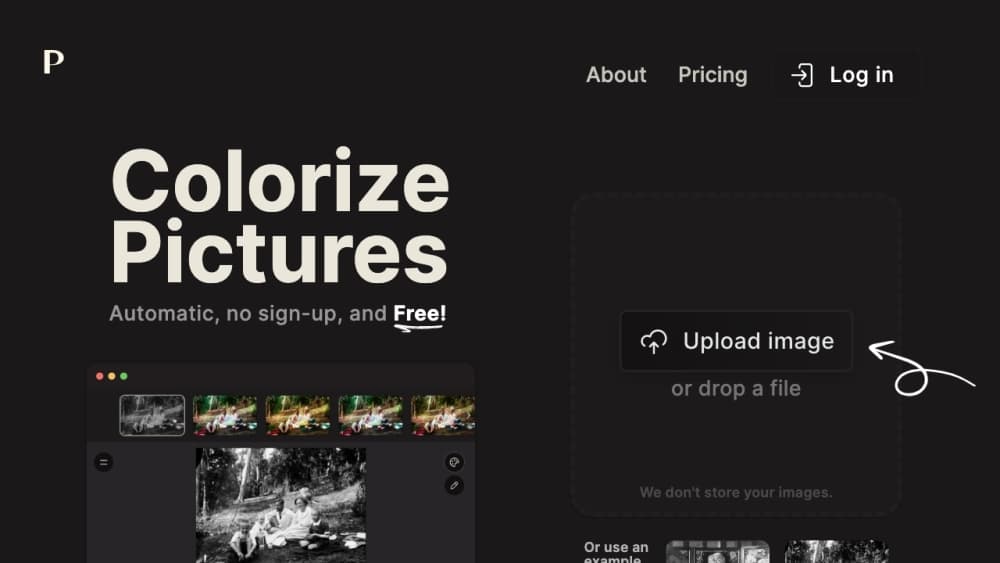
About Palette.fm
What Is Palette.fm
Palette.fm is a web-based AI colorization tool that adds realistic color to black and white photos. You upload an image, pick one of more than 21 color filters, and get a colored version back in seconds. It came out of years of research by Emil Wallner, and Palette SAS runs the service today.
The tool targets people sitting on old photos: family archives, historical research, and creative work that starts from a monochrome image. Its appeal is speed and range, since a single upload returns several stylings rather than one fixed guess. Free colorization keeps a watermark and stays at lower resolution, and a credit system unlocks full-resolution, logo-free output up to 5000x5000 pixels.
One tradeoff stands out. The colorizer guesses colors from what it recognizes in a scene, so objects it can't identify come out tinted oddly, and fine details like hands and lips sometimes need a manual pass. It reads as a fast first draft, not a finished retouch.
Getting Started
- Open palette.fm in a browser. You can upload a photo and colorize it without signing up.
- Drag in one or several black and white images, or click the upload button to pick files.
- Choose a color filter such as Classic Palette, Bright Essence, Colorful Past, or Dusk Dream.
- Adjust the suggested keywords that describe the scene to nudge the colors, then generate again if needed.
- Download the result, or buy credits to remove the watermark and get full resolution output.
Product Information
A quick look at Palette.fm's pricing, supported platforms, and performance.
Best for
The users, tasks, and scenarios where this tool fits best.
Users
- Families with old photos
- Historians and archivists
- Content creators and designers
Tasks
- Restoring family photographs
- Filtering color styles quickly
- Coloring at scale
Scenarios
- Bringing a wedding album back to life
- Preparing vintage visuals for a story
- Testing a concept before committing
Key features
AI Photo Colorization
Upload a black and white image and Palette.fm gives you a fast way to colorize photos in seconds. It groups the scene into objects, clothing, skin, and background, then predicts a plausible color for each. The whole flow runs in the browser, so there's nothing to install.
21+ Color Filters
The tool ships with more than 21 presets, from natural looks like Classic Palette to stylized ones like Nostalgia Pop and Dusk Dream. Each filter reads the same photo differently, which makes it easy to compare moods without editing anything by hand. Switching filters is the fastest way to steer the result.
Keyword-Based Color Adjustment
After colorizing, you can tweak the keywords the model used to describe the scene. Add or remove a word and the colors shift, which gives a level of control a plain upload button can't match. It's a light way to correct a color the model got wrong.
Full Resolution and Watermark-Free Output
Each credit colorizes one photo at full resolution up to 5000x5000 pixels and strips the watermark. For anyone who needs a clean file for print or a layout, credits are the difference between a preview and a deliverable.
Batch and API Access
Palette.fm offers an API and a batch tool for processing many photos or building the colorizer into another product. Teams that handle volumes of archival images can automate the job instead of uploading by hand. This sets it apart from consumer tools that only work one photo at a time.
Lightweight Sharing and Sample Library
The site includes sample images you can colorize before uploading your own, plus a community bot where people post their results. It's a low-pressure way to see what the tool does before committing a photo, and a quick way to compare filters before you start.
Pros and cons
Pros
- Free and works without an account, so you can test a photo in seconds
- More than 21 filters make it easy to compare color moods on one image
- Keyword editing gives direct control over how colors land
- Credits deliver full resolution up to 5000x5000 pixels with no watermark
- API and batch tools support high-volume colorization for teams
Cons
- The model guesses colors, so unidentified objects and small details can come out wrong
- Free output is watermarked and low resolution, which rules out clean prints
- Credits are consumed per photo, so large batches add up in cost
- Skin tones and hands sometimes need a second filter or a manual fix
Frequently asked questions
Palette.fm colorizes black and white photos with AI. You upload an image, pick a filter, and the tool returns a colored version in seconds with options to fine-tune the result.
Related content
Explore related tools, skills, and articles for Palette.fm.
Palette.fm Alternatives

Google EmbeddingGemma 2
Google DeepMind · Writing · Image · CodingGoogle EmbeddingGemma 2 is a 740M-parameter open model that turns text, code, images, audio, and video frames into vectors in one 768-dimension space, running on phones and laptops.

Tractionwave
TractionWave · Image · MarketingTractionWave is an AI attention heatmap tool for static ads. Upload a PNG or JPG and it returns predicted attention, ranked hotspots, and fixes before you spend budget.

Imejis.io
Imejis.io · Image · MarketingImejis.io is an AI design studio for agents and marketing teams. Describe an image in plain words, and it writes the copy, builds the layout, reflows it to every size, then exports a finished file.