

Parcae
Parcae Labs Ltd. · Productivity
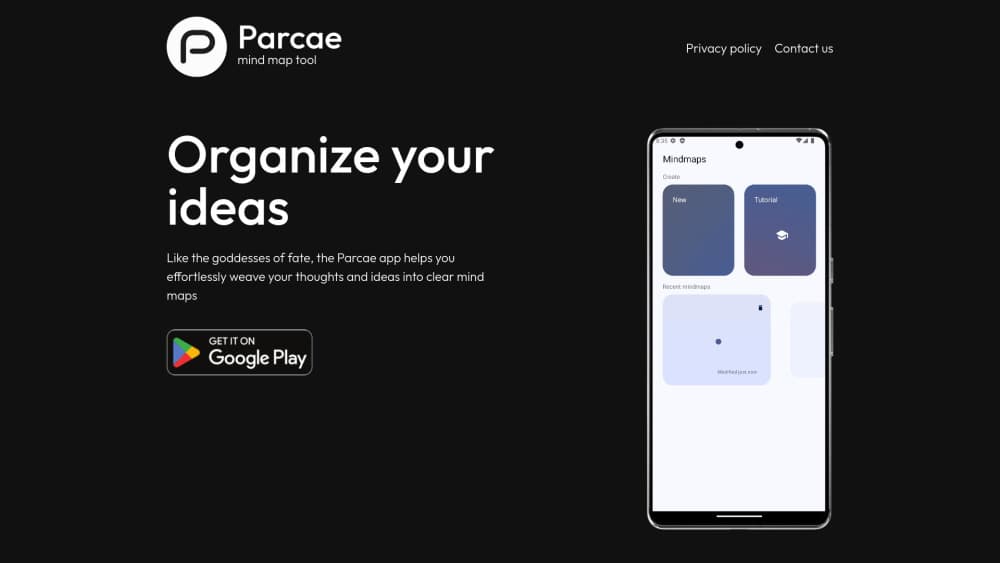
Parcae is an AI mind map generator for iOS and Android that converts typed text into structured visual maps. It adds node reminders, PNG exports and offline editing, with AI generation tied to ads or Parcae Pro.
About Parcae
What Is Parcae
Parcae is a mobile mind mapping app built around one idea: you write or paste text, and the app arranges it into a visual map with a central topic and branching nodes. It runs on iPhone, iPad and Android, and it's made by Parcae Labs Ltd. with developer Ivan Abramov credited on both app stores.
The app targets people who take messy notes and want structure without dragging boxes around by hand. Type in study notes, meeting minutes or a rough project outline, and Parcae's AI proposes a map you can then reshape. Manual editing stays free forever. The AI generation that does the heavy lifting sits behind either rewarded ads or a paid plan.
The main limit is scope. This is a mobile-first tool, and there's no desktop app or web editor, so long planning sessions on a laptop aren't the target. Maps are stored locally on your device, which keeps things private but also means you handle your own backups and there's no built-in team collaboration.
Getting Started
- Install Parcae from the App Store or Google Play. No registration is required to open the app.
- Pick a starting point: create a blank map and add a central topic, or paste text and let the AI build the first structure.
- Edit the result with gesture controls, then select a node and use the AI expand option to grow related branches.
- Attach reminders to nodes you want to act on, turning parts of the map into a to-do list.
- Export the finished map as a PNG image or a bullet list for slides, notes or sharing.
Product Information
A quick look at Parcae's pricing, supported platforms, and performance.
Best for
The users, tasks, and scenarios where this tool fits best.
Users
- Students
- Educators
- Professionals
Tasks
- Text to mind map conversion
- Brainstorming from a node
- Turning ideas into tasks
- Preparing study or presentation material
Scenarios
- Reviewing course material on the commute
- Capturing a meeting before you forget it
- Planning a project with deadlines
- Organizing ideas for a new topic
Key features
AI text to mind map generation
Paste study notes, meeting minutes, project plans, book summaries or lecture notes and Parcae converts the text into a structured map with a central topic and connected nodes. The feature reads context and relationships rather than just splitting lines. You need a connection for this part, and on the free tier you watch a rewarded ad to run it.
Brainstorm from node
Select any node in a finished map and the AI generates related ideas around it. You get a new layer of depth without rewriting the rest. This works well when a branch feels thin and you want more options before deciding what to keep. You stay in control and can delete anything the AI adds.
Node reminders
Any node can carry a reminder, so a planning map becomes a to-do list in the same place you organized the work. Students can flag revision checkpoints and professionals can mark milestones, all without switching to a separate task app. Reminders are the feature that separates Parcae from other mind mapping software.
Local storage and automatic saving
Maps live on your device rather than a cloud account, and the app saves as you work. It keeps a history you can revert to. That means privacy and offline editing without a login. The trade-off is that nothing syncs across devices on its own and there's no shared workspace for teams.
Gesture-based editing
You create, move and connect nodes with touch gestures built for phones and tablets. The layout adapts to your device theme, and manual editing stays free with no map limit. It's the part of the app that works entirely offline.
Customizable exports
Send finished maps out as high-quality PNG images or as bullet-point lists. Images suit presentations, study guides and social posts, while the text export drops straight into notes and documents. Exported files are static, so later edits in Parcae won't update a file you already saved.
Pros and cons
Pros
- AI generation turns long text into a usable map in a single pass, which saves the manual sorting most mind map tools require.
- Manual editing is free with no map cap, so you can keep using the app without subscribing.
- Node reminders fold task tracking into the map itself instead of a separate app.
- Maps are stored locally and edited offline, so no account is needed to start.
- Exports cover both images and bullet lists, which fits slides and written notes.
Cons
- AI generation needs a connection and, on the free tier, a rewarded ad each time, which interrupts longer sessions.
- There's no desktop app or web version, so laptop based planning is out of scope.
- Maps don't sync across devices automatically, so you lose them if the phone is lost and no backup exists.
- No built-in real-time collaboration, so it suits solo work more than shared team planning.
Frequently asked questions
Parcae is a mobile mind mapping app that uses AI to turn text into organized visual maps. It runs on iOS and Android and is aimed at note taking, project planning and studying.
Related content
Explore related tools, skills, and articles for Parcae.
Parcae Alternatives

Base Code
Base44 (Wix) · Coding · ProductivityBase Code is a shared cloud development environment from Base44. Teammates describe changes to an existing GitHub codebase in chat, preview them live and send them back as pull requests.

Knocket
Knocket (Tencent RTC team) · Productivity · Business · ChatbotKnocket is a free live chat and contact page tool that lets visitors message you from your website, app, or a shareable link, with every reply handled from Telegram or one inbox.

FloorGen
Vinit Kumar (FloorGen) · Productivity · China AIFloorGen is a browser-based floor plan maker that turns a sentence or a sketch into an editable 2D plan and a 3D walkthrough. Export to PDF, DXF or video, and draw without an account.