

Paritok
Paritok · Coding
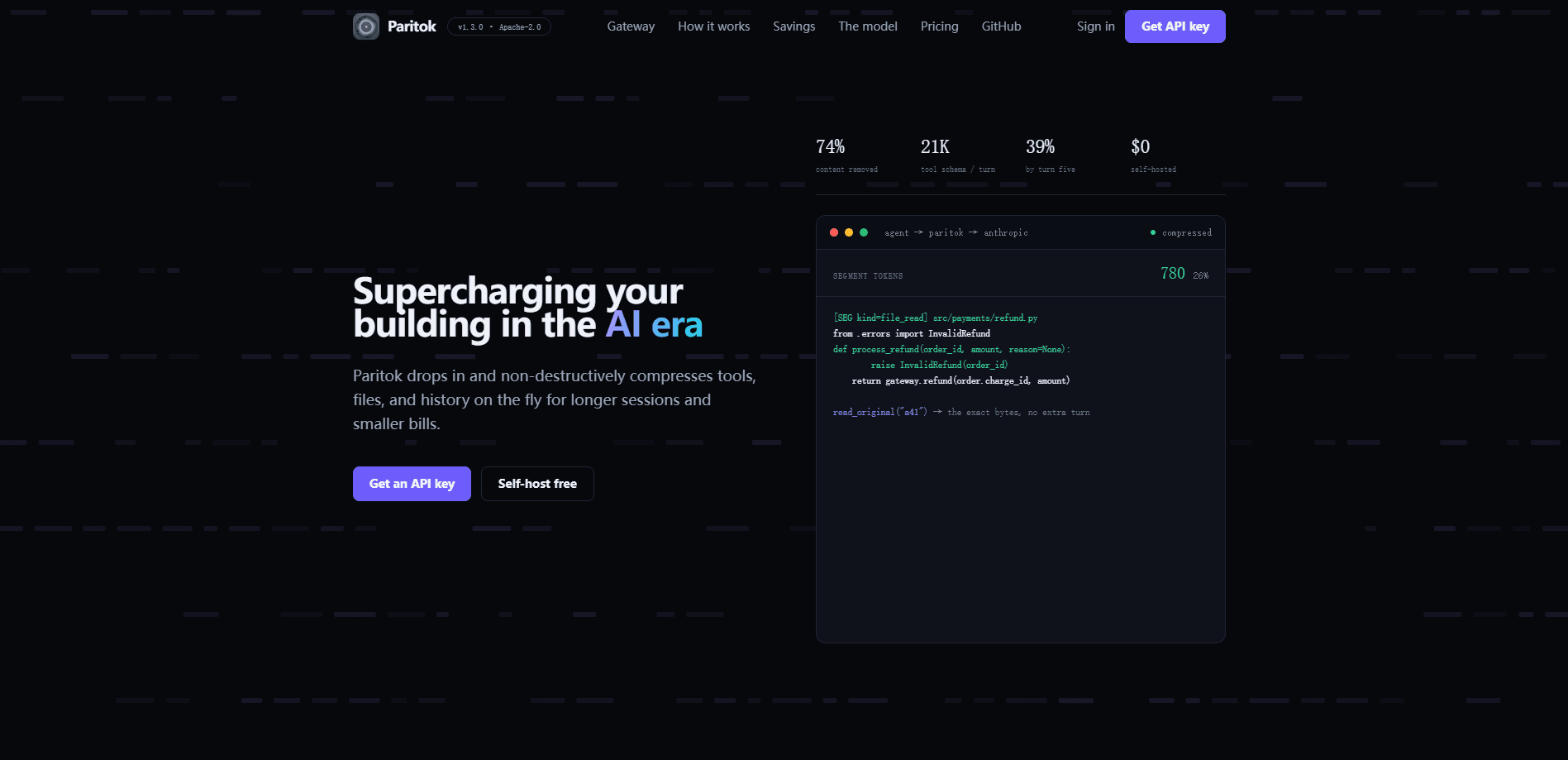
Paritok is a compression gateway for AI coding agents. It sits between your agent and your model provider, then shrinks the three things that bloat every request: tool schemas, file reads and command output, and stale conversation history. You point one environment variable at it, and tools like Claude Code, Cursor, Codex, and OpenHands keep working while sending far fewer tokens. The selling point is simple: longer sessions and smaller bills, with the original bytes recoverable whenever the agent needs them.
About Paritok
What Is Paritok
Paritok is a gateway that compresses context for AI coding agents without editing your codebase or changing how your agent behaves. It runs as a local process, takes the same API calls your agent already makes, and trims the payload before forwarding it to the upstream model. The agent never knows the difference beyond seeing more usable room in its context window.
The problem it targets is real and easy to underestimate. Coding agents re-send their full tool list, every file they've read, and every command output on each turn. A session that starts at 40K tokens can climb past 250K within twenty turns, and you pay for all of it again each time. This token compression at the gateway layer attacks that growth at the source instead of asking you to write shorter prompts. It's a context compression gateway, not a plugin.
That distinction matters. A plugin runs inside the agent and depends on the agent's own hooks and quirks, so coverage varies wildly and updates break things. A gateway sits one layer out, which means the same requests and responses flow through untouched while the token count on the wire quietly drops turn after turn.
Its main limit is scope. Paritok is built for coding-agent traffic, not general chat or document work, and it works best when your agent leans on a lot of tools and reads a lot of files. So when does it stop paying off? If your sessions are short and tool-light, the savings are smaller and the extra local process may not earn its place. It's a young product, so expect rough edges around uncommon providers and exact setup variants, and budget a little time to verify that your particular agent configuration behaves the way the docs promise before you trust it with anything important.
Getting Started
- Install the Paritok gateway and run it locally, where it listens for agent requests.
- Point your agent at it by setting one environment variable, for example
ANTHROPIC_BASE_URL=http://127.0.0.1:8080. - Keep your existing model provider and keys. Paritok forwards to any OpenAI-compatible upstream.
- Start a session as usual in Claude Code, Cursor, Codex, or OpenHands and watch the token meter fall.
- When the agent needs exact content, it calls
read_original(ref)to pull the original bytes back, locally and without burning a turn.
Product Information
A quick look at Paritok's pricing, supported platforms, and performance.
Best for
The users, tasks, and scenarios where this tool fits best.
Users
- Developers running long coding-agent sessions
- Teams watching AI token bills
- Self-hosters and privacy-minded builders
Tasks
- Multi-file refactors
- Debugging across logs and test output
- Tool-heavy agent workflows
Scenarios
- A long afternoon of iterating on one feature where you'd otherwise hit the context ceiling and lose your thread.
- Running an MCP-heavy agent setup on a metered API budget and wanting the per-turn cost to stay flat.
- Working on a laptop with a modest context budget where you want more usable room from the same model.
Key features
Three-Lever Compression
Paritok stacks three savings sources rather than betting on one. Tool schemas get trimmed and stubbed, file reads and command output get condensed, and stale history gets summarized once its budget fills. The levers compound. A session that saves 25% on turn one can reach 60% or more by turn fifteen.
Tool Schema Trimming
Agents routinely ship 46 or more tools in full JSON on every request. Paritok keeps the tools relevant to the current task and stubs the rest, freezing the block per conversation so it stays cache-stable. In the vendor's example, a 29K-token tool block drops to about 8K per turn. That's a 21K saving before a single file is read.
Lossless-on-Demand Recovery
Compression here is lossy on the wire, not permanent. Nothing is discarded. The agent can call read_original(ref) to get the exact bytes back, and it does so locally without spending a model turn. That single guarantee is what makes the rest of the compression safe to run on real production code, because the agent can always reach the original content the moment the summary isn't precise enough for the edit it's making.
Intent-Aware File Compression
The compressor, a 4B-parameter model named Paritok-4B, is trained on coding-agent traffic and extracts spans rather than rewriting them. Identifiers, file paths, and error strings survive because the model selects them from the input instead of paraphrasing. A read that starts at 4,820 tokens can come back near a quarter of that size. Small per turn. Big across a session.
Budget-Controlled History
Older turns get summarized once you cross a context budget you set, not when the model finally runs out of room. Recent turns are left untouched, and the vendor reports zero overflows in its own testing. You decide when compression kicks in instead of letting the provider decide for you. That control is the point.
Model-Agnostic Drop-In
The gateway proxies any OpenAI-compatible upstream, so it isn't tied to one vendor. It works today with Claude Code, Cursor, Codex, and OpenHands, and the entire integration for a compatible agent is a single environment variable plus routing one base URL. No SDK migration. No rewrite.
Pros and cons
Pros
- Cuts input tokens on the parts of a request that dominate the bill: tool schemas, file reads, and re-sent history.
- Original bytes are recoverable on demand, so compression doesn't cost the agent accuracy on identifiers or paths.
- Self-hosted and free at the base tier, with context staying on your own machine before it goes upstream.
- Works with existing agents through one environment variable, so there's no rewrite or SDK migration.
- Savings grow across a session, which matches how real coding tasks actually run.
Cons
- It's purpose-built for coding agents. General chat, writing, and document workflows see little benefit.
- The context window it saves the most on is exactly where short, tool-light sessions were never struggling.
- It adds a local process to your setup, which is one more thing to run, monitor, and keep updated.
- As a young product, expect gaps in provider coverage and edge cases in unusual agent configurations.
Frequently asked questions
It's a gateway that compresses the context your coding agent sends to a model. It shrinks tool schemas, file reads and command output, and stale conversation history on the way through, so each request carries fewer tokens.
Related content
Explore related tools, skills, and articles for Paritok.
Paritok Alternatives
Forefront
Forefront · CodingForefront is a web platform for building with open-source AI. It lets you fine-tune leading open-source language models on your own data, evaluate how they perform, and run them through an API or export them to host yourself. Developers who want the convenience of a closed-source platform but insist on owning their models and data are the target audience here.

Startkit
StartKit.AI · CodingStartkit is a boilerplate for building AI SaaS and AI wrapper products. Think of it as an AI startup boilerplate with the boring parts already wired up: authentication, Stripe and Lemon Squeezy payments, usage limits, transactional email, and an AI API starter that talks to OpenAI, Anthropic, Groq, or Llama. You clone the repo, set your price, and start on the part of your product that people actually pay for. It's Next.js under React and Tailwind, so most of the boilerplate code already feels familiar.
Testim
Tricentis · CodingTestim is an AI-powered test automation platform for building and running end-to-end tests across web, mobile, and Salesforce applications. It leans on machine learning to keep tests stable when an interface changes, so teams spend less time fixing broken selectors. Not bad for an automated testing tool you can start using today. You create tests by recording actions in a browser, then optionally add JavaScript when you need more control. It's a solid pick for busy QA teams.