

Particular Drift
collidingScopes · Image
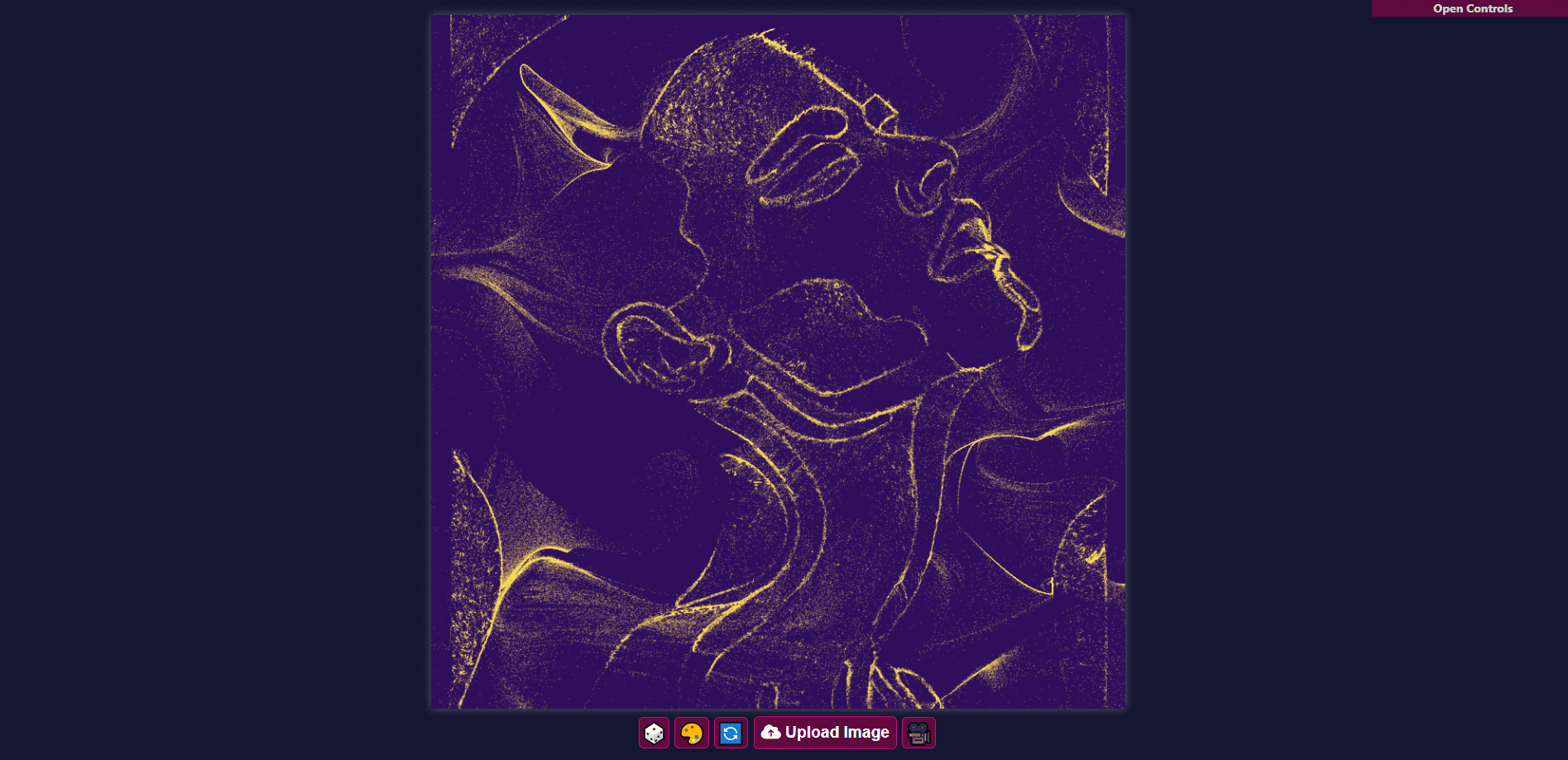
Particular Drift is a free browser tool that turns a still image into a flowing particle animation. Upload a photo, tune the controls and export the result as an image or video.
About Particular Drift
What Is Particular Drift
Particular Drift is an open source web app that breaks a photo into thousands of particles and sets them drifting across a flow field. The particles can hug the edges of your subject or scatter into an abstract cloud, and the whole effect runs live in the browser. There is nothing to install and no account to create.
This Particular Drift review looks at what the generator actually does. Designers and generative art fans reach for it when they want motion without opening After Effects. The flow field animation handles the math, so you upload an image, drag a few sliders and watch the static picture start to move. The creator distributes it under the MIT license with no paywall or premium tier, and it works for personal and commercial projects alike.
The main limit is horsepower. The particle animation generator leans on your own machine, so a laptop with too many tabs open or a low battery may stutter. The built-in video export occasionally fails on slower hardware, and the usual fix is a screen recorder like OBS Studio.
Getting Started
- Open the site and upload a photo, ideally one with clear shapes or a strong silhouette
- Hit the dice button to randomize every parameter and get a first look at the style
- Open the control panel and fine-tune colors, particle speed, attraction strength, edge detection and the 2D or 3D noise switch
- Export the finished loop as a screenshot or a video file
Product Information
A quick look at Particular Drift's pricing, supported platforms, and performance.
Best for
The users, tasks, and scenarios where this tool fits best.
Users
- Designers exploring motion
- Generative art hobbyists
- Social media creators
- Students and beginners
Tasks
- Image to particle animation
- Background motion design
- Visual experimentation
- New image seeding
Scenarios
- A logo needs a little life
- A video editor is stuck for a background
- A design class covers motion basics
- A late night creative block
Key features
Image to Particle Animation
Upload any image and the tool splits it into particles that move across a flow field. You get an animated version of the original picture in one step, with no asset pipeline to build first. The result can trace the outlines of your subject or dissolve it into a loose cloud, depending on the settings you pick.
Live Parameter Controls
The control panel exposes the values that shape the animation: particle color and palettes, particle speed, attraction strength, edge detection threshold and the choice between 2D and 3D noise. Attraction strength pulls particles toward the edges of the image, while higher speed loosens them so they drift free. Tweaking a single slider reshapes the whole look.
One Click Randomize
A dice button resets every input to a random value. It is the fastest way out of a creative rut, because you can spin through a dozen distinct styles without deciding anything. Each roll gives a different color and movement profile, and you keep the one that lands.
Image and Video Export
When the loop looks right, you save it as a still screenshot or as a video file. That turns a toy into a working asset you can drop into a presentation, a short video or a design project. If the video export misbehaves on your machine, an external screen recorder covers the gap.
Keyboard Shortcuts
Hotkeys handle the moves you repeat most. R randomizes every input, C picks a new color palette, space pauses and plays, enter restarts, V starts and stops video export, S saves a screenshot and U loads a new image. Once they are in your fingers, testing ideas gets much quicker.
Client Side and Open Source
All processing happens in your browser, so the images you upload stay on your computer and never reach a server. The project ships under the MIT license, and the full source lives on GitHub. As a free animation maker with no paywall or premium tier, it also keeps your data on your device.
Pros and cons
Pros
- Completely free with no paywall or premium options
- Open source under the MIT license, so you can inspect or reuse the code
- Runs entirely in the browser with no install and no account
- One click randomize makes experimenting fast even when you lack ideas
- Uploaded images stay local because everything is processed client side
Cons
- The animation is resource intensive, so weaker machines may see lag or dropped frames
- Built-in video export can fail on slower hardware and may need a screen recorder as a backup
- There is no cloud storage or project history, so you have to export anything you want to keep
- The tool does one thing well, so it will not cover editing or compositing needs
Frequently asked questions
It turns a static image into a moving particle animation you can use as a background, a social clip or a piece of generative art. You upload a picture, adjust the controls and export the result.
Related content
Explore related tools, skills, and articles for Particular Drift.
Particular Drift Alternatives

Google EmbeddingGemma 2
Google DeepMind · Writing · Image · CodingGoogle EmbeddingGemma 2 is a 740M-parameter open model that turns text, code, images, audio, and video frames into vectors in one 768-dimension space, running on phones and laptops.

Tractionwave
TractionWave · Image · MarketingTractionWave is an AI attention heatmap tool for static ads. Upload a PNG or JPG and it returns predicted attention, ranked hotspots, and fixes before you spend budget.

Imejis.io
Imejis.io · Image · MarketingImejis.io is an AI design studio for agents and marketing teams. Describe an image in plain words, and it writes the copy, builds the layout, reflows it to every size, then exports a finished file.