

Paste
Paste Team ApS · Productivity
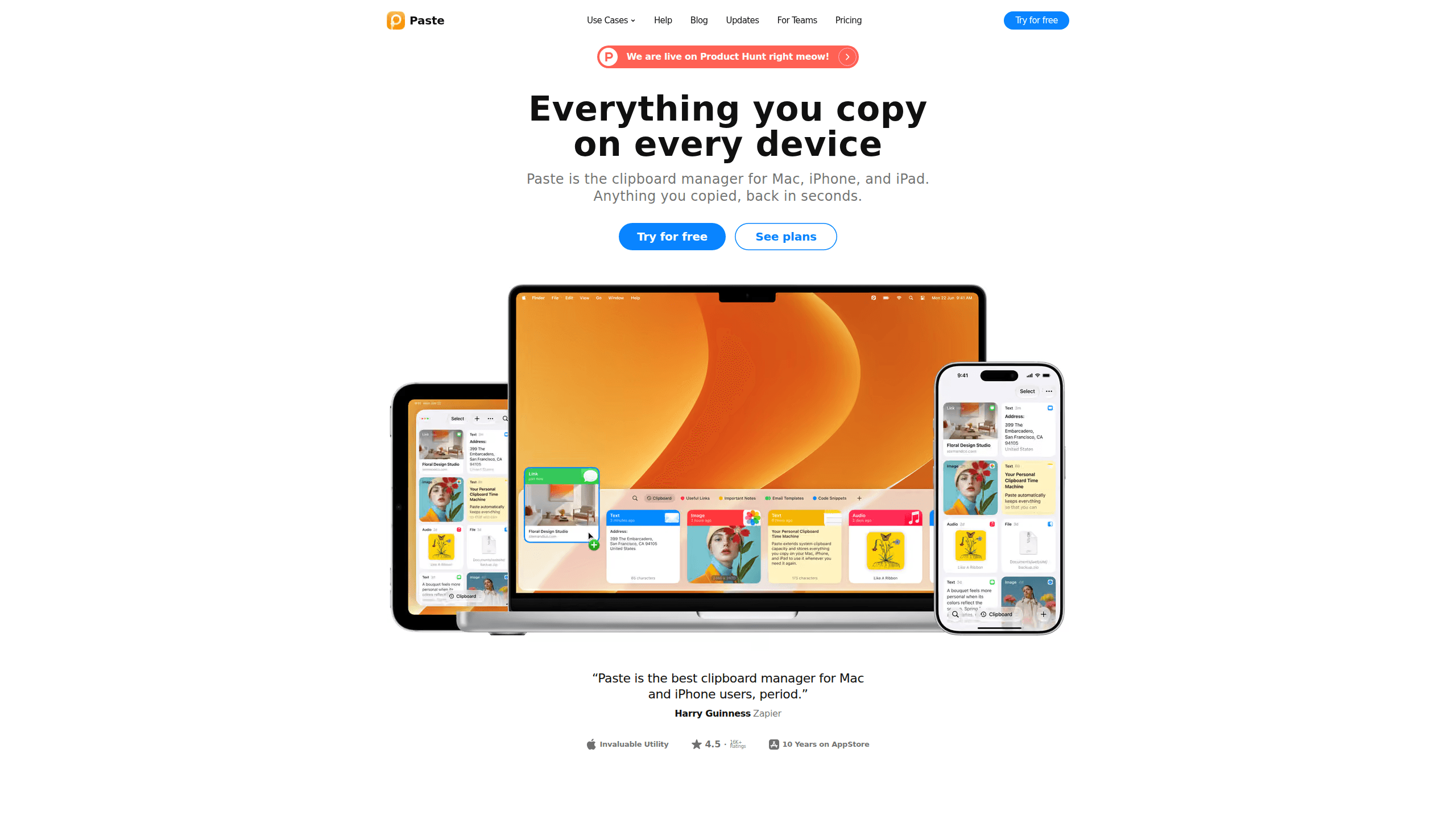
Paste is a clipboard manager for Mac, iPhone, and iPad that keeps everything you copy, makes it searchable, and suggests what you'll paste next with Apple Intelligence.
About Paste
What Is Paste
Paste is a clipboard manager for Mac, iPhone, and iPad built by Paste Team ApS, a small software company based in Denmark. The system clipboard holds one item at a time, so the previous copy disappears the moment you copy something else. Paste keeps a visual, searchable record of everything you copy: text, links, images, files, colors, code.
The app lives in the menu bar on Mac and in a keyboard extension on iPhone and iPad. One shortcut opens the history, arrow keys or Command 1 through 9 pick an item, and the content lands in whatever app you're using. History syncs through private iCloud, so a link copied on your phone is waiting on the Mac when you sit down.
Two limits matter before you pay. Paste runs only on Apple devices, with no Windows or Android version. The newest feature, Intelligent Clipboard, needs a Mac that supports Apple Intelligence. The rest of the app works on older hardware.
Getting Started
- Download Paste for Mac from pasteapp.io or get the iOS app from the App Store. First launch starts a 7-day trial with every feature unlocked.
- Grant the permissions Paste asks for, mainly Accessibility so the shortcut works in any app. The setup assistant walks through each one.
- Copy a few things on purpose: a link, a sentence, a screenshot. Open the history and check that each item shows a preview and the app it came from.
- Add rules for sensitive apps such as password managers, so Paste skips what they copy. Turn on iCloud sync if you want the same history on your phone and tablet.
- Create a pinboard for snippets you reuse, then drag your most-used items into it so they survive history cleanup.
Product Information
A quick look at Paste's pricing, supported platforms, and performance.
Best for
The users, tasks, and scenarios where this tool fits best.
Users
- Developers
- Designers and content people
- Writers and support teams
Tasks
- Reusing text across apps
- Filling long forms or spreadsheets
- Handing context to an AI tool
Scenarios
- A morning of research
- Switching from phone to Mac mid-task
- Working on a shared screen
- Sharing a set of assets with a teammate
Key features
Intelligent Clipboard
Paste can suggest the item you're about to paste, based on what you're working on. The suggestion comes from a local model running through Apple Intelligence on your Mac, so nothing you copied leaves the machine. It needs a Mac with Apple Intelligence support. On older Macs, standard history and search still work.
Paste MCP for AI Tools
Paste MCP is a local server built into the Mac app. It connects clipboard history to Claude, Codex, Cursor, and other tools that support MCP, so an assistant can search what you copied, save new items, or organize pinboards. You approve each connection and can revoke access later. Setup happens on the Mac only.
Power Search
Search covers text, links, images, and files, and it reads text inside screenshots. Filters narrow results by content type, source app, device, or date. Pinboard filters limit a search to one board, and Jump to History takes you from a result to its original spot in the timeline.
Paste Stack
Paste Stack holds a queue of items you want to paste one after another. Copy each value in order, then paste through the stack with a single shortcut. It's built for forms, spreadsheets, and any job where switching back to a notes file breaks your rhythm.
Pinboards and Sharing
Pinboards are permanent collections that don't age out of history. Keep code snippets, brand assets, or templates there, give each board a name and color, and share a board with teammates, family, or clients. Only the board you share is visible. The rest of your clipboard stays private.
Privacy Controls and iCloud Sync
Clipboard data stays on your devices and in your private iCloud, not on Paste's servers. Rules let you exclude password managers and other sensitive apps, and you can pause recording from the menu bar. History syncs across Mac, iPhone, and iPad signed in to the same Apple Account, and a setting hides Paste during screen sharing.
Pros and cons
Pros
- The history is visual, so you recognize a clip by its preview instead of reading a list of truncated text.
- Search reaches inside screenshots, which covers the images people copy most often.
- Paste Stack turns a chain of copy and paste actions into one pass, and the time saved adds up on repetitive work.
- Paste MCP gives AI assistants a local memory of what you copied, without uploading the clipboard to a third party.
- One purchase covers Mac, iPhone, and iPad, and a lifetime license is available for people who dislike subscriptions.
Cons
- Apple-only. There's no Windows or Android app, so a mixed-device team can't standardize on it.
- The trial lasts 7 days and there's no permanent free tier. After that you subscribe or buy the lifetime license.
- Intelligent Clipboard requires an Apple Intelligence-capable Mac, which leaves out older Intel models.
- Sharing is limited to pinboards, and team management happens through support rather than an admin dashboard.
Frequently asked questions
Paste is a clipboard manager for Mac, iPhone, and iPad. It stores what you copy, shows it in a searchable visual history, and lets you paste an older item into any app.
Related content
Explore related tools, skills, and articles for Paste.
Paste Alternatives

Base Code
Base44 (Wix) · Coding · ProductivityBase Code is a shared cloud development environment from Base44. Teammates describe changes to an existing GitHub codebase in chat, preview them live and send them back as pull requests.

Knocket
Knocket (Tencent RTC team) · Productivity · Business · ChatbotKnocket is a free live chat and contact page tool that lets visitors message you from your website, app, or a shareable link, with every reply handled from Telegram or one inbox.

FloorGen
Vinit Kumar (FloorGen) · Productivity · China AIFloorGen is a browser-based floor plan maker that turns a sentence or a sketch into an editable 2D plan and a 3D walkthrough. Export to PDF, DXF or video, and draw without an account.