
Pathwiseai
Pathwiseai · AI Assistant
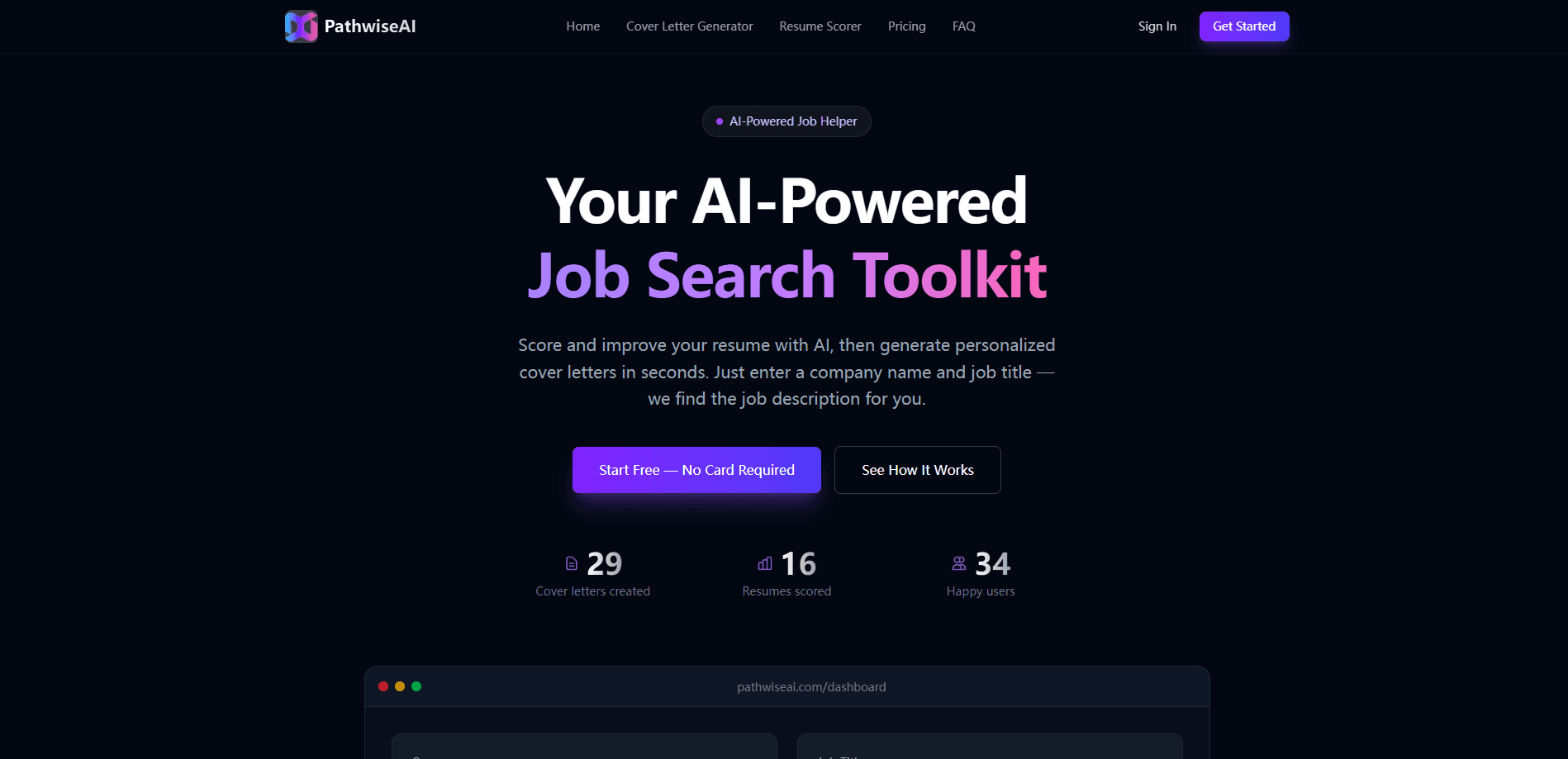
Pathwiseai is an AI job search toolkit built to speed up the parts of applying that eat your evenings. It takes a job posting and your background, then produces a tailored resume and a cover letter you can edit before sending. The goal is simple: apply to more roles in less time. Think of it as cover letter software and resume tailoring in one place, with a bit of job search automation on top. No more rewriting everything from scratch each round.
About Pathwiseai
What Is Pathwiseai
Pathwiseai is an AI-powered job search toolkit aimed at people applying to many roles at once. It reads a job description, compares it against your experience, and drafts application materials that match what a specific employer is asking for. Instead of starting from a blank document, you review and adjust what the tool produces.
The product's real value shows up in volume. If you're sending out five or ten applications a week, the manual work of reworking a resume and writing a fresh cover letter for each one adds up fast. Pathwiseai compresses that loop into a review step. That's the whole pitch.
The catch is that no automated writer knows your story better than you do. The tool works best as a first draft engine, not a final one. Expect to edit tone, verify claims, and cut anything that doesn't sound like you before hitting submit, since a generic draft that reads as if anybody could have written it won't help you stand out to a recruiter who sees hundreds of applications. The platform also covers more than jobs today: the team has expanded into college applications through a separate space on the same site.
Getting Started
- Sign up with your email on the Pathwiseai site and log into your workspace.
- Upload or paste your existing resume so the tool has your background to work from.
- Paste the job you want to apply for, either by posting URL or by copying the text.
- Review the tailored resume and cover letter the tool drafts, then edit them for tone and accuracy.
- Export or save your materials and submit through the employer's own application page.
Product Information
A quick look at Pathwiseai's pricing, supported platforms, and performance.
Best for
The users, tasks, and scenarios where this tool fits best.
Users
- Active job seekers applying to multiple roles
- Career switchers
- Recent graduates and interns
Tasks
- Tailoring a resume to a specific job posting
- Drafting a cover letter you can edit
- Applying to more roles in the same hours
Scenarios
- A weekend application sprint
- A career change mid-search
- First professional applications
Key features
Job-Description Matching
Paste in a job posting and the toolkit reads the requirements against your uploaded background. It surfaces the experience and skills that line up with the role so your application speaks to what that employer is asking for. You still decide what to keep. Simple as that.
Tailored Resume Drafts
Why send the same resume to every opening? The tool rewrites your content for each role instead. It reorganizes and reframes your experience so a recruiter scanning quickly sees the relevant parts first. This is the feature that saves the most time on a high-volume search.
Cover Letter Generation
The toolkit drafts a cover letter tied to the specific job, not a fill-in-the-blanks template. You get a starting point that references the role and your background, then edit the tone and details. For people who dread cover letters, that first draft removes most of the friction. As an AI cover letter generator, it does the heavy lifting; you do the polish.
Resume Scoring
Beyond drafting, the tool checks how well your resume fits a posting and flags gaps. In that sense it's an AI resume scorer, not just a writer. Seeing a score and the missing pieces tells you what to add or reframe before you apply. It's a quick sanity check. Don't treat it as a guarantee.
Professional Templates
Application materials come with clean, readable formatting built for hiring software. Applicant tracking systems parse plain, well-structured documents more reliably than heavily designed ones, so the output is meant to survive automated screening.
College Application Support
The same team runs a separate space for college applications, where you work on essays and research your school list. It's a different use case from job hunting, but it means the platform grows with students as they move from school to first jobs.
Pros and cons
Pros
- Turns a blank page into an editable draft for both resumes and cover letters.
- Per-posting tailoring saves real time when you're applying broadly, because you're not rewriting the same experience from a blank document for every single opening you find.
- Formatting is built to work with applicant tracking systems, so the documents you export are more likely to parse cleanly when a company screens resumes automatically before a human reads them.
- Web-based, so there's nothing to install and it runs in any browser.
- Resume scoring flags gaps before you send anything.
Cons
- No public pricing page, so you can't see what paid tiers cost before signing up.
- Automated drafts still need editing; unedited text can sound generic and miss your voice.
- No API, so it can't plug into custom workflows or automated pipelines.
- The product has rebranded and shifted focus, which makes older reviews unreliable.
Frequently asked questions
It's an AI job search toolkit that reads a job posting and drafts a tailored resume and cover letter based on your background. You review and edit the output, then apply through the employer's site.
Related content
Explore related tools, skills, and articles for Pathwiseai.
Pathwiseai Alternatives

Iplan AI
Iplan AI · Productivity · AI AssistantIplan AI is an AI travel planner that turns a few trip details into a full day-by-day itinerary in seconds. You answer questions about your destination, interests, budget, and travel companions, and the tool builds a plan you can edit, share, and carry with you on any device. It targets travelers who want a solid draft without spending hours in spreadsheets and browser tabs. Think of it as an itinerary generator that does the tedious part for you.

Screenhelp
Screenhelp · Productivity · AI AssistantScreenhelp is an AI screen assistant that turns a single keyboard shortcut into real-time help. You press Ctrl+Shift+Space, it captures what's on your screen, and it streams an answer into a private panel in about two seconds. Think of it as an AI screenshot helper you trigger on demand. It runs on Mac, Windows, and the web, starts free with 30 answers a month, and stays invisible during screen sharing on Zoom, Teams, and Google Meet.

Rainbow
Rainbow · AI AssistantRainbow is an AI weather forecast app built around short-term precipitation nowcasting. Its engine pushes min-by-min rain and snow predictions up to four hours ahead, blending live satellite and radar feeds into hyperlocal forecasts. The app adds live rain radar, a seven-day outlook, precipitation alerts, home-screen widgets, and a hurricane tracker, and it runs on both Android and iOS with a free tier plus paid upgrades.