

PDF GPT
PdfGPT · Productivity · Chatbot
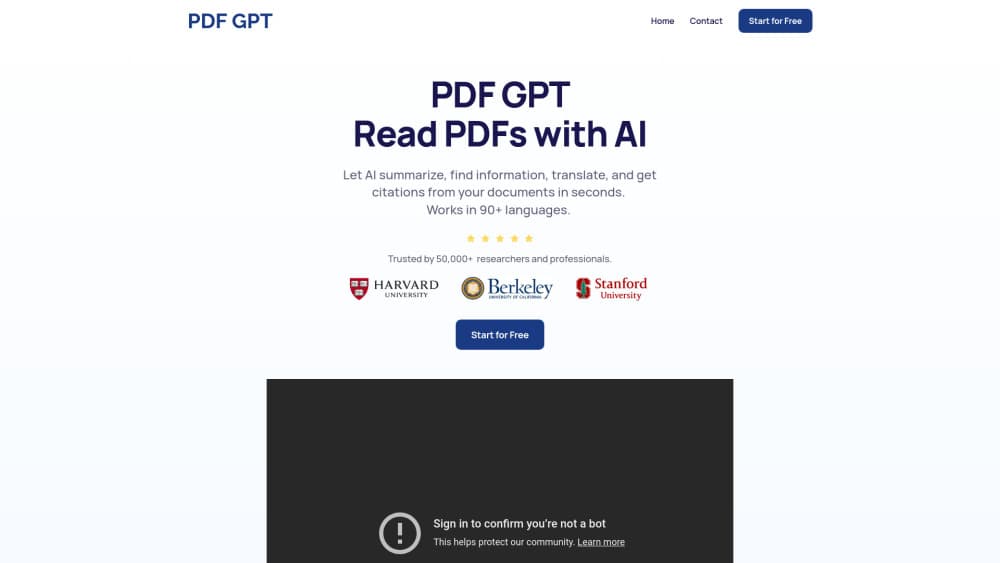
PDF GPT, branded as PdfGPT, is a web app that summarizes PDFs of up to 1,200 pages and answers questions with page citations, so you can verify every claim at the source.
About PDF GPT
What Is PDF GPT
PDF GPT is an AI PDF summarizer and chat tool that runs in the browser. You drop in a document, wait a few seconds, and get a structured summary. Anyone who has to chat with PDF files for a living gets the appeal fast. Then you ask follow-up questions and the tool answers from the text of that file, quoting the page each claim came from.
The problem it solves is reading time. A 300-page report, a case file, or a textbook chapter takes hours to work through, and most of that time goes into finding the four or five passages that actually matter to your task. PdfGPT indexes the document, pulls the relevant passages for each question, and writes the answer in plain language.
Two limits matter before you sign up. Files must be PDFs and no larger than 25 MB, so a scanned book split into ten parts needs ten uploads. The tool also reads text, not pictures. Charts, diagrams, and handwritten notes on a scanned page usually come through as noise, even when OCR pulls the surrounding text out fine.
Getting Started
- Open pdfgpt.io and start a chat. The free tier works without an account. Signing in keeps your library and chat history across devices.
- Upload a PDF by dragging it into the window or picking it from your drive. The file limit is 25 MB and the page limit is 1,200.
- Read the summary that appears. Each point carries a page link, so click through when a line looks off.
- Ask your own questions in the chat box, or switch on Deep Research to query several documents at once.
- Save the result as a note, export the conversation to PDF or Markdown, or share a link with a classmate or colleague.
Product Information
A quick look at PDF GPT's pricing, supported platforms, and performance.
Best for
The users, tasks, and scenarios where this tool fits best.
Users
- Students
- Researchers
- Legal and compliance staff
- Analysts and consultants
Tasks
- Building exam notes from a semester of readings
- Checking one clause in a long contract
- Literature review across a dozen papers
- Turning a report into a one-page brief
Scenarios
- The night before an exam, when you have four chapters left and no time to read them properly.
- Due diligence on a shared drive full of PDFs, where you need the same three facts from every document.
- A 600-page equipment manual you only open twice a year and never want to read end to end.
Key features
Summaries with page citations
Every summary point links to the page it came from. That single design choice changes how you use the output. Instead of trusting a paragraph, you click the citation, read the source line, and move on. It's the difference between a summary you can cite in a paper and one you have to hedge.
Deep Research across multiple PDFs
You can attach several documents to one thread and ask a question that spans all of them. Useful when you're comparing five vendor proposals or tracing how an argument develops across a reading list. Answers still carry page references, so you can tell which file a claim came from.
OCR for scanned documents
Scanned lecture notes, photographed pages, and image-based PDFs get processed automatically. The text layer that OCR produces is good enough for search and summarization. Handwriting and dense tables are the weak spot, and a chart's meaning rarely survives the conversion.
PDF to notes, quizzes, and study guides
Ask for exam-ready notes and the tool returns an outline with the pages covered stated up front. You can also request practice questions, definition tables, or a single study guide that merges several chapters. This is the feature students tend to keep using after the novelty of chat wears off.
Chat in about ten languages
You can ask in English, Spanish, French, Arabic, or another supported language, even when the PDF is written in a different one. The answer comes back in the language you asked in. Translations of technical terms are usually right. Niche legal or medical wording deserves a second look.
Projects, library, and shareable chats
Files and conversations live in a library you can organize into projects, which helps when one research topic spans months. Any chat can be exported to PDF or Markdown, or shared as a link that a teammate can open and continue. For audit trails, the export keeps the citations intact.
Pros and cons
Pros
- Page citations on every answer make the output checkable, which matters more than raw fluency for research and legal work.
- The free tier needs no credit card and allows 25 chats a month, so you can summarize PDF free on a real document before paying.
- Deep Research handles questions across several files at once, a step beyond most single-document PDF chat tools.
- OCR covers scanned PDFs, which removes the usual step of running a separate text extraction tool first.
- Exports to PDF and Markdown keep the citations, so notes stay usable outside the app.
Cons
- The 25 MB upload cap is low for scanned books and image-heavy reports, and you'll notice it on day one.
- Free users get 25 chats a month, so a heavy reading week pushes you toward a paid plan fast.
- Charts and diagrams are not interpreted, which limits the tool on scientific papers where the figure carries the argument.
- Pricing is not shown until you open the plan page, and the student discount requires UNiDAYS verification, so the real number takes a few clicks to find.
Frequently asked questions
It summarizes PDFs and answers questions about their contents. Typical uses are exam prep, contract review, literature reviews, and pulling facts out of long reports. Every answer points back to the page it came from.
Related content
Explore related tools, skills, and articles for PDF GPT.
PDF GPT Alternatives

Base Code
Base44 (Wix) · Coding · ProductivityBase Code is a shared cloud development environment from Base44. Teammates describe changes to an existing GitHub codebase in chat, preview them live and send them back as pull requests.

Knocket
Knocket (Tencent RTC team) · Productivity · Business · ChatbotKnocket is a free live chat and contact page tool that lets visitors message you from your website, app, or a shareable link, with every reply handled from Telegram or one inbox.

FloorGen
Vinit Kumar (FloorGen) · Productivity · China AIFloorGen is a browser-based floor plan maker that turns a sentence or a sketch into an editable 2D plan and a 3D walkthrough. Export to PDF, DXF or video, and draw without an account.