
PDFToQuiz
PDFToQuiz · Leaning
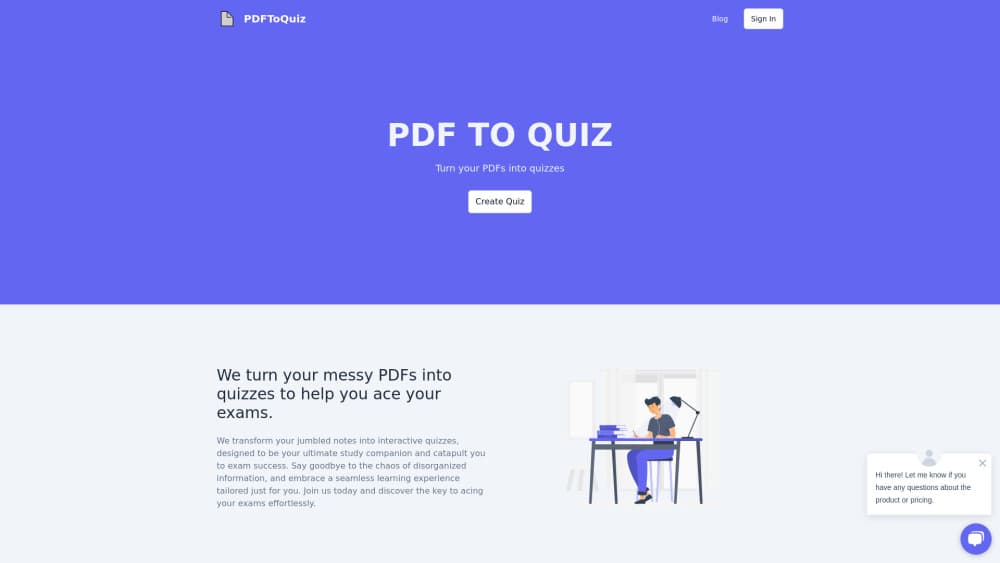
PDFToQuiz turns a PDF, Word file, slide deck, or link into an auto-graded quiz in under a minute, with AI explanations for every answer you miss.
About PDFToQuiz
What Is PDFToQuiz
PDFToQuiz is a web based AI quiz generator that reads your study material and writes questions from it. You upload a document, paste a URL, or drop in plain text, choose the question formats you want, and get a quiz you can take immediately. The whole PDF to quiz path is one upload and a couple of clicks, with no template to configure first. The questions come from the source file rather than from general knowledge about the subject, which matters when you're revising a specific lecture or chapter.
Most people arrive here from the same place: a 60 page PDF and an exam in nine days. Re-reading feels productive and isn't. Turning the document into questions forces recall, and the scoring tells you where the gaps are.
The limits are worth knowing up front. The free plan gives you one quiz from a document of up to five pages, so a full textbook chapter needs the paid plan. Everything runs in the browser with no desktop app and no LMS plugin. And no public API is documented, which rules it out if you wanted to build quiz generation into your own product.
Getting Started
- Sign up at pdftoquiz.com with an email address. No card is needed for the free quiz.
- Upload your material. PDF, DOCX, PPTX, a web page URL, or pasted text all work, and scanned pages go through OCR.
- Pick the question formats and how you want the quiz built. You can generate from the document alone or switch on AI supplement mode for extra questions on the topic.
- Take the quiz. Answers are graded as you go, and each missed question comes with an explanation of the concept behind it.
- Review the results, then share the quiz by link or download it as PDF, CSV, or XLSX on Pro.
Product Information
A quick look at PDFToQuiz's pricing, supported platforms, and performance.
Best for
The users, tasks, and scenarios where this tool fits best.
Users
- University students
- Teachers and tutors
- Training and compliance teams
Tasks
- Turning a lecture PDF into a practice test
- Prepping for a multiple choice exam
- Checking whether you understood a research paper
- Building a quiz for a class or workshop
Scenarios
- The week before finals, when you have several documents and limited time
- Running a weekly knowledge check with a team
- Studying in a second language
Key features
Quiz Generation From Five Input Types
PDFToQuiz accepts a PDF, a Word document, a PowerPoint deck, a web page URL, or plain text you paste in. Scanned pages and photos of handwritten notes are read with OCR, so a phone snapshot of a whiteboard works as a source. You can turn a PDF into a quiz in a single pass, or keep separate documents in separate quizzes. Each upload produces one quiz built from that specific document.
Four Question Formats
You can generate multiple choice, true or false, fill in the blank, and long answer questions, alone or in combination. Matching the format to your actual exam is the point: a multiple choice practice test trains a different skill from writing out an answer. Long answer items are graded against the source material rather than by exact string matching.
AI Explanations and Result Feedback
Every missed question comes with an explanation of the underlying concept, so a wrong answer turns into a short lesson instead of a score. Pro adds a feedback breakdown after each quiz that points at weak topics. That combination is the difference between knowing your percentage and knowing what to reread.
Progress Tracking and Study Mode
Scores are stored across sessions, and the dashboard separates topics you've mastered from ones that still need work. Study Mode runs the same questions in a lighter review format before you attempt the graded version. Both features need an account, so the tracking follows you between devices.
Chat With Your Document
A chat panel answers questions about the uploaded file, which saves scrolling back through 40 pages to check one definition. The free plan allows 10 messages, Pro removes the cap. Answers stay scoped to your document, so you're not getting generic explanations of the topic.
Sharing and Export
Any generated quiz can be shared as a link, and the person opening it doesn't need an account to take it. Pro adds downloads in PDF for printing, CSV for data work, and XLSX for LMS or classroom import. For teachers, the share link is usually faster than exporting at all.
Pros and cons
Pros
- The gap between upload and a usable quiz is short. Most documents come back with questions in under a minute.
- Questions stay tied to the source file, so a quiz on chapter seven doesn't wander into general knowledge about the subject.
- Explanations on missed answers make the tool useful for learning, not just for scoring.
- Share links work without an account on the receiving end, which is rare among quiz makers aimed at classrooms.
- The free plan needs no card and produces a real quiz, so you can judge the output quality before paying. As a study tool it does one job, and does it without a dashboard full of extras.
Cons
- Five pages on the free plan is small. A normal textbook chapter usually exceeds it, so the free tier mostly works as a demo.
- Question quality varies with the document. Dense tables and diagram-heavy slides produce weaker items, and you'll want to edit them.
- No public API is documented, which blocks anyone hoping to plug quiz generation into an existing learning platform.
- Exports and unlimited chat sit behind Pro, so a free account can't get a quiz into a printed worksheet.
Frequently asked questions
It converts study documents into quizzes. You upload a PDF, Word file, slide deck, URL, or text, and the app writes questions from that material, grades your answers, and explains what you got wrong.
Related content
Explore related tools, skills, and articles for PDFToQuiz.
PDFToQuiz Alternatives

HireKey
HireKey · Voice & Language · Productivity · LeaningHireKey is an AI job search copilot built by a former tech recruiter. It checks role fit, tailors resumes, runs interview practice and tracks every application.

Lune
Retrograde Labs · Productivity · LeaningLune is a research search engine for scientific AI agents. It runs as an MCP server that lets Claude, ChatGPT and Cursor search peer-reviewed computer science papers and cite them.
Coddy
Coddy · Coding · LeaningCoddy is a gamified platform to learn to code through short interactive lessons in 20+ languages, with a browser editor, an AI tutor and free certificates.