

pdftoword.ai
pdftoword.ai · Productivity
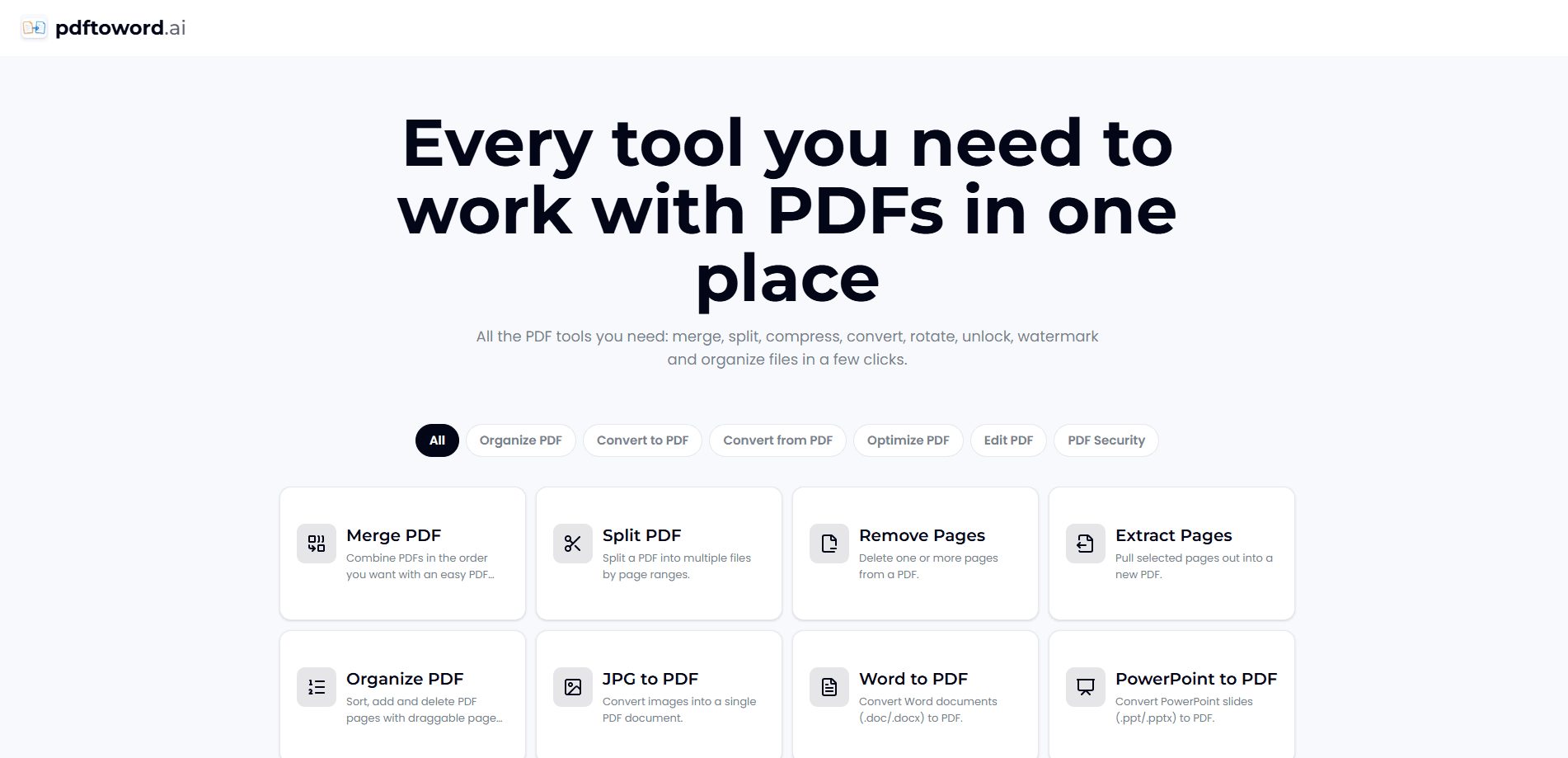
pdftoword.ai is a free online PDF toolkit and PDF converter that puts 24 tools in one place. The site handles PDF to Word conversion, merging, splitting, compressing, editing, OCR and password protection without asking you to install software or create an account. You upload a file, pick a tool and download the result in seconds. Nothing comes back with a watermark stamped on it.
About pdftoword.ai
What Is pdftoword.ai
pdftoword.ai is an online PDF toolkit built for people who handle documents often. It bundles 24 tools under one roof, so you can convert a PDF to Word, merge a stack of readings into a single file, shrink a scan that's too big to email, and lock a contract with a password from the same site. The point is to stop you from juggling a dozen single-purpose apps.
Most of it works without an account. You open a tool, drop in your file and download the output. The numbers on the homepage say it clearly enough: 120M+ files processed, users in 190+ countries, and no watermark on the free tier.
The limits are worth knowing up front. The free tier is genuinely free, but heavy users will likely hit upload size caps and daily task limits. Server-side conversion also means your file leaves your device during processing, so it's not the tool for sensitive documents you're not allowed to upload anywhere. Since everything runs online, you also need a steady connection. Offline work isn't an option here. Want a split PDF without buying an editor? This handles that too.
Getting Started
- Go to pdftoword.ai and pick a tool from the grid, such as PDF to Word, Merge PDF or Compress PDF.
- Drag your file into the upload box, or click to browse for it on your device.
- Wait a few seconds while the site processes the file on its servers.
- Download the finished file, which arrives ready to use or share.
- For locked files, run the protect tool in reverse mode to remove protections you own.
Product Information
A quick look at pdftoword.ai's pricing, supported platforms, and performance.
Best for
The users, tasks, and scenarios where this tool fits best.
Users
- Students
- Office and finance staff
- Legal and HR teams
Tasks
- Converting a PDF to Word, Excel, PowerPoint or JPG and back
- Merging or splitting a PDF file
- Compressing a PDF
- OCR on scanned documents
Scenarios
- Emailing a scanned file that's over the attachment limit
- Assembling a reading pack for a class or a client
- Protecting a contract before sending it out
- Editing a paragraph in a locked PDF
Key features
PDF to Word and Back
The core conversion tool turns a PDF into an editable Word document and exports Word files back into PDF. Formatting largely survives the round trip, which matters when you need to fix a typo in a contract or update a template instead of rebuilding it from scratch. Excel, PowerPoint, JPG and HTML conversions run through the same family of tools. It just works.
Merge, Split and Organize
You can combine several PDFs into one file, split a large document into smaller parts, rotate or crop pages, reorder them, and delete pages you don't need. Students assembling reading packs and staff preparing reports use this to skip a desktop editor entirely. The split tool also lets you break a file by size when you need to beat an upload limit. Big win for anyone on a tight email cap.
Compress and Repair
The compress tool cuts file size for scans and image-heavy PDFs, which is the usual reason an attachment gets rejected. Repair handles damaged files that refuse to open. Both are one-click jobs, and the output keeps the pages intact rather than flattening them. That matters more than it sounds.
OCR for Scanned Documents
OCR reads text inside scanned or photographed PDFs and makes it searchable and copyable. That turns a stack of paper you photographed on your phone into a document you can edit, quote and search. It's the feature that saves the most time for anyone working with old paperwork. No retyping required.
Edit, Watermark and Number Pages
You can add text and images to a PDF, stamp a watermark across pages, and insert page numbers automatically. Small additions, but they're the ones that keep coming up: marking a draft, branding a handout, or numbering a long report before printing. Not glamorous. Still useful.
Lock and Remove Passwords
The protect tool locks a PDF with a password, and the same tool strips the password from files you own. Encryption runs in transit, and the site says uploaded files are deleted automatically after processing. Handy for contracts and forms, provided the document isn't one you're forbidden from uploading.
Pros and cons
Pros
- This all-in-one PDF toolkit keeps 24 tools on one site, so you don't install or pay for separate PDF apps.
- No signup and no watermark on the free tier, which removes the usual friction.
- Works in any browser on desktop and mobile, including handling a file directly from your phone.
- The main conversions, merge, split, compress and OCR, all run from one upload flow.
Cons
- Everything runs on the site's servers, so your file leaves your device during processing. Skip it for documents you can't upload anywhere.
- The free tier caps upload size and daily tasks, which bites if you process big batches regularly.
- It's an online-only toolkit, so a dropped connection stops the work mid-task. No API is documented either, which rules it out for anyone wanting to automate conversions in a pipeline. Plan around both.
Frequently asked questions
Yes. All 24 tools are free to use with no watermark and no account required. The free tier comes with upload size caps and daily task limits, so casual use stays free while heavy or oversized jobs may run into restrictions. Fair enough for a free service.
Related content
Explore related tools, skills, and articles for pdftoword.ai.
pdftoword.ai Alternatives

Base Code
Base44 (Wix) · Coding · ProductivityBase Code is a shared cloud development environment from Base44. Teammates describe changes to an existing GitHub codebase in chat, preview them live and send them back as pull requests.

Knocket
Knocket (Tencent RTC team) · Productivity · Business · ChatbotKnocket is a free live chat and contact page tool that lets visitors message you from your website, app, or a shareable link, with every reply handled from Telegram or one inbox.

FloorGen
Vinit Kumar (FloorGen) · Productivity · China AIFloorGen is a browser-based floor plan maker that turns a sentence or a sketch into an editable 2D plan and a 3D walkthrough. Export to PDF, DXF or video, and draw without an account.