

Penqwin
Penqwin · Coding
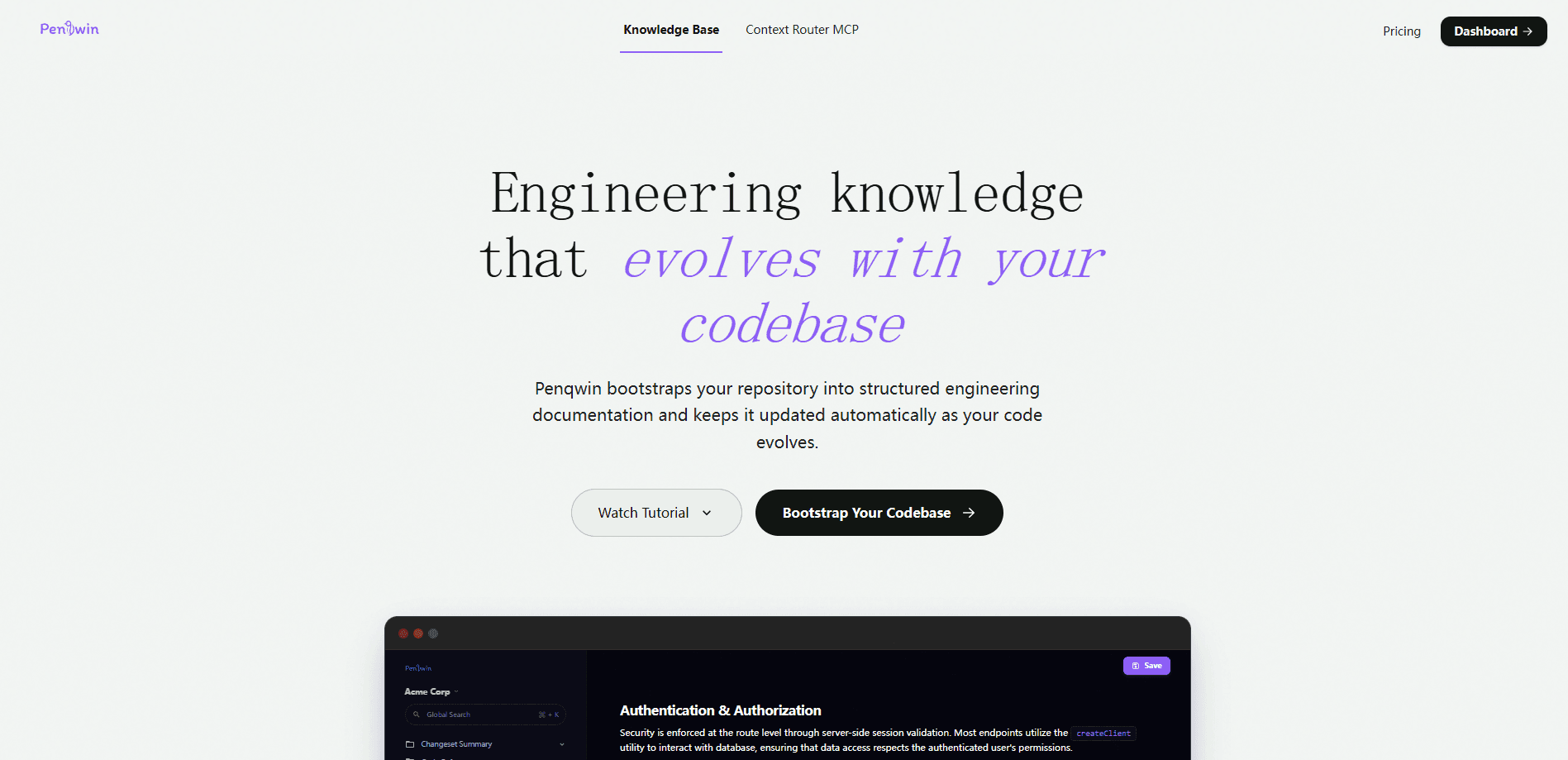
Penqwin is an AI code wiki that connects to your GitHub repository and writes engineering documentation for you. It reads your architecture, APIs, modules, components, and business logic, then keeps those docs in sync as pull requests and commits land. The goal is simple. Stop the slow drift between what the code does and what the docs claim. Teams lean on it as a shared engineering knowledge base, and the payoff is faster developer onboarding.
About Penqwin
What Is Penqwin
Penqwin is a documentation platform built for engineering teams who know their docs are out of date but never have the hours to fix them. You hand it access to a GitHub repository, and its agentic parser reads the code to produce a structured workspace covering architecture, endpoints, data models, and business logic. The output is a code wiki your team can actually search.
The problem it targets is familiar. Tribal knowledge lives in the heads of two senior developers, and everyone else waits for answers. Sound familiar? A GitHub documentation generator like Penqwin tries to move that knowledge into a living artifact that grows with the repo.
Penqwin works on public and private repositories, and it supports 20+ programming languages. It's built for teams rather than solo hobby projects, since the value shows up when several people need to read the same codebase. Keep in mind that quality depends on your code: a well-structured project yields cleaner docs, while a messy monolith gives you honestly messier results.
Getting Started
- Sign in at app.penqwin.com using GitHub OAuth for write access or Google OAuth for read-only access.
- Create a new organization, or search for your team's existing workspace handle and request to join.
- Connect a repository and grant Penqwin read permission for the projects you want documented.
- Run repository bootstrapping so the agent parses your full codebase and generates a starter set of docs.
- Review the generated structure, then let auto-sync track future pull requests and commits to keep the docs current.
Product Information
A quick look at Penqwin's pricing, supported platforms, and performance.
Best for
The users, tasks, and scenarios where this tool fits best.
Users
- Engineering teams with a shared codebase
- New hires and onboarding managers
- Product managers and writers
Tasks
- Generating API and endpoint reference
- Keeping docs aligned with code
Scenarios
- Handing a project to a new maintainer
- Auditing an unfamiliar repository
- Standing up documentation for a legacy project
Key features
Automatic Documentation Sync
Penqwin tracks pull requests and commits and updates the affected documents as code changes. When a PR touches authentication middleware, the related docs get updated rather than left stale. The point? Your wiki should reflect the real system, not a version someone wrote down months ago.
Repository Bootstrapping
On first connect, the agent parses your entire codebase and organizes it into documentation covering architecture, APIs, modules, components, and business logic. You get a usable starting workspace instead of a blank page. That matters most when documentation has never existed.
Multi-Language Coverage
Penqwin handles 20+ programming languages, so mixed-stack repositories don't break the parsing. Frontend, backend, and database layers all get covered in one workspace. That breadth suits full-stack teams working across several languages in a single repo.
Private and Public Repository Support
The tool works on both private and public repos, and it only accesses repositories a user has explicitly authorized. Permission requests are kept to the minimum needed to read code. Teams handling proprietary code can use it without opening their source to the public. That's the whole point.
Role-Based Access
GitHub OAuth suits developers and admins who need write access and branch syncs. Google OAuth covers product managers, writers, and view-only readers who just need to browse docs and find their way around the workspace. Both roles share one organization. Everyone reads the same documentation.
Data Handling Commitments
Penqwin processes code in an isolated environment and states that it doesn't store raw source files beyond what's needed to generate documentation. It also says repository data is never used to train public AI models. For teams with strict intellectual property rules, those statements are worth verifying during a trial.
Pros and cons
Pros
- Cuts down the manual work of writing and updating engineering documentation.
- Auto-sync keeps docs tied to pull requests and commits instead of drifting out of date.
- Supports 20+ languages and both private and public repositories.
- Role-based OAuth lets developers and non-developers share the same workspace.
- Bootstrapping gives an existing codebase a full documentation pass without upfront writing.
Cons
- Doc quality depends on how clean your codebase is. Messy projects get messy output.
- The site doesn't publish clear pricing tiers. Budgeting is harder before you sign in.
- No public API is documented, so teams wanting to wire Penqwin into internal tools can't do so easily.
- Write access requires GitHub OAuth, and the value is limited for solo developers.
Frequently asked questions
Penqwin connects to your GitHub repository and automatically generates engineering documentation covering architecture, APIs, modules, and business logic. It then keeps those docs in sync as your code changes, so the wiki tracks the real state of your system.
Related content
Explore related tools, skills, and articles for Penqwin.
Penqwin Alternatives
Forefront
Forefront · CodingForefront is a web platform for building with open-source AI. It lets you fine-tune leading open-source language models on your own data, evaluate how they perform, and run them through an API or export them to host yourself. Developers who want the convenience of a closed-source platform but insist on owning their models and data are the target audience here.

Startkit
StartKit.AI · CodingStartkit is a boilerplate for building AI SaaS and AI wrapper products. Think of it as an AI startup boilerplate with the boring parts already wired up: authentication, Stripe and Lemon Squeezy payments, usage limits, transactional email, and an AI API starter that talks to OpenAI, Anthropic, Groq, or Llama. You clone the repo, set your price, and start on the part of your product that people actually pay for. It's Next.js under React and Tailwind, so most of the boilerplate code already feels familiar.
Testim
Tricentis · CodingTestim is an AI-powered test automation platform for building and running end-to-end tests across web, mobile, and Salesforce applications. It leans on machine learning to keep tests stable when an interface changes, so teams spend less time fixing broken selectors. Not bad for an automated testing tool you can start using today. You create tests by recording actions in a browser, then optionally add JavaScript when you need more control. It's a solid pick for busy QA teams.