

Pepper AI
Pepper AI · Productivity
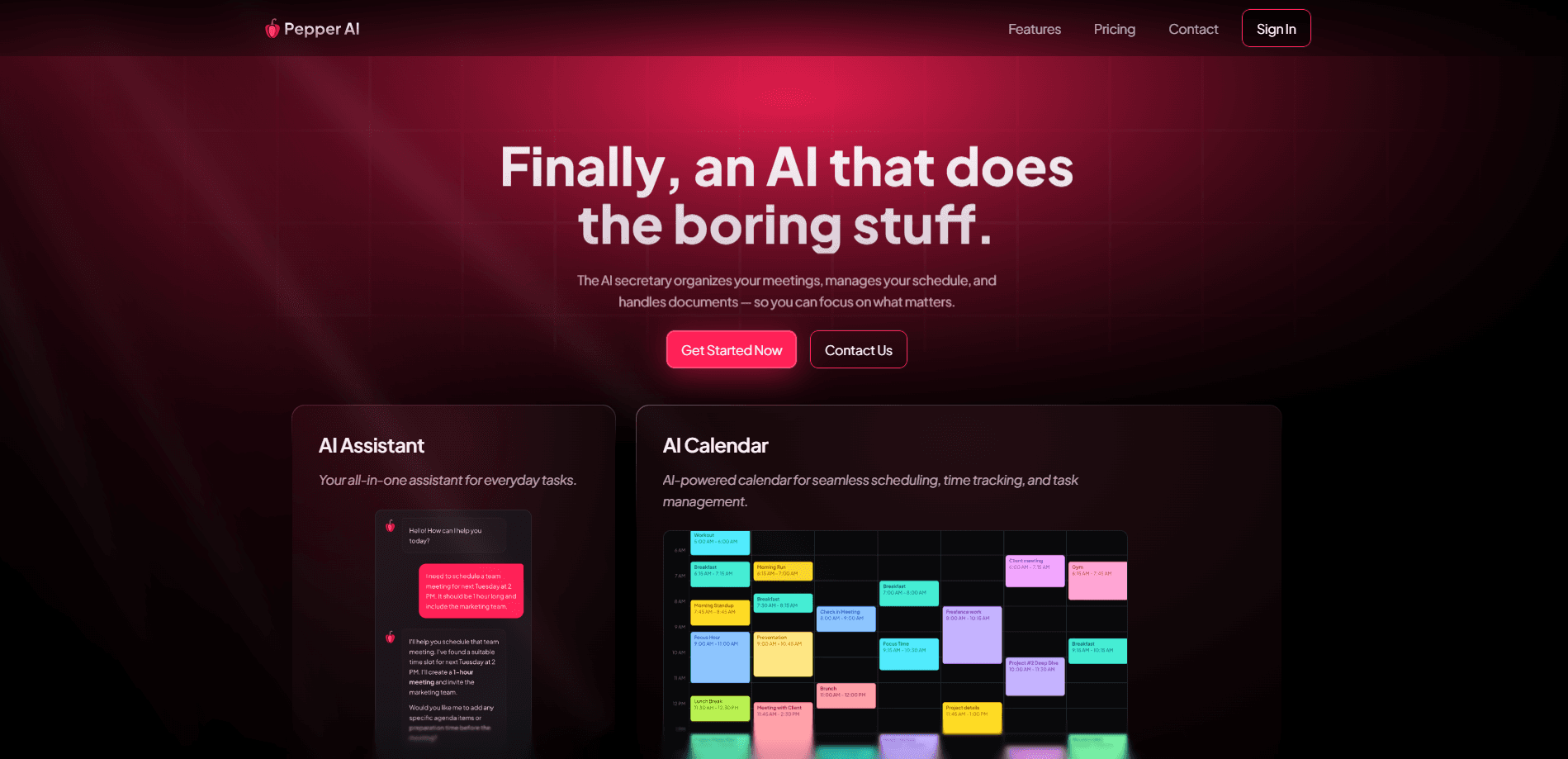
Pepper AI is an AI secretary that schedules tasks, reschedules events, generates documents and chats with you. This virtual assistant also works as an AI task manager.
About Pepper AI
What Is Pepper AI
Pepper AI is an AI assistant built to act like a secretary rather than a chatbot. It reads your calendar, the tasks you've noted, and the meetings on your schedule, then organizes the day around them. You talk to it the way you'd talk to a person, and it handles the scheduling and follow-ups that come out of that conversation.
The product sits in a crowded market, and its angle is scope. A calendar app organizes time, and a note app stores text. Pepper AI tries to fold both into one assistant that watches your day and keeps it running. It schedules tasks around your existing events, reschedules them when plans change, and logs what you worked on. It also joins meetings, writes the follow-ups, and creates the tasks that come out of them.
There are limits worth knowing before you commit. Features like sending your text and email replies, making calls on your behalf, and handling admin work are listed by the team as plans rather than finished tools, so the assistant's reach today stops short of full delegation. Public pricing details are thin as well, and the product is new enough that independent reviews are rare.
Getting Started
- Create an account on the Pepper AI website and connect the calendar you want it to manage
- Grant access to your email and meeting sources so it can read context and attendees
- Tell it what to schedule, reschedule or draft by chatting with it in plain language
- Let it track your day and log activity, then review the follow-ups and tasks it creates
Product Information
A quick look at Pepper AI's pricing, supported platforms, and performance.
Best for
The users, tasks, and scenarios where this tool fits best.
Users
- Founders and small teams
- Busy professionals
- Freelancers and solo operators
- Productivity-focused knowledge workers
Tasks
- Daily scheduling
- Rescheduling
- Meeting follow-ups
- Time tracking
- Document generation
Scenarios
- A packed day of back-to-back calls
- A plan changes at the last minute
- Research between meetings
- Keeping records of your work
- Scheduling around other people
Key features
Calendar-Aware Scheduling
Pepper AI reads your calendar and schedules tasks around what's already there, instead of asking you to find the gaps yourself. You describe what needs to happen and it places it in the day. When a plan changes, it reschedules the affected events and tasks rather than leaving the calendar to drift out of date. This is the core of the product, and everything else builds on it.
Conversational Assistant
You interact with Pepper AI by chatting, the way you'd message a colleague. Ask it to move a meeting, add a task, or draft a reply, and it takes the request from the conversation. The team frames this as the difference between an assistant that thinks and acts like a secretary and a plain chatbot that only answers questions. It's the main way you drive everything the product does.
Meeting Notes and Follow-Ups
Pepper AI listens in on meetings and turns what was said into notes and follow-ups. It pulls out the action items and creates the tasks that come out of them, so a call ends with the work captured rather than a page of loose notes. That's the piece that overlaps most with dedicated meeting tools, and it's where the assistant earns its keep on a busy day.
Automatic Time Tracking
The assistant tracks your time and logs your day without you starting a timer for each block. You end up with a running account of where the hours went, drawn from your calendar and activity rather than manual entry. For freelancers and consultants who bill by the hour, that's the difference between reconstructing a timesheet and having one waiting.
Real-Time Research
Pepper AI researches in real time, with access to recent events and sources. You can ask it to look something up before a meeting, and it returns current information rather than a stale training-data answer. It's the feature that makes the assistant useful beyond scheduling, and it fits the products that already bundle a search step into their workflow.
Document Generation
It generates the documents that fall out of your day, from meeting summaries to drafted messages. Instead of switching to a separate writing tool, you ask the assistant to produce the draft and keep moving. The team positions this as part of the same secretary role, where writing the follow-up note is as much the job as booking the meeting.
Pros and cons
Pros
- Handles scheduling, rescheduling and time tracking in one assistant instead of three separate apps
- Turns meetings into notes, follow-ups and tasks automatically, so nothing gets lost after a call
- Chats in plain language, so you don't have to learn a scheduling interface to use it
- Runs on the web plus macOS and Windows, so the desktop side is covered alongside the browser
- Researches in real time, with recent sources, to prepare you for meetings
Cons
- No free plan, and public pricing details are thin, so it's hard to judge cost before you sign up
- Several headline features, like replying to texts, making calls and handling admin work, are listed as coming soon rather than available now
- It's a new product with few independent reviews, so real-world reliability is hard to verify
- The value depends on connecting your calendar and email, which asks for broad access to your personal data
Frequently asked questions
Pepper AI is an AI secretary that manages your schedule and the work around it. It schedules tasks around your existing calendar, reschedules events when plans change, tracks your day, takes meeting notes, creates follow-ups and generates documents. You drive it by chatting in plain language.
Related content
Explore related tools, skills, and articles for Pepper AI.
Pepper AI Alternatives

Base Code
Base44 (Wix) · Coding · ProductivityBase Code is a shared cloud development environment from Base44. Teammates describe changes to an existing GitHub codebase in chat, preview them live and send them back as pull requests.

Knocket
Knocket (Tencent RTC team) · Productivity · Business · ChatbotKnocket is a free live chat and contact page tool that lets visitors message you from your website, app, or a shareable link, with every reply handled from Telegram or one inbox.

FloorGen
Vinit Kumar (FloorGen) · Productivity · China AIFloorGen is a browser-based floor plan maker that turns a sentence or a sketch into an editable 2D plan and a 3D walkthrough. Export to PDF, DXF or video, and draw without an account.