

Perfect365 AI Makeup App
Perfect365, Inc. · Image
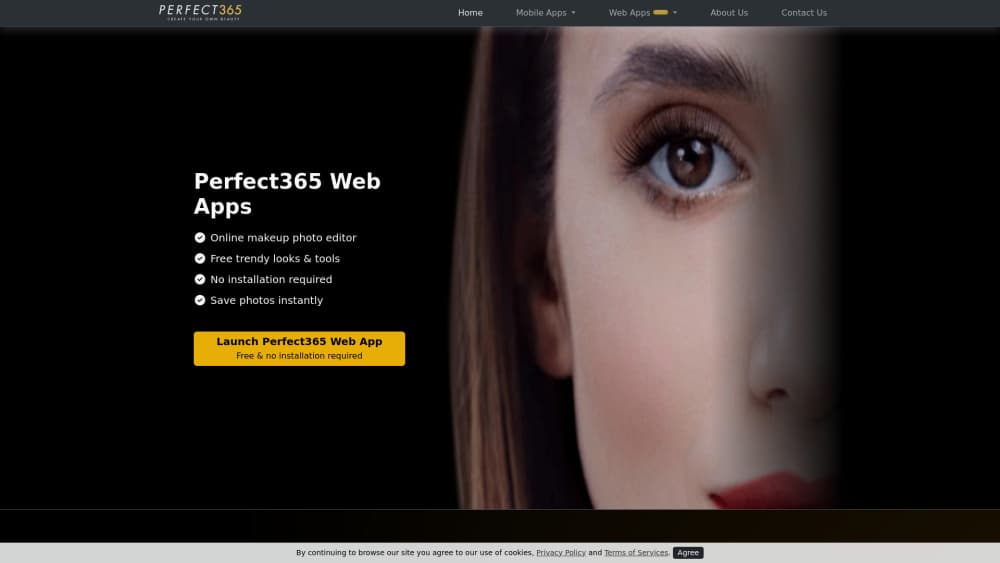
Perfect365 is an AI makeup app that applies virtual cosmetics, hair colors, and full makeovers to a selfie. It runs in a browser and on iOS and Android, with a free tier and a Plus plan.
About Perfect365 AI Makeup App
What Is Perfect365
Perfect365 is a beauty app built around one job: showing you a new look on your own face before you buy the product or book the appointment. You load a selfie, pick a look, and the app maps eyeshadow, liner, lipstick, blush, and hair color onto your features. The company says more than 100 million people have used it since the first version arrived in 2011, which makes it one of the older names in virtual cosmetics.
The problem it solves is cheap experimentation. A lipstick that looks wrong in the tube can look right on your skin tone, and a hair color that works on a model can fight your undertone. Testing either in a store costs time and, often, a return. Perfect365 turns that into a few taps, and it needs no editing skill. Pick a preset, adjust intensity, save.
The limits show up fast. Every result depends on the photo you feed it: flat indoor light and a low camera angle will produce a flatter, less believable face than daylight and a straight-on shot. Presets also cluster around polished, camera-ready styles, so a bare-faced natural look takes more manual tuning than a full glam one. The most attractive looks sit behind the Plus paywall, and the free tier keeps a smaller rotation of tools.
Getting Started
- Open perfect365.com in a browser, or install the app from the App Store or Google Play.
- Upload a selfie or take one in the app. Face the camera straight on and use even light for the cleanest mapping.
- Pick a look from the makeup library, then adjust individual layers such as eyeshadow, lip color, and blush strength.
- Add hair color or a hairstyle if you want to test a bigger change, and use the retouch tools for skin and face shape.
- Save or share the image. On mobile, sign in with an account if you want your looks and history to follow you between devices.
Product Information
A quick look at Perfect365 AI Makeup App's pricing, supported platforms, and performance.
Best for
The users, tasks, and scenarios where this tool fits best.
Users
- Makeup beginners
- Beauty shoppers
- Content creators
Tasks
- Testing a hair color before a salon visit
- Building a makeup reference for an event
- Cleaning up a selfie for social media
Scenarios
- Standing in a store aisle
- Planning wedding or party makeup weeks ahead
- Making a profile photo
Key features
Virtual Makeup Try On
The core tool is virtual makeup try on, and it covers the full face rather than a single filter. Eyeshadow, eyeliner, lashes, brows, lipstick, blush, and contour each sit on their own layer, so you can keep the lip and drop the shadow. Intensity sliders matter here: the default setting often reads heavier than real makeup, and pulling it back gives a result that looks like a person instead of a poster.
AI Hair Changer
The AI hair changer does two separate jobs. It recolors the hair you already have, from natural browns to vivid fashion shades, and it swaps the cut itself for a preset style. Color is the more reliable half, since it follows the shape of your existing hair. A new cut is a rougher guide, useful for judging whether shorter layers would suit your face shape, not for predicting an exact salon result.
A Library of Ready Made Looks
Perfect365 advertises more than 6,400 premium looks, sorted by mood and occasion, from clean daytime styles to red carpet glam. Presets are the fastest route for anyone who doesn't want to build a look from scratch, and each one can be opened and edited layer by layer. A chunk of that library sits behind Plus, and the free tier rotates through a smaller set.
Retouch and Face Reshape Tools
Beyond color, the app carries the usual portrait cleanup tools: skin smoothing, blemish removal, teeth whitening, eye brightening, and sliders that adjust jawline, nose, and cheek shape. These are the same edits a makeup photo editor handles on desktop, packed into one panel. They're easy to overdo, and the difference between a natural retouch and a plastic one is usually two or three points on the same slider.
Browser Editor With No Install
The web version runs the makeup and hair tools without an app download, which makes it the practical choice on a work laptop or a borrowed computer. It's also the simplest way to test the product before committing storage to another phone app. Features track the mobile build closely. New looks and tool updates still reach the mobile apps first.
Perfect365 Plus
Plus is the paid tier. It unlocks the full pro tool set and the premium look library, removes the free tier's limits, and starts with a 7-day free trial. Pricing on the official site runs at $19.99 for the first year and $39.99 a year after that, with the discount framed as a launch offer. Cancel before the trial ends and you pay nothing.
Pros and cons
Pros
- The free tier is usable on its own, so you can judge the output quality before paying anything.
- The look library is large enough that most users find a style close to what they want instead of building one from zero.
- The browser version removes the install step, which helps on laptops and shared computers.
- Layer controls go deeper than a one-tap filter, so lip color and eyeshadow can be tuned separately.
- The AI hair changer handles both color and cut in the same session, which saves jumping to a second app.
Cons
- The strongest looks and a large share of the tool set sit behind Plus, and the free rotation feels limited once you've browsed for a while.
- Results fall apart on poor source photos. Harsh overhead light, a tilted head, or a hand over part of the face produces visible misalignment on the makeup.
- The subscription renews at the full yearly rate after the intro period, so the real cost depends on remembering to cancel.
- There's no public developer API, which rules it out for teams that want to plug virtual try on into their own store or app.
Frequently asked questions
It puts virtual makeup, hair color, and hairstyles on a photo of your face so you can preview a look before buying products or booking a salon appointment. It also handles basic portrait retouching for social posts and profile pictures.
Related content
Explore related tools, skills, and articles for Perfect365 AI Makeup App.
Perfect365 AI Makeup App Alternatives

Google EmbeddingGemma 2
Google DeepMind · Writing · Image · CodingGoogle EmbeddingGemma 2 is a 740M-parameter open model that turns text, code, images, audio, and video frames into vectors in one 768-dimension space, running on phones and laptops.

Tractionwave
TractionWave · Image · MarketingTractionWave is an AI attention heatmap tool for static ads. Upload a PNG or JPG and it returns predicted attention, ranked hotspots, and fixes before you spend budget.

Imejis.io
Imejis.io · Image · MarketingImejis.io is an AI design studio for agents and marketing teams. Describe an image in plain words, and it writes the copy, builds the layout, reflows it to every size, then exports a finished file.