
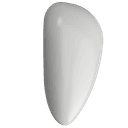
PERSYS
AdulisAI, Inc. · Productivity
PERSYS is a private AI console that runs large language models entirely on the device, so your chats and files never leave your desk.
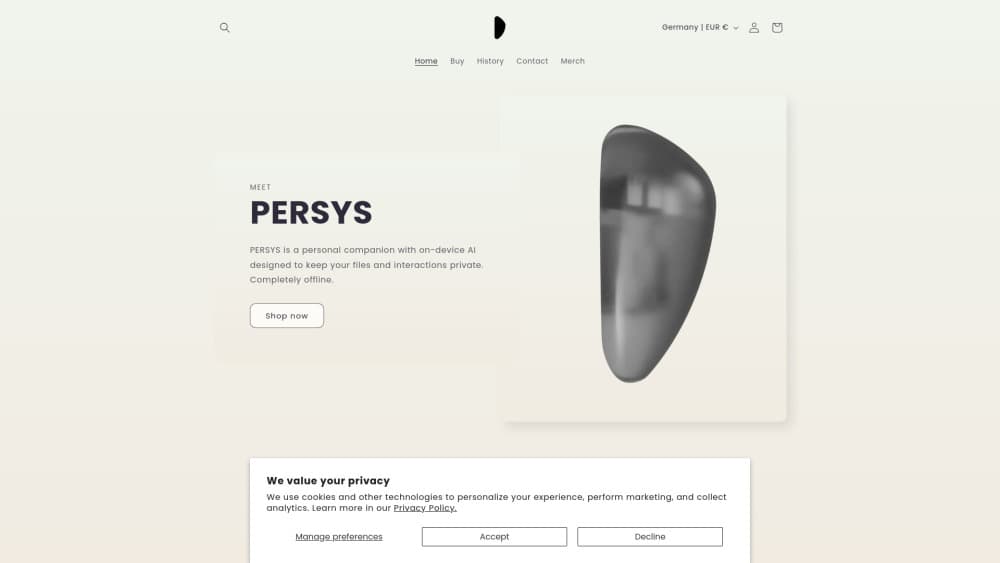
About PERSYS
What Is PERSYS
PERSYS is a local LLM device that runs AI on your desk instead of sending your data to a cloud server. AdulisAI, the company behind it, bills it as a personal system rather than a replacement for your laptop or phone. You keep those; PERSYS sits alongside them as a private box for AI work and personal files.
The pitch is straightforward. Every model runs on the hardware in front of you, so chats, photos, and documents stay on the device. That means it keeps working with no internet connection at all, which suits anyone uneasy about shipping private material to a remote server.
It isn't for heavy creative production or gaming. The hardware is modest by desktop standards, the software is still young, and the LLM runs locally with the speed limits that implies. Think of it as a privacy-first companion for everyday AI tasks, not a workstation.
Getting Started
- Unbox the console, plug it in, and power it on.
- Join its onboard WiFi hotspot, named PERSYS followed by your device number, and connect it to your home network if you want.
- Download the PERSYS desktop app for Mac, then log in with your device ID and the default password.
- Open the Chat app and pick or create a personality to start a private conversation with the local model.
- Add files, photos, and PDFs through the Files app so the assistant can work with your own material.
Product Information
A quick look at PERSYS's pricing, supported platforms, and performance.
Best for
The users, tasks, and scenarios where this tool fits best.
Users
- Privacy-conscious professionals
- Writers and researchers
- People in low-connectivity places
Tasks
- Private drafting
- Searching your own documents
- Organizing personal files
Scenarios
- Working on sensitive material
- A quiet home office
- Offline trips and retreats
Key features
On-device AI inference
PERSYS runs large language models on its own hardware rather than in a data center. When you talk to it, the computation happens inches away from you, so your interactions stay on the device. AdulisAI frames this as a personal cloud you actually own, and it's the reason the console keeps working once the internet drops.
A private chat assistant
The Chat app is the center of the experience. You talk to a private AI assistant that never routes a message to a server, and the model behind it runs fully offline. A dropdown lets you add as many personalities as you like, each with its own system prompt, so you can keep one assistant for writing and another for study. Switching between them takes a single click.
AI-native applications
PERSYS ships with a set of apps built for the hardware instead of ported from elsewhere. Deep Search, Smart Notes, and a Document Library sit alongside a Private Gallery, Media Player, and a contacts tool called CardClip. Each leans on the local model, so search and note-taking stay on the device too.
A document and media library
The Library holds the PDFs you upload, and it embeds only the page you're on rather than the whole file. That keeps chat answers grounded in the right passage without indexing everything. Gallery auto-indexes your photos, and Cinema plays your video, so your media lives in the same private box as your files.
Open source software
The software is open source, and the company publishes it on GitHub. For a privacy product, that matters. Anyone can inspect how the system handles data instead of taking a vendor's word for it. It also means the platform can be audited and, over time, extended by outside developers.
Storage and model controls
You choose between 1 TB and 2 TB of solid state storage, enough to hold a large personal archive. In Settings, a Models panel shows which LLMs are installed and which are running, and you can start or stop a model yourself. Firmware updates and WiFi settings live in the same place.
Pros and cons
Pros
- True local processing: models run on the device, so chats and files never touch a cloud server.
- Works offline: no internet needed, which suits travel, remote work, and private settings.
- Built-in AI apps: chat, document search, notes, gallery, and media player come ready to use.
- Open source software: the stack sits on GitHub, so its data handling can be checked.
- Generous storage: 1 TB or 2 TB of solid state space for personal photos, videos, and documents.
Cons
- Costs $300 or more up front: there's no free tier, so it's a purchase rather than a subscription you can try cheaply.
- Modest hardware: 8 GB or 16 GB of memory and a 27W power budget mean smaller models and slower responses than a cloud service.
- Young software: the app line is new, so features and polish are still catching up with more mature assistants.
- Mac-first app: the desktop client leads on Mac, and Windows use lags behind.
Frequently asked questions
PERSYS is a private desktop console from AdulisAI that runs large language models on its own hardware. It's designed to sit alongside your laptop or phone as a personal system, keeping chats, photos, and documents on a device you own rather than in a cloud account.
Related content
Explore related tools, skills, and articles for PERSYS.
PERSYS Alternatives

Skreno
Skreno · Video · ProductivitySkreno is a browser screen recorder that captures a tab, a window or your whole display, then attaches AI transcripts, summaries and console logs to one share link.

Microsoft-Decision-1
Microsoft · Productivity · BusinessMicrosoft-Decision-1 is a decision scoring model in Microsoft Foundry that returns a calibrated probability for each fixed answer option instead of writing a response.

Melete
Melete · Productivity · AI Assistant · ChatbotMelete is an AI workspace for teams where agents research, draft, and act in Slack, Notion, Linear, and GitHub. Shared memory and approval gates keep people in control.