
Petclaw AI
Petclaw AI · AI Assistant · Other
Petclaw AI is a desktop pet assistant that lives on your screen and works like a small, always-on helper. Built on the open-source Openclaw framework, it takes voice commands, runs tasks such as drafting emails or tidying files, and remembers what matters across sessions. It installs in one click and keeps your data on your own machine rather than on a server.
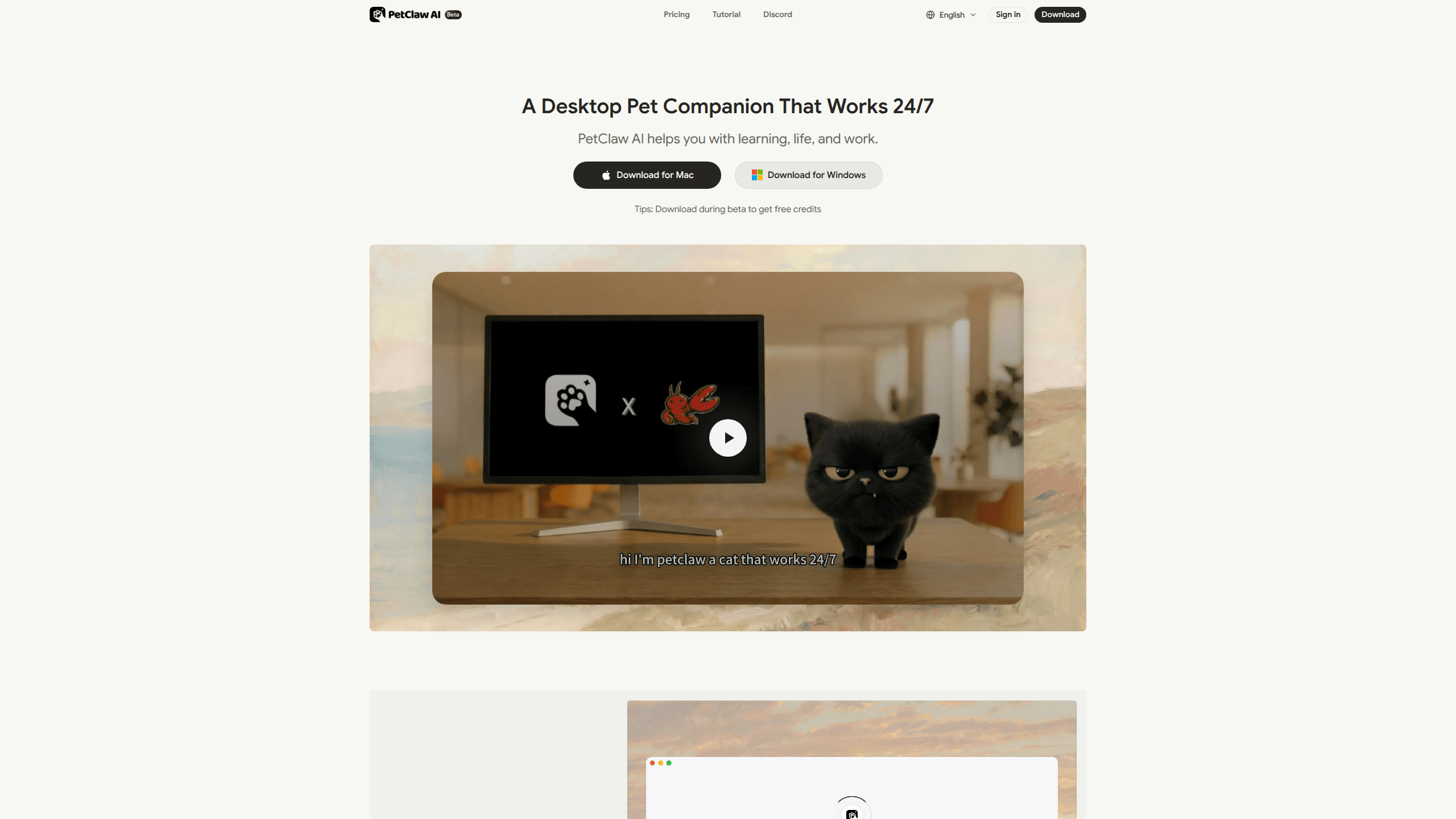
About Petclaw AI
What Is Petclaw AI
Petclaw AI turns the raw power of an Openclaw agent into something a non-technical person can actually use. Openclaw runs Shell commands and touches your files, but setting it up means fiddling with Python, dependencies, and API keys. Petclaw wraps all of that into a desktop pet that installs and configures itself. Download it, launch it, and you've got a working AI companion in seconds.
The idea is simple. Most AI tools sit in a browser tab and wait for you to type. Petclaw sits on your screen, follows your voice, and gets on with the job. It remembers your projects and preferences, so you spend less time re-explaining context.
The catch is the beta status and the pricing model. Petclaw is officially labeled as beta, and the usage limits run on a credit system that can add up fast if you lean on it heavily for research, drafting, and code all in the same week. Support is listed for Mac, so Windows users are out of luck for now.
Getting Started
- Download the Petclaw app for Mac from the official site at petclaw.ai.
- Launch it and let the one-click installer handle the environment setup for you.
- Sign up for an account to get a free API key and beta credits.
- Ask your pet a question or assign a task by voice, or connect a chat app like Telegram or WhatsApp to send instructions remotely.
- Watch it work on screen, then adjust what you hand off as you learn where it helps most.
Product Information
A quick look at Petclaw AI's pricing, supported platforms, and performance.
Best for
The users, tasks, and scenarios where this tool fits best.
Users
- Students
- Knowledge workers
- Privacy-conscious users
Tasks
- Drafting and replying to emails
- Organizing messy folders
- Market research
Scenarios
- Chipping away at recurring admin work like inbox triage and scheduling.
- Early project scouting when you want a rough brief before you dig in yourself.
- Study or focus sessions where a quiet on-screen companion keeps you on track.
Key features
One-Click Install
Most local AI agents punish beginners with environment setup. Petclaw skips it. The installer detects what's missing, wires up the dependencies, and drops you straight into a working assistant. The whole point is that you don't need to know what a virtual environment is to get started.
Voice-First Control
You can talk to Petclaw instead of typing. Ask a question, say what you want done, or hand over a multi-step task, and it responds. The voice AI assistant angle matters here. Uptake dies when an assistant needs a keyboard. For people who think faster than they type, talking is the difference between using the tool daily and forgetting it exists.
Long-Term Memory
Petclaw keeps track of your preferences, projects, and passing notes, then carries them forward. It's the feature that separates a chatbot from a real AI companion for Mac users who live in the same tool every day. You stop repeating yourself. That's the whole trick. The tradeoff is that memory quality depends on how consistently you use it.
Task Automation
Beyond chat, Petclaw runs actual work: drafting emails, managing your schedule, conducting research, and writing code. It inherits the agent behavior of the Openclaw desktop pet framework, which means it can act on your files and apps rather than just talk about them. Real actions, not suggestions.
Local Data Storage
Everything stays on your device by default and doesn't leave without your say-so, according to Petclaw. The company also states it doesn't use your data to train models, and that necessary network traffic is end-to-end encrypted. If you handle sensitive documents, that's the part worth caring about.
Chat App Access
You can reach Petclaw through common chat apps like Telegram, WhatsApp, and Feishu, not just the desktop window. That lets you fire off an instruction from your phone and have it waiting when you get back to your Mac.
Pros and cons
Pros
- One-click setup removes the biggest barrier that keeps people away from local AI agents.
- Local storage and no-training policy give privacy-minded users real control over their data.
- Voice interaction and persistent memory make it feel like a companion rather than a search box.
- It inherits Openclaw's task abilities, so it can handle files, emails, and code, not just conversation.
Cons
- It's still in beta, so expect rough edges and features that may shift without warning.
- Mac only right now. Windows users can't run it at all.
- The pricing tops out at $200/mo for heavy use, which stings for casual users.
- Credit-based limits mean busy months cost more, and the meter can be easy to lose track of.
Frequently asked questions
Petclaw AI is a desktop pet assistant that helps with learning, work, and daily life. It takes voice or text instructions and can draft emails, manage your schedule, run research, and write code, all while sitting on your screen as a small animated pet. Think of it as a helper that never leaves the desk.
Related content
Explore related tools, skills, and articles for Petclaw AI.
Petclaw AI Alternatives
Agibot
Agibot · Productivity · AI Assistant · ChatbotAgibot is a personal AI agent for Mac that keeps running after you close the window, runs routines on a schedule, and works from Telegram or Slack with your own API keys.

Foley
Hanamori Labs, LLC · Voice & Language · Productivity · AI AssistantFoley is a voice to-do list that turns a spoken sentence into a filed task, complete with project, date and time, then helps you plan the day around what is already there.

Ghost Core
Ghost · Productivity · AI AssistantGhost Core is a $3,499 screenless personal AI computer that runs local AI models on its own hardware, builds context from your apps and devices, and acts without waiting for a prompt.