

Pewbeam
Pewbeam · Productivity
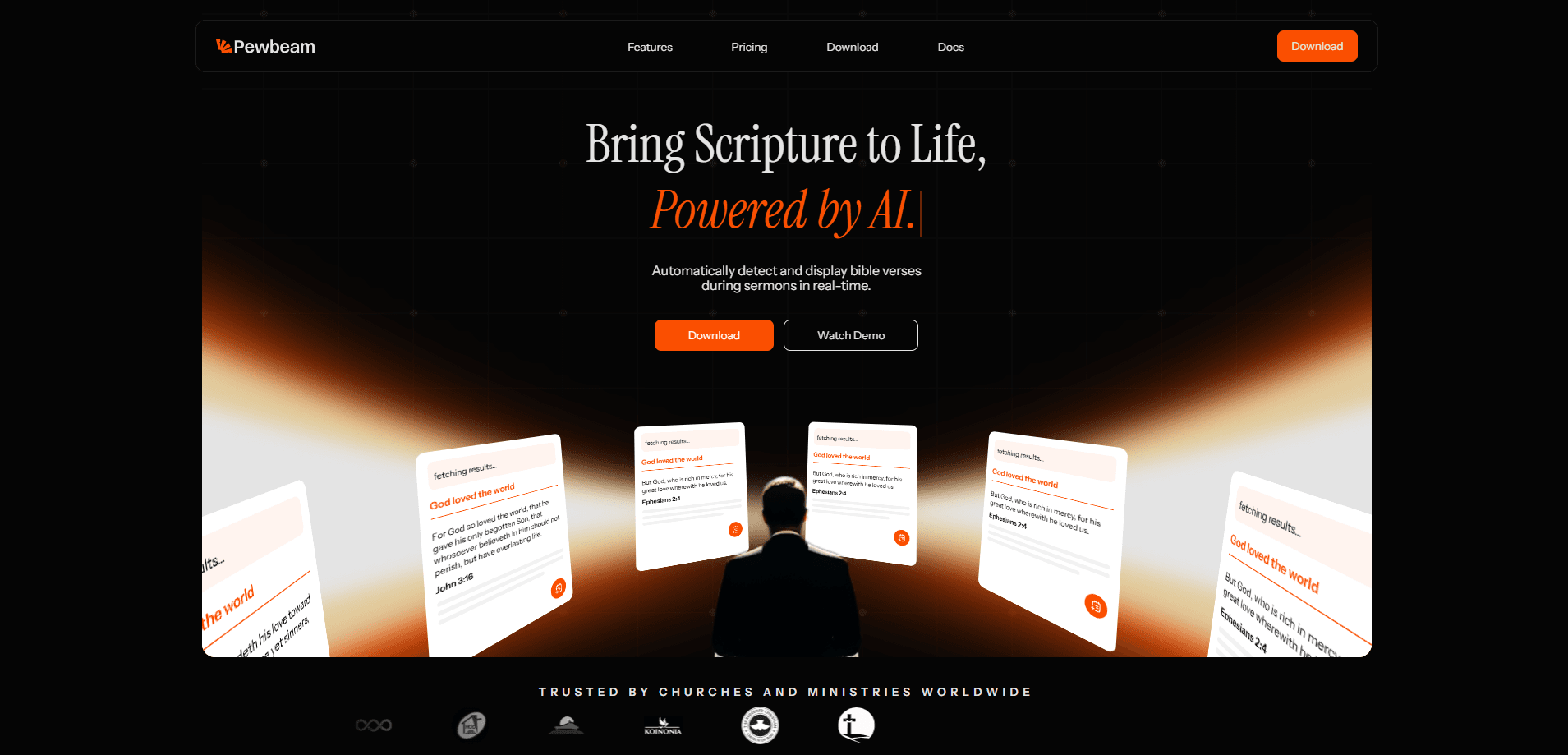
Pewbeam is AI church presentation software built for churches and ministries. It listens to a sermon as it's spoken and puts the right scripture on screen within seconds, so pastors preach without breaking their flow and projection teams stop typing verse references on the fly. Call it automated scripture display that runs itself. The church projection software runs on a desktop machine and works offline, which matters in buildings with shaky Wi-Fi.
About Pewbeam
What Is Pewbeam
Pewbeam is a church presentation tool that turns live speech into on-screen Bible verses. Instead of a volunteer hunting for a reference while the pastor talks, the app runs real-time Bible verse detection and matches what's being said to scripture. It handles paraphrased references too, not just exact chapter-and-verse citations. According to the developer, verse detection usually lands within two seconds.
The pitch is simple: the person on stage should focus on the message, and the person running slides shouldn't be panicking. Pewbeam is a ministry companion for that second group. It's also a fit for smaller churches that don't have a dedicated media team at all, where one person juggles sound, slides, and livestream at once.
The biggest limit is the 60-minute free transcription cap. That runs out fast. The free tier unlocks the paid features while those minutes last, but once they're gone you need Plus for unlimited transcription. There's also no mobile app here, so you'll need a computer at the projection desk rather than an iPad in someone's hands.
Getting Started
- Create a free account on the Pewbeam site. No credit card is needed, and the 60 free transcription minutes start whenever you first use them.
- Download and install the app on your church's computer, then sign in and activate the device.
- Pick a Bible translation and a built-in theme such as Selah or Eden, and set your display output for the projector.
- Start the live session and preach as normal. Pewbeam transcribes the sermon and pushes matching verses to the screen automatically.
- Review the AI sermon notes after the service and export them if your team wants a written record.
Product Information
A quick look at Pewbeam's pricing, supported platforms, and performance.
Best for
The users, tasks, and scenarios where this tool fits best.
Users
- Pastors and preachers
- Projection volunteers
- Small church media teams
Tasks
- Real-time scripture display
- Building sermon slides
- Greek and Hebrew word study
Scenarios
- A Sunday service with no dedicated projection staff
- Mid-week Bible study in a room with no reliable internet
- A guest speaker who quotes passages loosely
Key features
Real-Time Speech Recognition
Pewbeam listens to a sermon and displays the referenced verse right away. No typing. No delay. The app is built for live services specifically, so it processes spoken words as they happen. For a preacher who moves fast between passages, that removes the awkward pause while someone scrambles to catch up. It's the core of what makes this a real-time Bible verse detection tool rather than a slide deck you build by hand.
Semantic Bible Search
The search engine works on meaning, not just keywords. If a speaker alludes to a passage instead of quoting it word for word, Pewbeam still tries to match the right scripture. That's the difference between a tool that needs a precise citation and one that keeps up with how people actually preach. Sermon presentation software lives or dies on that kind of flexibility.
Animated Verse Presentations
Verses move on and off screen with smooth transitions rather than hard cuts, which keeps the congregation's eyes on the text. Choose from built-in themes or build your own, and Core adds main plus alternate output for multi-screen setups. Projection teams get a clean look without hand-building every slide. Simple as that.
Offline Reliability
Pewbeam runs without an internet connection, so a dropped router won't take down your verse display mid-service. Transcription happens locally, which also keeps the sermon audio private. Plus and Core include an offline grace period of 14 days, useful if the church network goes down for a stretch. Where does that matter most? Rural churches and older buildings, where the Wi-Fi is anything but dependable.
AI Sermon Notes and Export
After the message, Pewbeam can generate sermon notes automatically and export them. Think of it as a written record that saves a staff member from typing up highlights later. It's part of the Plus tier, along with the slide tools and unlimited transcription.
Multi-Translation Support
The free Explorer tier covers four Bible translations, while Core opens up all available ones. If your church rotates between translations across different services or a visiting preacher favors a particular version, that flexibility is worth checking against your actual rotation before you commit to a plan. Four translations is plenty for most. Switching mid-sermon? Not an issue.
Device Licensing
Core allows three device activations per license, which suits churches with more than one projection desk or a backup machine. Explorer and Plus stick to one device, so a multi-campus setup will want Core.
Pros and cons
Pros
- Verse detection lands within seconds of a reference, keeping the service flow intact.
- Semantic search catches paraphrased scripture, not just exact citations.
- Offline mode means a flaky church network won't interrupt the projection.
- Free tier includes a one-time 60 minutes with the paid features unlocked, so you can test it in a real service.
- The 14-day offline grace period on paid plans covers extended network outages.
Cons
- The 60-minute free transcription cap runs out fast, and unlimited transcription requires the $12/mo Plus plan.
- There's no mobile app, so you need a computer at the projection desk rather than a tablet in hand.
- Multi-device use and alternate output are locked behind the $25/mo Core tier, which pushes the cost up for multi-campus churches.
Frequently asked questions
It listens to a sermon in real time and automatically projects the correct Bible verses as the speaker mentions them. No one has to touch a slide. That removes the need for manual slide control during the service.
Related content
Explore related tools, skills, and articles for Pewbeam.
Pewbeam Alternatives

Base Code
Base44 (Wix) · Coding · ProductivityBase Code is a shared cloud development environment from Base44. Teammates describe changes to an existing GitHub codebase in chat, preview them live and send them back as pull requests.

Knocket
Knocket (Tencent RTC team) · Productivity · Business · ChatbotKnocket is a free live chat and contact page tool that lets visitors message you from your website, app, or a shareable link, with every reply handled from Telegram or one inbox.

FloorGen
Vinit Kumar (FloorGen) · Productivity · China AIFloorGen is a browser-based floor plan maker that turns a sentence or a sketch into an editable 2D plan and a 3D walkthrough. Export to PDF, DXF or video, and draw without an account.