

Phedra X
Nooveau Media LTD · Image
Phedra X is a Chrome extension and web app that edits images and video by chat. Right-click any photo or clip, describe the change in plain words, and the AI art director renders it in place.
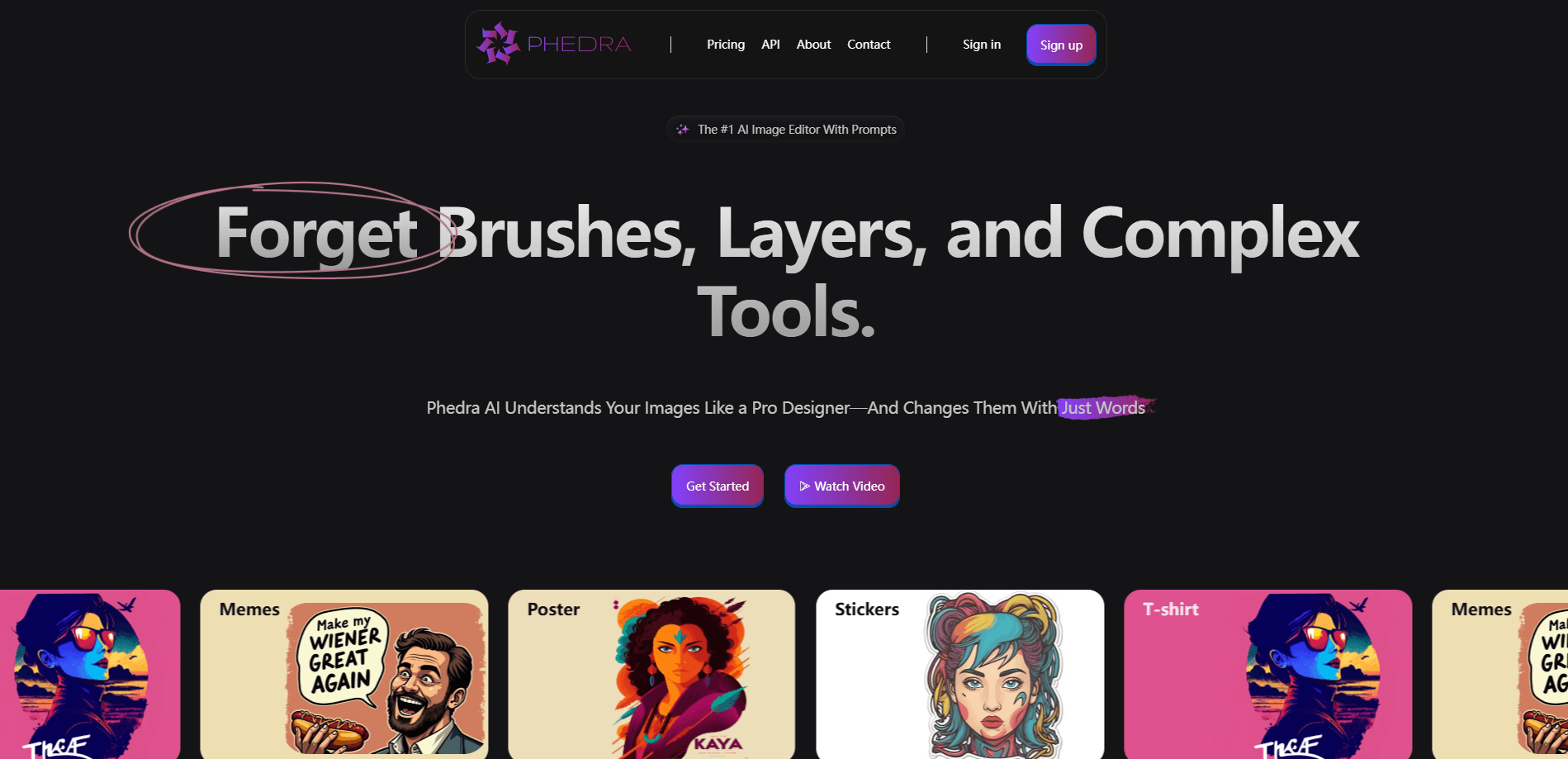
About Phedra X
What Is Phedra X
Phedra X is an AI editor that works on the image or video you already have, not a blank canvas. It runs as a Chrome extension, so you can open any page, right-click a picture or clip, tell it what to change in normal language, and watch the edit happen where you found it. The owner, Nooveau Media LTD, builds it as the video-capable successor to its earlier Synthesys X tool. It handles images and video in one place, so it doubles as an AI background remover and an AI video generator when a job calls for it.
The product sits between two crowds. On one side are AI generators that spin up new images from a prompt and leave you hoping for a usable result. On the other are full editors like Photoshop, where the ceiling is high but the learning curve is steep. Phedra X aims at the middle: keep the media you already have, and change it precisely instead of gambling on a fresh generation. The Chrome extension has drawn roughly 90,000 users and holds a 3.6 rating from 377 reviews, which puts it in reach of a mainstream audience rather than a niche crowd.
The limits matter as much as the pitch. It is a browser tool, so the work happens in the cloud and you depend on a connection and on credits. The free tier runs on a monthly allowance, and heavy use means paying for Pro credits. Editing is deliberately prompt-driven, so "be descriptive" is real advice, not filler.
Getting Started
- Install Phedra X from the Chrome Web Store, or open the web app if you would rather not add an extension
- Find an image or video on any page, right-click it and hand it to Phedra
- Type what you want in plain language, such as "make it golden hour" or "remove the background and add my logo"
- Review the result, tweak it with a follow-up message, and download when it looks right
Product Information
A quick look at Phedra X's pricing, supported platforms, and performance.
Best for
The users, tasks, and scenarios where this tool fits best.
Users
- Social media managers
- Small business owners
- Creators and video editors
- Designers and marketers
Tasks
- Editing photos with words
- Cutting out and replacing backgrounds
- Generating images from scratch
- Animating stills into short clips
- Restyling and editing video
Scenarios
- You spot a competitor's ad and want your own version
- A client wants the same hero image in three moods
- A product shot needs a cleaner plain background
- A short clip needs one weak shot fixed
Key features
Edit Images and Video With Words
Phedra X takes the media you already have and changes it on command. You can shift lighting, color and mood, add or remove objects and text, and clean up fine detail by describing what you want. Because it works from your file rather than a blank page, the result keeps the original scene and just applies the change, which is what separates it from a plain text-to-image generator.
Video Editing and Generation
The X release pushes beyond stills. You can restyle a whole clip, replace or add elements, or generate a brand-new clip from a prompt. Phedra can also turn a photo into a short video and apply cinematic camera moves, where the scene freezes and only the camera glides through it. That mix of editing and generation in one tool is the part most single-purpose apps leave out.
Shot-by-Shot Video Control
For longer clips, Phedra reads the video's cuts and breaks it into individual shots. You then edit or recreate just one shot while keeping the real footage around it, and one tap splices your change back into the full video. It is a practical answer to the usual problem with AI video, where a single pass changes everything and loses what worked.
Precise Spot Editing and Backgrounds
You can mark specific spots on a photo and tweak them exactly how you want, so a small retouch stays small. The tool also removes backgrounds for a clean transparent cutout, fills them with any solid color, or replaces them with a reference image of your own.
Bring Your Own Reference
Phedra lets you drop in a face, product or logo as a reference and carries it into the result. That is what makes it usable for brand work, since you can keep a product or a person's likeness consistent without regenerating from scratch each time.
Reframe, Upscale and Version Control
Generative outpainting changes the aspect ratio to fit 16:9, 9:16, 1:1 or 4:5, and upscaling sharpens both images and video. Every version you create is saved, so you can step back to an earlier design instead of overwriting it, and explore variations without losing the one you liked.
Model Picking and Browser Reach
Phedra chooses the best AI engine for each task behind the scenes, so you do not have to pick a model yourself. You still can if you want to. Because it lives in the browser, it works on the images and clips you find on any website, and supports prompts in more than 80 languages.
Pros and cons
Pros
- Works on your existing images and video, so edits stay precise instead of turning into a fresh gamble
- Handles stills and video in one tool, including generation, shot-by-shot edits and camera moves
- Right-click flow inside Chrome means no exports, no timelines and no separate app to open
- Free monthly allowance with free models, so you can test it before paying for Pro credits
- Supports prompts in over 80 languages and keeps every version for easy rollback
Cons
- Browser and cloud based, so offline use is out and you depend on credits for heavier work
- The free allowance runs out quickly on video, which is far more credit-hungry than image edits
- Prompt-driven editing rewards clear descriptions, so vague requests waste credits on weak results
- The extension holds a 3.6 rating across 377 reviews, so quality is uneven from one task to the next
Frequently asked questions
Phedra X is an AI editor that changes the images and video you already have. It runs as a Chrome extension and a web app, so you can right-click any photo or clip on a page and edit it by typing or speaking a plain-language request. It is the video-capable successor to the earlier Synthesys X extension.
Related content
Explore related tools, skills, and articles for Phedra X.
Phedra X Alternatives

Google EmbeddingGemma 2
Google DeepMind · Writing · Image · CodingGoogle EmbeddingGemma 2 is a 740M-parameter open model that turns text, code, images, audio, and video frames into vectors in one 768-dimension space, running on phones and laptops.

Tractionwave
TractionWave · Image · MarketingTractionWave is an AI attention heatmap tool for static ads. Upload a PNG or JPG and it returns predicted attention, ranked hotspots, and fixes before you spend budget.

Imejis.io
Imejis.io · Image · MarketingImejis.io is an AI design studio for agents and marketing teams. Describe an image in plain words, and it writes the copy, builds the layout, reflows it to every size, then exports a finished file.