

Photoapp
SCALEUP YAZILIM HIZMETLERI · Image
PhotoApp is an AI photo enhancer that repairs blurry, faded, and low-resolution images with a single tap. It runs on Android and iOS, covering face cleanup, color correction, background sharpening, and up to 2x enlargement without losing detail. It doubles as a photo restoration app for old prints and soft phone shots. Reach for it when an old family shot needs to look sharp enough to print or post.
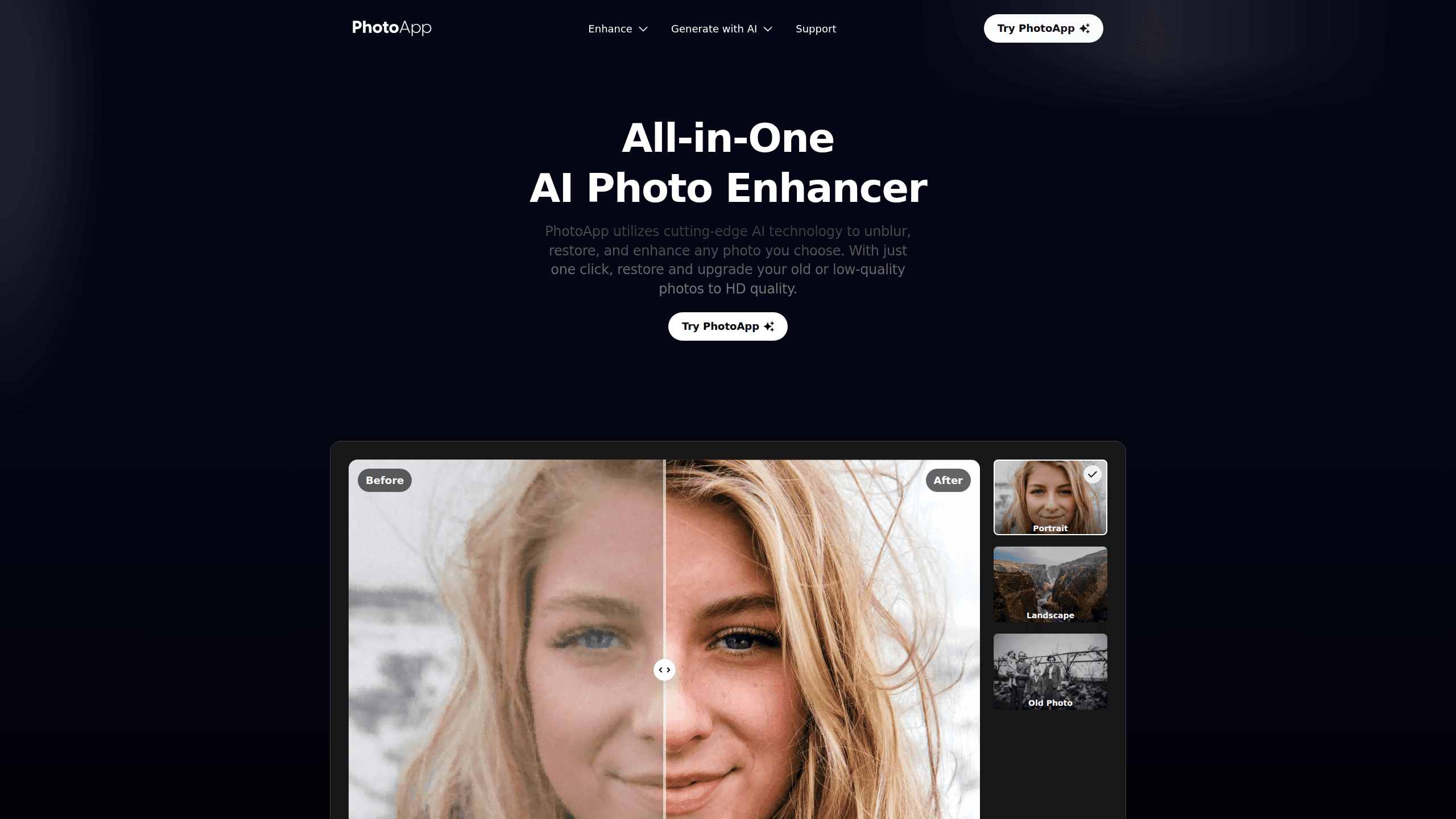
About Photoapp
What Is PhotoApp
PhotoApp is a mobile photo enhancer built around one promise: upload a weak image, get a cleaner one back. The app leans on AI models to sharpen faces, fix washed-out color, cut grain, and enlarge pictures, so you don't need to learn masking, curves, or layer blending. It targets regular phone users rather than professional retouchers.
The main problem it solves is the gap between the photo you took and the photo you wanted. Dim light, an old print, or a compressed download all leave marks that a basic editor can't hide. PhotoApp's restoration and enhancement tools aim to close that gap in seconds, often by rebuilding detail the camera never captured in the first place. The developer, SCALEUP YAZILIM HIZMETLERI, says more than 200 million photos have been processed through the app.
There are limits worth knowing. Results depend on how much detail the original still holds; a badly damaged photo can only be pushed so far. The most useful tools sit behind a paid subscription, and outputs sometimes look over-smoothed if you push the sliders. Treat it as a fast fixer, not a fine-art restoration suite.
That gap matters.
Getting Started
- Install PhotoApp from Google Play or the App Store, then open it and grant photo access.
- Pick a photo from your gallery, or shoot a new one of a printed picture.
- Choose a tool: Enhance, Unblur, Restore, or Enlarge.
- Tap to run the enhancement and wait for the AI to process.
- Compare the before-and-after view, save the result, then share or print it.
Product Information
A quick look at Photoapp's pricing, supported platforms, and performance.
Best for
The users, tasks, and scenarios where this tool fits best.
Users
- Casual phone photographers
- Families restoring old prints
- Social media creators
Tasks
- Unblurring soft portraits
- Restoring color on old photos
- Upscaling for print
- Cleaning product photos
Scenarios
- Reviving a dim photo from a phone night out
- Preparing a print of a scanned family portrait
- Posting a selfie that missed focus
- Cleaning listing images on a deadline
Key features
One-Tap Photo Enhancement
The core tool takes whatever image you feed it and returns a sharper version without manual steps. It sharpens edges, cuts noise, and lifts clarity in a single pass. For anyone who has never opened a professional editor, this is the whole point of the app. If you mainly want to unblur photos, this is where you start.
AI Face Enhancer
Faces get their own treatment. The tool rebuilds facial detail, smooths skin, and sharpens eyes and hair, aiming for a natural look rather than a plastic one. When the original still holds real information, and most portraits do, the results look convincing enough to fool anyone who never saw the blurry version. It works best on portraits and group shots. Not ideal for heavily blurred faces.
Old Photo Restoration
Restoration targets faded, blurred, and damaged prints. It revives color, removes grain, and pulls back detail that time has worn down. Scans of prints from years or even decades ago are the typical input here. Results vary a lot.
Image Upscaling up to 2x
Enlarging a photo usually softens it. This image upscaler enlarges up to 2x while trying to keep pixels intact. The practical payoff is a file that survives printing or a larger display. Push beyond that limit and quality drops off.
Color and Tone Adjustment
A dedicated color pass enriches tones and balances washed-out images. It's the answer to photos that look gray, flat, or yellowish after years in a drawer. The tool nudges vibrancy back toward what the scene likely looked like. Does it always nail the original mood? No, but it gets close.
AI Portrait Generator and Effects
Beyond fixes, PhotoApp adds AI-generated portraits, baby-image generation, aging effects, and polaroid-style filters. These are the fun, share-first tools sitting next to the repair features. They lean on the same AI engine but aim at creative output instead of restoration. Fun, and occasionally uncanny.
Pros and cons
Pros
- One-tap workflow means no editing skill is needed to get a cleaner photo.
- Face, color, background, and upscaling tools cover the most common fixes in one app.
- Available on both Android and iOS, so the experience carries across phones.
- Handles old print restoration and upscaling in the same place as everyday touch-ups.
- The AI portrait and filter features add value beyond repair work.
Cons
- The best tools require a subscription, so the free tier feels limited for heavy use.
- Over-enhancing can smooth out skin texture and make faces look artificial.
- Results are capped by the original; badly damaged photos won't come back fully.
- No public API, so you can't wire the enhancement into your own workflow or app.
Frequently asked questions
It's an AI photo enhancer that unblurs, restores, and enlarges images. You feed it a weak photo and it returns a sharper, cleaner version in one tap. Face cleanup, color fixes, and old-print restoration all live in the same app.
Related content
Explore related tools, skills, and articles for Photoapp.
Photoapp Alternatives

X Ray Interpreter
X-ray Interpreter · ImageX Ray Interpreter is a web-based AI radiology tool that turns X-rays, CT scans, MRI, ultrasound, and PET images into plain-language reports. You upload a scan, get a preliminary X-ray interpretation in moments, then ask follow-up questions if something needs explaining. It works as a second opinion and a learning aid, not as a medical diagnosis.

Aieasypic
AIEasyPic · ImageAIEasyPic is an AI image generator that turns plain text prompts into finished artwork in seconds. You can also train custom models on your own photos, swap faces in existing images, and create short video clips from text, all from a browser. It suits casual creators who want quick visuals and hobbyists who want to build a personal model without touching any code.

Chargen
Chargen · ImageChargen is an AI character generator and worldbuilding toolkit built for Dungeons & Dragons and other tabletop RPGs. It turns a one-line idea into a painted character portrait, spins up NPCs, monsters, maps and encounters from the same session, and keeps every creature's details close at hand. The tabletop RPG art side runs on a credit system called Gold, while the text generators stay free for everyone.