
Photo Enlarger
Zygomatic · Image
Photo Enlarger is a free browser tool that enlarges photos with six scaling methods, including an AI model, and keeps every image on your own device.
About Photo Enlarger
What Is Photo Enlarger
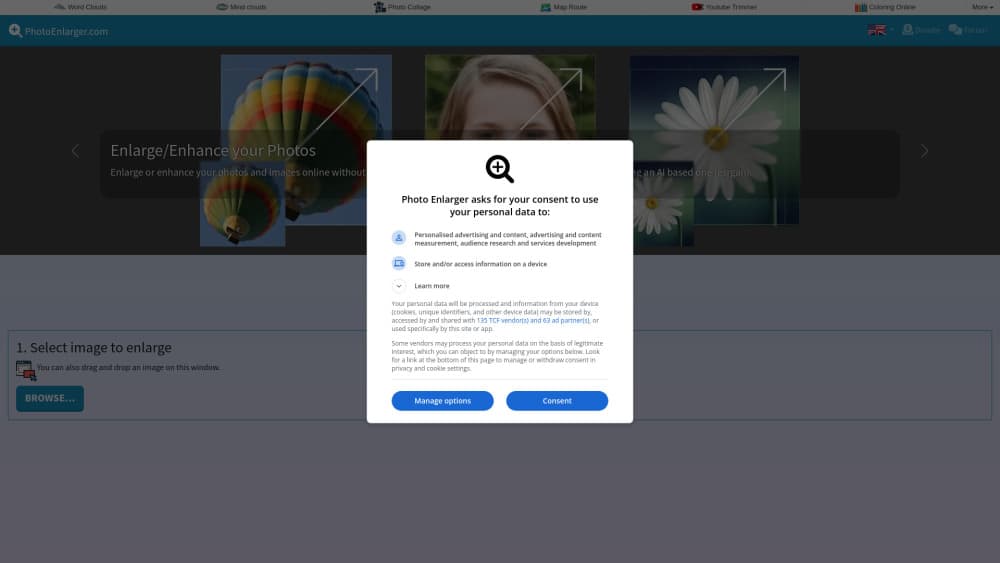
Photo Enlarger is a single-purpose site for making pictures bigger. You load a file, set a scale or type exact width and height values, and the tool returns several enlarged versions from different algorithms. Pick the one that looks best and download it. Nothing sits in a queue and nobody reviews your file.
Zygomatic, a Dutch publisher that has run photo and game sites since 2003, maintains it. That background shows in the design: no account, no onboarding tour, no credit counter. Open the page, drop in an image, get results.
The catch is scope. This is a photo enlargement tool, not an editor. It has no crop tool, no color correction, no healing brush, and no batch mode. It handles one picture at a time, and the AI option can take a while on a large file. For quick resizing work that suits most people fine. For a full retouching job, it doesn't.
Getting Started
- Open photoenlarger.com in any modern browser.
- Choose an image from your device, or drag it onto the page.
- Set a scale percentage or enter the width and height you need.
- Compare the suggested enlargements, then download the one you like.
Product Information
A quick look at Photo Enlarger's pricing, supported platforms, and performance.
Best for
The users, tasks, and scenarios where this tool fits best.
Users
- Families with scanned old photos
- Small shop owners
- Students and office workers
Tasks
- Preparing a print
- Fixing a blurry screenshot
- Making a wallpaper
- Cleaning up pixel art
Scenarios
- A one-off resize on a work laptop where you can't install software.
- Personal photos you would rather not hand to a server, such as family pictures or documents.
- Testing several algorithms on the same picture before committing to one result.
Key features
Six Enlargement Algorithms
The tool runs six methods side by side: Magic Kernel Sharp, Lanczos 3, Hermite, nearest neighbor with smoothing, nearest neighbor without smoothing, and ESRGAN. Each produces a different result from the same source. Sharpening methods add contrast at edges, smooth methods soften them, and nearest neighbor keeps every original pixel as a hard block. Comparing them takes one click, which beats guessing which filter a single-method free photo upscaler used.
ESRGAN AI Upscaling
One of the six options is an AI image upscaler built on ESRGAN, a neural network trained to reconstruct detail rather than stretch pixels. It works best on photos with texture, faces, and natural edges. The site warns that the model is slow, and large files can trigger a browser "page not responding" prompt. Let it finish. On a 4000 pixel source the wait can run into minutes.
Exact Width and Height Fields
You can work by percentage or type the pixel dimensions you need. That matters when a platform demands a specific size, like a 1920 by 1080 cover or a 1200 pixel product photo. The tool warns when a target is smaller than the source, since shrinking is a different job.
Processing Inside the Browser
Every image upscaling step runs locally in JavaScript. Your file never goes to a server, which is rare for a free web tool and the main reason to pick this one for private pictures. It also means speed depends on your own machine. An older laptop will lag where a new one won't.
Side-by-Side Suggestions
After you submit a photo, the page returns previews from the chosen methods so you can compare quality before downloading. Grainy sources often look best with a mild sharpening pass. Illustrations and logos usually hold up better with nearest neighbor. The previews make that choice visible instead of theoretical.
No Signup, Any Browser
There's no registration, no email capture, and no usage cap. The page works on phones and tablets too. The file picker and previews are easier to handle on a desktop screen. Format support follows your browser, which covers JPEG, PNG, WebP, and AVIF on current versions.
Pros and cons
Pros
- Free with no account, no email, and no daily limit.
- Files stay on your device, so private photos never leave your machine.
- Six algorithms in one place let you compare results instead of trusting a single filter.
- Exact pixel fields fit print and marketplace requirements.
- Runs on any modern browser, including mobile.
Cons
- One image at a time. There's no batch queue, so a folder of product shots takes repeated manual runs.
- ESRGAN slows down badly on large files and can freeze the tab until it finishes.
- No editing tools: you can't crop, straighten, or adjust color before or after enlarging.
- No API and no automation, which rules it out for a scripted pipeline.
Frequently asked questions
Yes. The site charges nothing, requires no account, and sets no visible daily cap. Ads and an optional tip button cover the cost. A tip doesn't unlock extra features, and the site says so plainly.
Related content
Explore related tools, skills, and articles for Photo Enlarger.
Photo Enlarger Alternatives

Google EmbeddingGemma 2
Google DeepMind · Writing · Image · CodingGoogle EmbeddingGemma 2 is a 740M-parameter open model that turns text, code, images, audio, and video frames into vectors in one 768-dimension space, running on phones and laptops.

Tractionwave
TractionWave · Image · MarketingTractionWave is an AI attention heatmap tool for static ads. Upload a PNG or JPG and it returns predicted attention, ranked hotspots, and fixes before you spend budget.

Imejis.io
Imejis.io · Image · MarketingImejis.io is an AI design studio for agents and marketing teams. Describe an image in plain words, and it writes the copy, builds the layout, reflows it to every size, then exports a finished file.