

Photomath
Microblink · Leaning
Photomath is a math solver app that scans math problems with your camera and gives step-by-step math help to students, parents, and anyone stuck on homework.
About Photomath
What Is Photomath
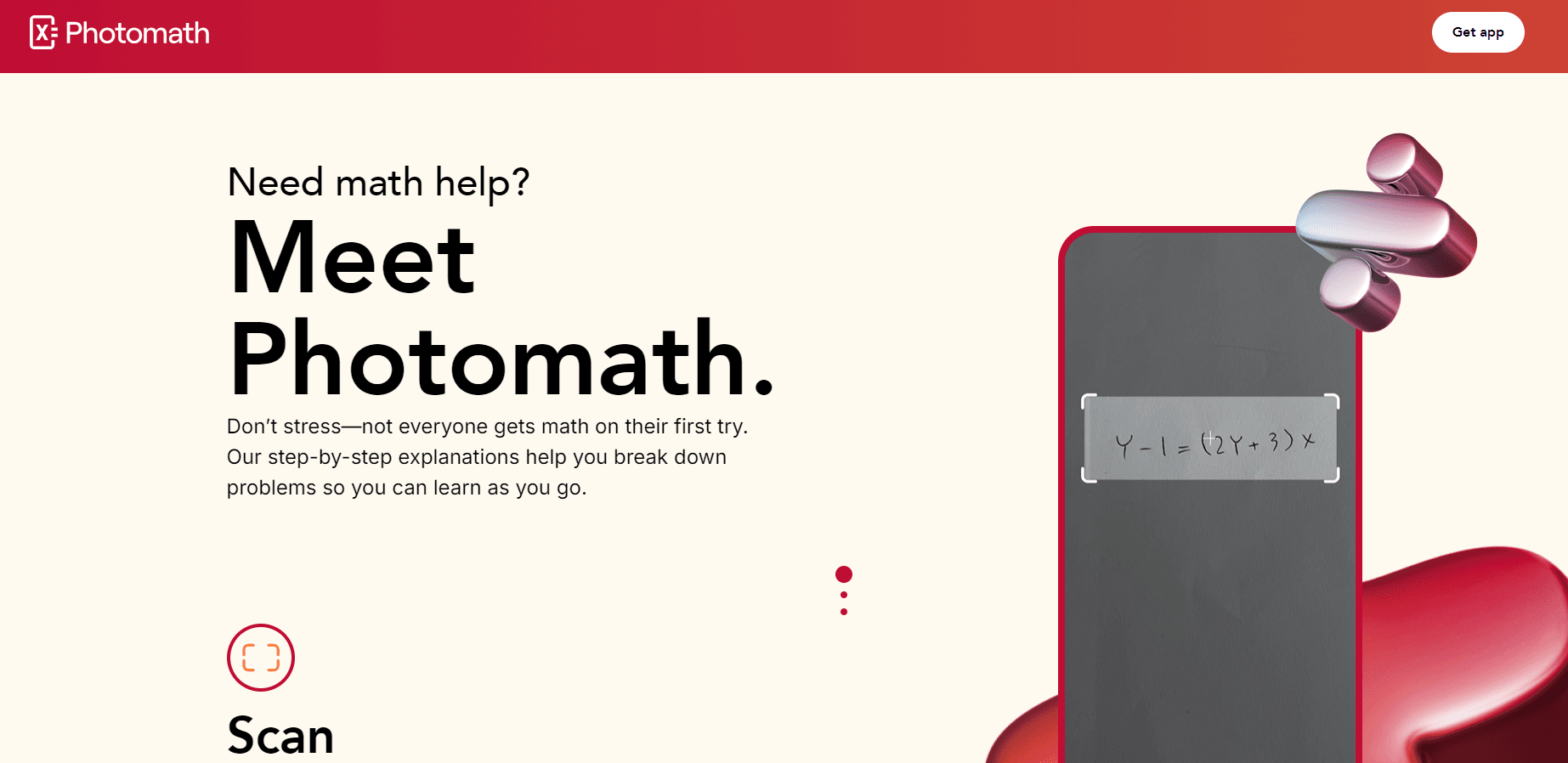
Photomath is a mobile app that reads a math problem through your phone's camera, then walks you through the solution one step at a time. You point, you scan, you get an answer with the work shown. That's the whole pitch, and it's why students reach for this homework help app when a textbook page stops making sense.
Microblink runs it, the name shown on the Google Play listing, and Photomath has been around long enough to become one of the better known math scanner apps. Google bought the company back in 2022, which is worth knowing if you're tracking where your data goes.
The core idea is learning, not shortcutting. Every scan comes with a breakdown, so you can check where your own attempt went wrong instead of just copying a number. It handles arithmetic, fractions, algebra, and word problems. Some come with more than one method, so you can see the approach that fits how you think.
The limits matter too. Photomath does best with problems a camera can read clearly, so messy handwriting or heavy diagrams can trip it up. The free plan covers the basics. The paid tiers add detailed extras and the deeper "how and why" tips.
Getting Started
- Download Photomath from the Google Play Store or the Apple App Store, then open the app and accept the camera permission.
- Sign in if you want your history and subscription to follow you across devices.
- Point your camera at the problem or type it into the smart calculator, then let the app scan it.
- Open the solution and step through each line, comparing it against your own work.
- Save or revisit past problems from your history when you're studying for a test.
Product Information
A quick look at Photomath's pricing, supported platforms, and performance.
Best for
The users, tasks, and scenarios where this tool fits best.
Users
- Students stuck on homework
- Parents helping with math
- Adult learners brushing up
Tasks
- Checking a finished problem
- Working through word problems
- Comparing solution methods
Scenarios
- Late-night study sessions
- Test prep at the kitchen table
- Helping a sibling or child
Key features
Camera Scanning for Math Problems
The scanner is the reason people install Photomath. Point your camera at a printed equation, a worksheet, or a whiteboard. It reads the problem and shows a solution for that exact problem. It also handles word problems, which most camera solvers skip. Can't get a clean read? The smart calculator lets you type the problem instead.
Step-by-Step Explanations
Every solution opens up into its individual steps rather than dumping a final answer. That's the difference between learning and copy-pasting: you can see the transition from line to line and spot the point where your own attempt diverged. It keeps the app in the "study tool" category instead of the "cheat sheet" one.
Multiple Solution Methods
Some problems come with more than one route to the answer. Photomath shows the alternatives, which is useful when one method matches how your teacher explained it and another doesn't. For students who think visually or learned a different technique, seeing two paths side by side builds real understanding.
Smart Calculator
When you can't get a clean scan, the in-app calculator takes over. You type the problem and get the same step-by-step treatment. It's the fallback for handwritten work, blurry photos, or long expressions that are faster to enter than to photograph.
Custom Visual Aids
Paid plans add custom visual aids that turn parts of a solution into graphs and diagrams. Seeing a function plotted or a geometry step drawn out can make an abstract algebra move click in a way that plain text doesn't. This is one of the extras that separates the free and paid tiers.
"How" and "Why" Tips
The paid tiers also add extra tips that explain the reasoning behind a step, not just the mechanics. Instead of "this moved there," you get a sentence on why the rule applies. For parents acting as the at-home tutor, that context is often the missing piece.
Pros and cons
Pros
- Solves everything from basic arithmetic to algebra and word problems.
- Step-by-step explanations make it a study aid, not just an answer key.
- Camera scanning is fast and the smart calculator covers anything the camera misses.
- Works on both Android and iOS with a free plan for casual use.
- Multiple stored methods let students pick the approach that matches their class.
Cons
- The most useful extras, like visual aids and the deeper tips, sit behind a subscription.
- Accuracy drops with messy handwriting or diagrams the camera struggles to read.
- It's built for checking and learning, so leaning on it for every problem can undercut the practice you actually need.
Frequently asked questions
It reads math problems through your phone's camera and shows step-by-step solutions. People use it to check homework, understand a method they missed in class, and help kids work through problems at home.
Related content
Explore related tools, skills, and articles for Photomath.
Photomath Alternatives

HireKey
HireKey · Voice & Language · Productivity · LeaningHireKey is an AI job search copilot built by a former tech recruiter. It checks role fit, tailors resumes, runs interview practice and tracks every application.

Lune
Retrograde Labs · Productivity · LeaningLune is a research search engine for scientific AI agents. It runs as an MCP server that lets Claude, ChatGPT and Cursor search peer-reviewed computer science papers and cite them.
Coddy
Coddy · Coding · LeaningCoddy is a gamified platform to learn to code through short interactive lessons in 20+ languages, with a browser editor, an AI tutor and free certificates.