

PicKey.ai
Neural Heaven Inc · Image
PicKey.ai is a visual password manager built around a simple idea: your memory is better with pictures than with text. Instead of a written master password, you pick a photo you already love and lock it with a 3D collectable, and that combination becomes your Master Key. The app uses AI image recognition to match what your camera sees against your chosen memory, then unlocks your vault. It runs on iPhone, iPad, Mac, and as a Safari extension, with passwordless sign-in on browsers through QR codes and secure codes.
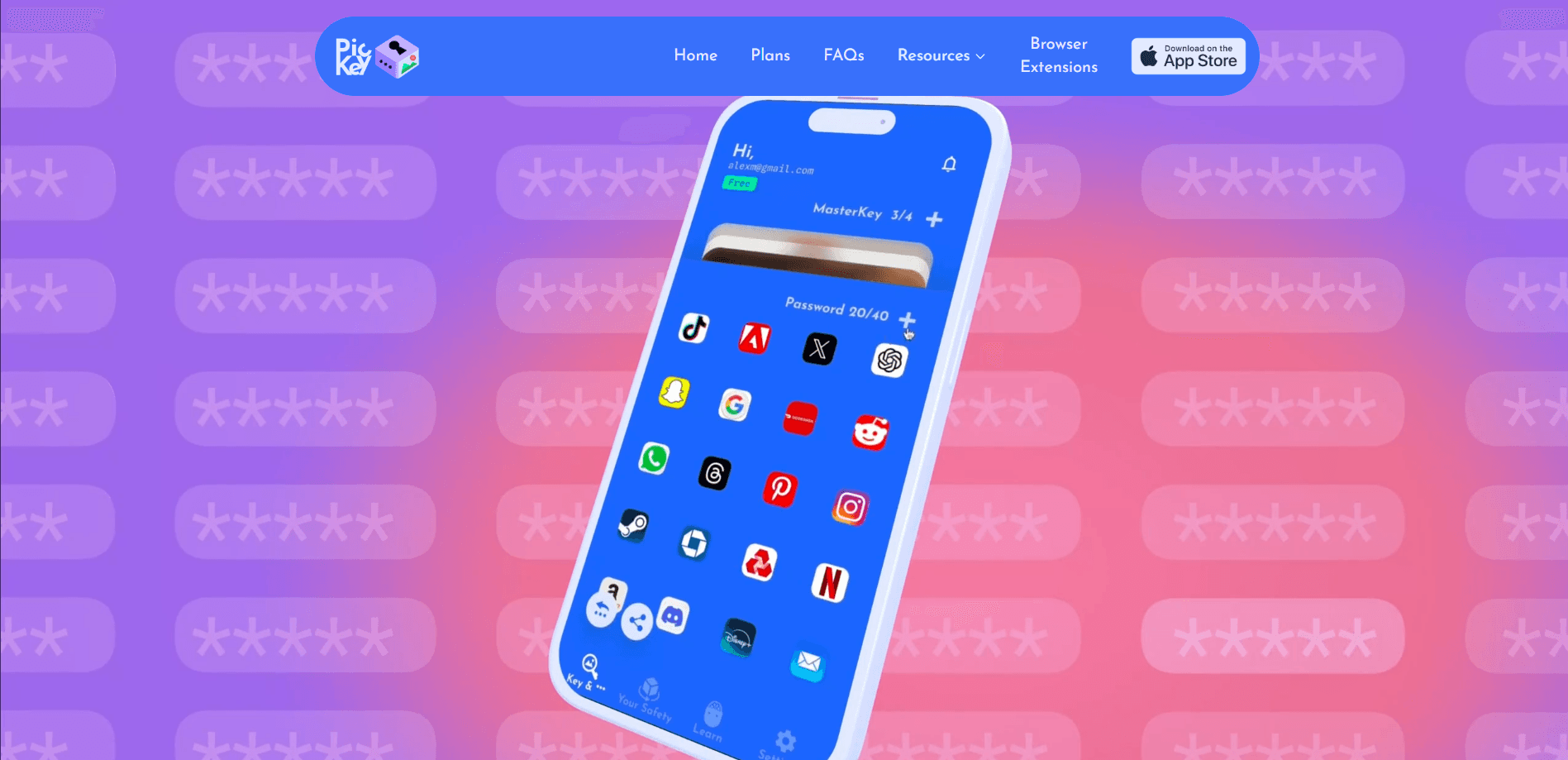
About PicKey.ai
What Is PicKey.ai
PicKey.ai comes from Neural Heaven Inc, a team that set out to kill the master password problem. Most password managers trade one password you can't remember for another password you can't remember. PicKey swaps the text for an image you choose because photos stick in memory far better than strings of characters. That's the whole bet. According to the developer, the AI behind it stays reliable even when objects in the photo move around or lighting changes.
The security model leans on three layers: your phone, your biometrics (fingerprint or face), and your physical surroundings through the camera. An optional feature called MagicPass goes further by replacing the standard password database. It stores only a unique index for each site and regenerates the real password when you need it, so the full password text is never actually saved. That's the clever part. Nothing to steal means nothing to leak.
The honest limits matter here. PicKey is locked to Apple hardware, so Android and Windows users are out of luck. The visual approach also means your login depends on your camera and the environment around you, which is a different kind of friction than typing. And because the product is young and has few public reviews, it hasn't been battle-tested the way older password managers have. Is that a dealbreaker? Not necessarily, but you should know it going in.
Getting Started
- Download the PicKey app from the App Store on your iPhone, iPad, or Mac, then create your account.
- Pick a personal photo as the base of your Master Key, then add a 3D collectable (many are animated with sound) to lock it.
- Register your fingerprint or face so biometrics act as the second layer of protection.
- Import your existing passwords from another manager, then let PicKey generate and fill them going forward.
- In Safari or another browser, sign in by scanning the QR code or entering the secure code, and watch your Achievements Map fill up as your habits improve.
Product Information
A quick look at PicKey.ai's pricing, supported platforms, and performance.
Best for
The users, tasks, and scenarios where this tool fits best.
Users
- People who keep forgetting written master passwords
- Families and friends who share logins
- Visual thinkers and casual users who find typical password managers tedious
Tasks
- Logging in without typing
- Importing and consolidating a mess of old passwords
- Building better habits over time
Scenarios
- Managing logins on an iPhone or Mac you use every day
- Handing a streaming or shopping login to a family member for a set period
- Setting up extra protection for sensitive accounts
Key features
Login With a Photograph
The core of PicKey.ai is using an image as your password. You choose a photo that means something to you, and the app's AI recognition matches it when you log in. The developer says the recognition holds up even when objects in the frame move around. Simple, but hard to copy. For anyone who's blanked on a master password at a bad moment, this is the whole pitch in one feature.
Master Key With 3D Collectables
Your Master Key pairs a personal memory with a collectable 3D model, which makes it harder to guess and easier to recall. Many of the collectables are animated with sound effects, and you can view them in AR on supported hardware. It's a playful layer, but it also adds a second factor to the image itself.
MagicPass Storage-Free Passwords
MagicPass replaces the traditional password database. It stores only a unique index for each site or app and regenerates the correct password when it's needed, so the full text of your password is never stored anywhere. That's a real difference if a database breach is what worries you most.
Passwordless Sign-In on Browsers
On the web, PicKey gets you in through QR codes and secure codes rather than typing. This works on both mobile and desktop browsers via the Safari extension. It's the part that makes the "no typing" promise hold up in everyday use, not just inside the app. Scan, confirm, done.
Secure Password Sharing
You can share passwords with family and friends and control who gets access and for how long, which solves the usual problem of a shared login sitting in someone's notes forever.
Achievements Map and Rewards
PicKey nudges you toward better security habits. It tracks your learning progress, shows recommended actions, and rewards you with badges, a free Pro subscription, and 3D collectables as you improve. The collectables feed back into new Master Keys, which keeps the loop going.
Three Layers of Security
The product stacks your phone, your biometrics, and your physical world through the camera. Fingerprint or face plus image recognition is a harder target than a typed password alone. It's the reason the camera dependency exists at all, rather than being a gimmick. Harder to fake, too.
Pros and cons
Pros
- Kills the master password problem by replacing text with a photo you already remember.
- MagicPass avoids storing your full passwords, which reduces the damage a database breach can do.
- Time-limited sharing is genuinely useful for families and shared accounts.
- A full free plan means you can test the visual approach before paying.
Cons
- Apple only. There's no Android, Windows, or Chrome extension support, so mixed-device households are stuck.
- The camera-based layer adds friction in low light or on devices without a good camera.
- Little public review history, so long-term reliability and support are hard to judge.
- No published API, which rules it out if you want to automate or integrate it.
Frequently asked questions
Instead of a written master password, you build a Master Key from a personal photo plus a 3D collectable. The app's AI matches the image when you log in, and biometrics add a second layer.
Related content
Explore related tools, skills, and articles for PicKey.ai.
PicKey.ai Alternatives

Google EmbeddingGemma 2
Google DeepMind · Writing · Image · CodingGoogle EmbeddingGemma 2 is a 740M-parameter open model that turns text, code, images, audio, and video frames into vectors in one 768-dimension space, running on phones and laptops.

Tractionwave
TractionWave · Image · MarketingTractionWave is an AI attention heatmap tool for static ads. Upload a PNG or JPG and it returns predicted attention, ranked hotspots, and fixes before you spend budget.

Imejis.io
Imejis.io · Image · MarketingImejis.io is an AI design studio for agents and marketing teams. Describe an image in plain words, and it writes the copy, builds the layout, reflows it to every size, then exports a finished file.