
PicSo
PicSo · Image
PicSo is a text-to-image AI art generator for web, iOS, and Android. Type a prompt, pick a style, and it renders anime, realistic, or painted images from your idea.
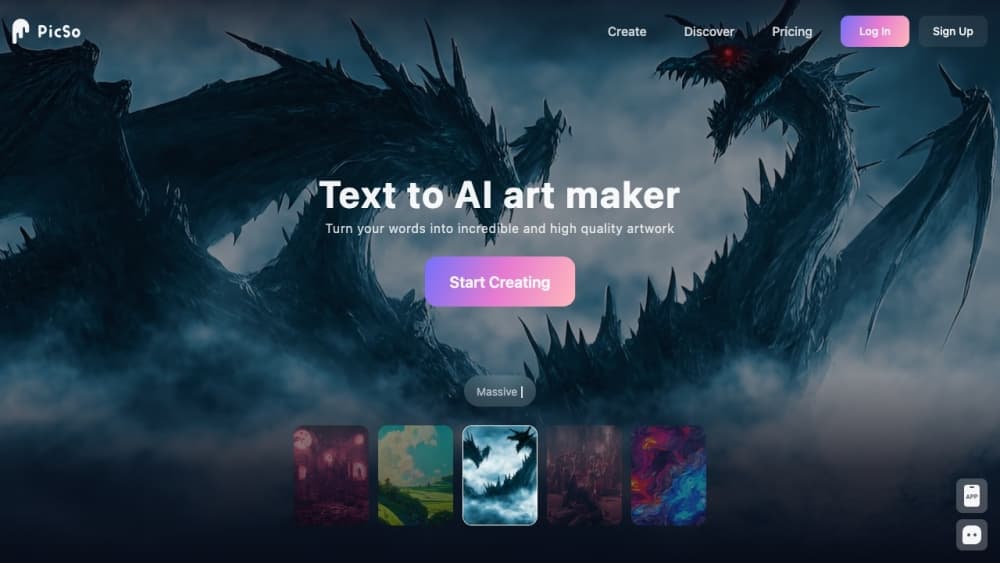
About PicSo
What Is PicSo
PicSo is an AI art generator that turns short text prompts into images across a wide range of styles. You open the web app or the mobile app, type what you want to see, choose a style, and the tool renders the result. The name comes from Picasso, and the pitch is that anyone can make art without drawing skills.
The product leans toward character art. Alongside general text-to-art, it has dedicated tools for generating AI girls and AI portraits, where you pick a look and the model renders a figure. From there you can edit an existing image, add or remove elements by describing them, or extend a picture past its original edges to fill in a wider frame.
Two things define whether it fits your working style. Everything runs on a credit system. Free users get a small number of generations a day, and heavier use means buying credits or a subscription. Reviews also note that paid tiers still depend on credits, which can run out before you settle on an image you like. If you want a fast, style-heavy generator for characters and social posts, it lands well. If you need predictable output volume on a tight budget, watch the credit math.
Getting Started
- Open picso.ai in a browser or install the app on iOS or Android. Create a free account with an email address.
- Pick a tool from the menu. Choose Create for text to art, AI Character for portrait generation, Edit image for changes, or Extend image to enlarge a picture.
- Describe what you want. Type a prompt up to a few hundred characters, then pick an art style and the number of images to generate.
- Generate and download. The rendered images appear on screen, and you can save the ones you like to your device.
Product Information
A quick look at PicSo's pricing, supported platforms, and performance.
Best for
The users, tasks, and scenarios where this tool fits best.
Users
- AI art beginners
- Character and avatar creators
- Social media posters
Tasks
- Turning a written idea into art
- Generating a stylized portrait
- Editing part of an image
- Extending a photo beyond its frame
Scenarios
- Making art on a phone during a commute
- Drafting images for a small creative project
- Testing an idea before buying credits
Key features
Text to Art Generation
The core tool turns a written prompt into an image in the style you select. You type a description up to a few hundred characters, choose from a long list of presets such as anime, sketch, oil painting, cyberpunk, and CG render, then pick how many images to produce. The flow is built for people without a technical background, so there's no model or parameter setup to figure out.
AI Character and Portrait Tools
PicSo sets itself apart with dedicated generators for people and characters. The AI Character tool renders an AI girl from a prompt with a look selector, and the AI portrait mode targets realistic faces. This focus on human and humanoid subjects is the main reason casual users pick it over a general-purpose generator, since the styles are tuned toward figures rather than landscapes or abstract scenes.
Image Editing with Inpainting
The Edit image tool lets you change a picture by describing the change. You select an area and type what to add or remove, and the editor repaints only that region. That covers common fixes like swapping an object or cleaning up a detail without rebuilding the whole image, and it keeps the untouched parts of the picture intact.
Image Extender
The extender enlarges a picture to a new ratio and fills the added space with matching content. You upload an image, resize it to the frame you want, and the tool generates the missing edges. It's the feature for reshaping a tight crop into a wider or taller layout when you don't have the original wider shot.
Style Presets
Style choice is central to how PicSo works, and the library covers a broad mix: anime, realistic, Van Gogh, Ghibli-inspired, cyberpunk, sketch, traditional art, and digital, among others. The presets do the heavy lifting on look, so a short prompt can still land close to the mood you want. That range is what makes the same sentence produce very different images.
Multiplatform Access and Credits
The same account works on the web app and the mobile apps, so you can start a prompt on a phone and continue in a browser. Membership runs on credits, and the Pro tier includes 100 credits per month, pro styles, a priority queue, and multitasking, which lets the tool keep working while you set up the next prompt.
Pros and cons
Pros
- The style library is broad, which makes it easy to get a decent result from a short prompt.
- The AI character and portrait tools are built specifically for figures, so character work needs less guesswork than a general generator.
- Editing and extending tools sit in the same product, so you can fix or resize an image without a second app.
- It runs on web, iOS, and Android from one account, and the free daily generations let you test output before paying.
- The interface drops the technical vocabulary, so a first-time user can generate art in a few clicks.
Cons
- Credits run out fast. Reviews point out that a subscription still depends on credits, so heavy use means buying more on top of the monthly fee.
- Free output is limited to a few images a day, and quality varies, so you may spend credits searching for one good render.
- It leans toward character and portrait art. If your main need is landscapes, product shots, or precise text in images, it's a weaker fit.
- There's no public API, so it isn't a building block for developers who want to generate images inside their own app.
Frequently asked questions
PicSo generates and edits images with AI. You type a text prompt, pick a style, and it renders art, characters, or portraits. The same product lets you edit an existing image or extend it beyond its original frame.
Related content
Explore related tools, skills, and articles for PicSo.
PicSo Alternatives

Google EmbeddingGemma 2
Google DeepMind · Writing · Image · CodingGoogle EmbeddingGemma 2 is a 740M-parameter open model that turns text, code, images, audio, and video frames into vectors in one 768-dimension space, running on phones and laptops.

Tractionwave
TractionWave · Image · MarketingTractionWave is an AI attention heatmap tool for static ads. Upload a PNG or JPG and it returns predicted attention, ranked hotspots, and fixes before you spend budget.

Imejis.io
Imejis.io · Image · MarketingImejis.io is an AI design studio for agents and marketing teams. Describe an image in plain words, and it writes the copy, builds the layout, reflows it to every size, then exports a finished file.