

PicWiz AI
Shanghai Chujin Chuangyue Information Technology Co., Ltd · Image
PicWiz AI is a mobile photo and video editor that swaps outfits, changes backgrounds, reshapes bodies and removes objects with one-tap AI tools.
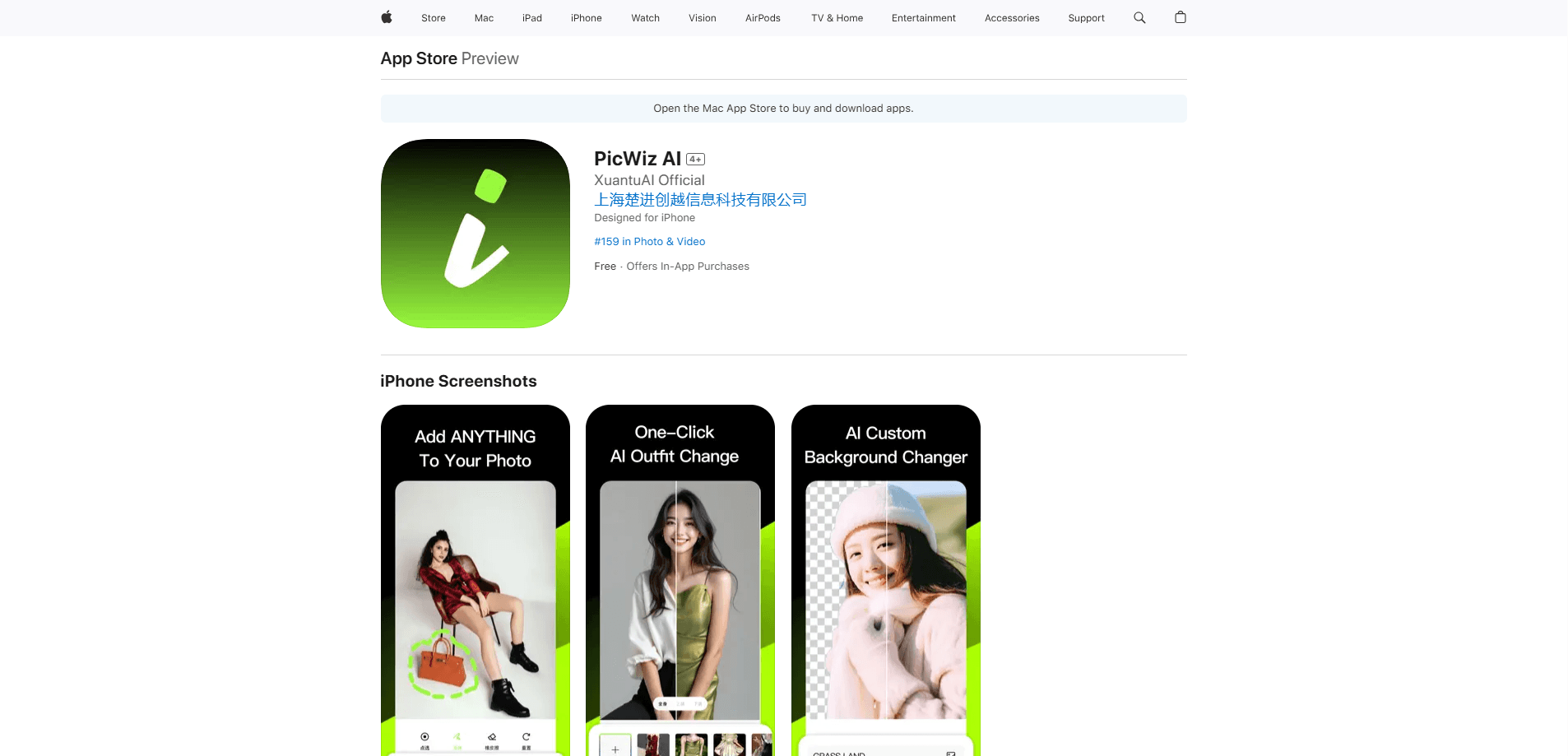
About PicWiz AI
What Is PicWiz AI
PicWiz AI is a mobile photo editing app for iOS and Android, built around a set of one-tap AI tools. Instead of manual masking or layered editing, you tap a tool, pick a result, and the app handles the rest. The toolkit covers outfit try-on, background swaps, body reshaping, AI hairstyles, object removal, HD enhancement and image-to-video, all in one place.
The team behind it, Shanghai Chujin Chuangyue Information Technology, positions the app for casual creators who want social-ready results without learning professional software. Edits lean toward portraits, product shots and short visual remixes, which is exactly the content most people post. The app has pulled in roughly 2.5 million downloads since it launched in May 2024, so it has a real user base rather than a quiet launch.
The tradeoff is access. Most AI edits run on a credit or coin system, and the app pushes its subscription hard. Free users get a small number of tries before hitting a paywall, and several reviewers call the prompts aggressive. There's also no desktop version or public API, so this is a phone-first tool, not a professional pipeline.
Getting Started
- Install PicWiz AI from the App Store or Google Play and open it.
- Pick a photo or a short video from your gallery, or start from a template.
- Choose an AI tool, such as outfit try-on, background change, object removal or body reshape.
- Adjust the prompt or the strength of the edit, then let the app process it.
- Save the result in HD or export it watermark-free after subscribing.
Product Information
A quick look at PicWiz AI's pricing, supported platforms, and performance.
Best for
The users, tasks, and scenarios where this tool fits best.
Users
- Casual social media creators
- People experimenting with personal styling
- Small sellers and resellers
Tasks
- Swapping outfits in a photo
- Cleaning up background distractions
- Reshaping a portrait
- Turning a still into a short clip
Scenarios
- Fixing discarded photos
- Prepping a product listing
- Planning a new look
Key features
AI outfit try-on
Upload a clothing reference and the app previews the outfit on your photo. It's aimed at fashion inspiration and styling, and it works with your own references rather than a fixed catalog. The result usually needs a quick retouch to look natural on busy poses.
AI background remover and cutout
Swap the background of a portrait, product or pet, or cut subjects out entirely for stickers, collages and thumbnails. Clean scenes, studio looks and travel backdrops are all covered, and the background remover handles the edge blending most people struggle with by hand.
Body reshape and portrait editing
Guided tools adjust the waist, arms, legs, shoulders and overall silhouette. The pitch is that the background stays natural, which is the part cheaper resizing tools tend to break. It suits portrait work where small proportion tweaks make a big difference.
AI Remove and AI Replace
Erase unwanted people, objects, stickers or marks with tap or brush controls, then let the app fill the gap. AI Replace goes further, letting you select part of an image and swap it for a new object, color or scene. Both are the kind of clean-up that used to mean real editing time.
Image to Video
Turn a still photo into a short video with motion effects for stories, reels and social posts. It's a fast way to repurpose a single image into a few seconds of motion, and it saves opening a separate video editor for a simple clip.
HD Enhance and AI Expand
HD Enhance sharpens blurry or low-resolution photos in one tap. AI Expand extends the edges of an image with AI fill so you can fit a wider aspect ratio or add breathing room around a subject, a common need when an old photo doesn't match a new layout.
Templates and creative commands
Ready-made templates and editing commands cut the setup time. You pick a style, remix the idea and adjust, which suits beginners who want a good result without building an edit from scratch. It's the app's answer to the blank-canvas problem most editors have.
Pros and cons
Pros
- A wide set of AI tools in one app, from outfit try-on and hairstyles to background swaps and object removal, so you rarely need a second editor.
- Natural-looking results on portraits and cutouts, which reviewers repeatedly credit for edges and lighting that don't look pasted on.
- HD export and watermark-free saving are available, but they sit behind the subscription.
- Available on both iOS and Android, so the same toolkit follows you across phones.
Cons
- The free tier is limited to a few tries before a paywall, and reviewers describe the upgrade prompts as aggressive, which frustrates anyone testing it out.
- Prices are not cheap for a mobile app, running from about $9.9 a week to $79.99 a year depending on the region.
- Mobile only, with no desktop version and no public API, so it doesn't fit a professional workflow or batch production.
- A recurring complaint is that the subscription gates so much that the app feels unusable without paying.
Frequently asked questions
PicWiz AI is used to edit photos and short videos on a phone. It covers outfit try-on, background swaps, body reshaping, hairstyle previews, object removal and image-to-video, so most of the editing happens with a tap or a short prompt instead of manual masking.
Related content
Explore related tools, skills, and articles for PicWiz AI.
PicWiz AI Alternatives

Google EmbeddingGemma 2
Google DeepMind · Writing · Image · CodingGoogle EmbeddingGemma 2 is a 740M-parameter open model that turns text, code, images, audio, and video frames into vectors in one 768-dimension space, running on phones and laptops.

Tractionwave
TractionWave · Image · MarketingTractionWave is an AI attention heatmap tool for static ads. Upload a PNG or JPG and it returns predicted attention, ranked hotspots, and fixes before you spend budget.

Imejis.io
Imejis.io · Image · MarketingImejis.io is an AI design studio for agents and marketing teams. Describe an image in plain words, and it writes the copy, builds the layout, reflows it to every size, then exports a finished file.