

Picyard Design & Graphics Tool
Picyard · Image
Picyard is a browser-based design tool that turns plain screenshots into polished mockups, styled code images and social media graphics, with a free tier and a one-time Pro upgrade.
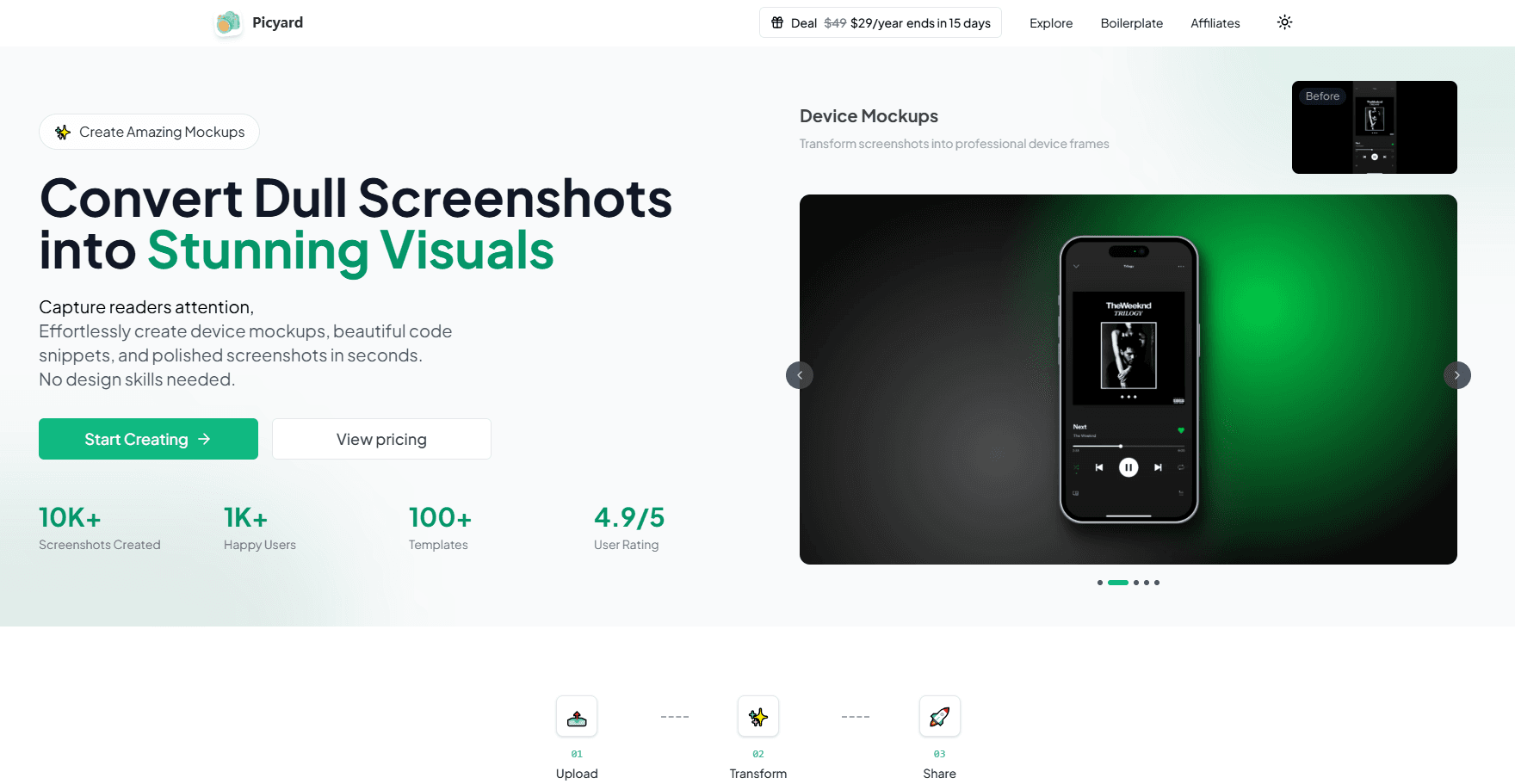
About Picyard Design & Graphics Tool
What Is Picyard
Picyard is a web app for people who take screenshots all day and want them to look intentional. Instead of exporting a raw screenshot and pulling it into a heavy editor, you drop the image into this screenshot beautifier, pick a background, add a device frame or annotation, and download a finished graphic. It sits somewhere between a screenshot tool and a lightweight design app.
The tool targets the gap most creators hit: a screenshot proves a point, but it looks careless next to a polished article or product page. Picyard wraps that screenshot in a device mockup, a gradient background or a clean code window so it holds its own. Common jobs include blog illustrations, social media posts, changelogs and product updates.
As a mockup generator, Picyard stays focused on screenshots, annotations and the graphics built from them, not on full illustration or vector work. If you need layered photo editing or a complete brand system, you'll still reach for something else.
Getting Started
- Open picyard.in in a browser and start a new canvas. No credit card is needed for the free tier.
- Upload a screenshot or paste an image, then choose a canvas size for the platform you're posting to.
- Pick a device frame, background, font or annotation preset, and adjust colors and spacing.
- Export the result as PNG, JPG, SVG or WEBP, or share it straight to a social channel.
Product Information
A quick look at Picyard Design & Graphics Tool's pricing, supported platforms, and performance.
Best for
The users, tasks, and scenarios where this tool fits best.
Users
- Bloggers and newsletter writers who want clean screenshots inside their posts instead of bare captures.
- Indie developers and startup founders who need app screenshots for landing pages, stores and launch posts without hiring a designer.
- Social media managers who turn product updates and metrics into scroll-stopping visuals on a deadline.
- Educators and course creators who annotate screenshots into step-by-step teaching material.
Tasks
- Wrapping an app screenshot in an iPhone or MacBook frame so it looks like a finished product shot.
- Turning a code snippet into a shareable image with a code screenshot tool that applies syntax highlighting and a themed background.
- Building announcement images for a feature launch, changelog or release note.
- Producing before-and-after visuals that highlight a redesign or a metric jump.
Scenarios
- Publishing a weekly blog post and needing several illustrations that match each other.
- Preparing a Product Hunt or app store listing and running short on time before launch.
- Posting a quick win to LinkedIn or X and wanting the screenshot to look deliberate rather than rushed.
- Assembling course slides where every screenshot has to share one visual style.
Key features
Device Mockups
Picyard drops a screenshot into realistic device frames so a plain capture reads as a product shot. The library covers recent hardware like the iPhone 15 and MacBook Pro, which matters when a landing page or store listing needs to look current. You pick the frame, then adjust the angle, shadow and background behind it.
Code Screenshots
The code view turns a snippet into an image with syntax highlighting and customizable themes. Developers use it for tutorial posts, documentation and slide decks where pasting raw monospace text would look flat. Theming keeps the code image consistent with a brand palette across a whole tutorial series.
Tweet Image Generator
Picyard builds shareable images sized for social platforms, including a generator for tweet-style graphics. Instead of cropping a phone screenshot of a post, you get a clean card that keeps text legible on a timeline. It's a fast way to quote a thread or highlight a quote without opening a full design suite.
One-Click Transforms and Templates
A single click converts an uploaded screenshot into a styled mockup, then you refine from there. Templates are split into a basic tier on the free plan and the full premium library on Pro, which shortens the path from raw image to postable graphic.
Premium Assets and Backgrounds
Paid plans open up a wider set of backgrounds, fonts and design elements. The free tier keeps the core editing flow, but the extra assets are what make a batch of images feel like one coherent set rather than a pile of unrelated captures.
Flexible Export Formats
Picyard exports in PNG, JPG, SVG and WEBP, so the same design can go to a blog, a store listing or a fast-loading web page. Different formats cover different needs: SVG for crisp scaling, WEBP for smaller files online, and PNG or JPG for everything else.
Pros and cons
Pros
- Runs in the browser, so there's nothing to install and it works across operating systems.
- The free tier covers two mockups a day, enough to test whether the workflow fits before paying.
- A one-time Pro payment unlocks lifetime access instead of a recurring subscription.
- Device frames, code themes and social templates live in one place, which cuts the number of tools in a typical workflow.
Cons
- The free plan is capped at two mockups per day and standard export quality, which slows anyone producing a large batch.
- Pro pricing moves as user milestones fill up, so waiting can mean paying more.
- Custom branding, ad removal and watermark removal sit behind Pro, so free exports carry visible limits.
- The Android app is a wrapped web version on Google Play, so mobile behavior tracks the browser build rather than a native app.
Frequently asked questions
Picyard turns screenshots into polished visuals like device mockups, code images and social media graphics. People use it for blog illustrations, product launches and tutorials where a raw screenshot would look unfinished.
Related content
Explore related tools, skills, and articles for Picyard Design & Graphics Tool.
Picyard Design & Graphics Tool Alternatives

Google EmbeddingGemma 2
Google DeepMind · Writing · Image · CodingGoogle EmbeddingGemma 2 is a 740M-parameter open model that turns text, code, images, audio, and video frames into vectors in one 768-dimension space, running on phones and laptops.

Tractionwave
TractionWave · Image · MarketingTractionWave is an AI attention heatmap tool for static ads. Upload a PNG or JPG and it returns predicted attention, ranked hotspots, and fixes before you spend budget.

Imejis.io
Imejis.io · Image · MarketingImejis.io is an AI design studio for agents and marketing teams. Describe an image in plain words, and it writes the copy, builds the layout, reflows it to every size, then exports a finished file.