

Pin Drop
Pin Drop · Productivity · AI Assistant
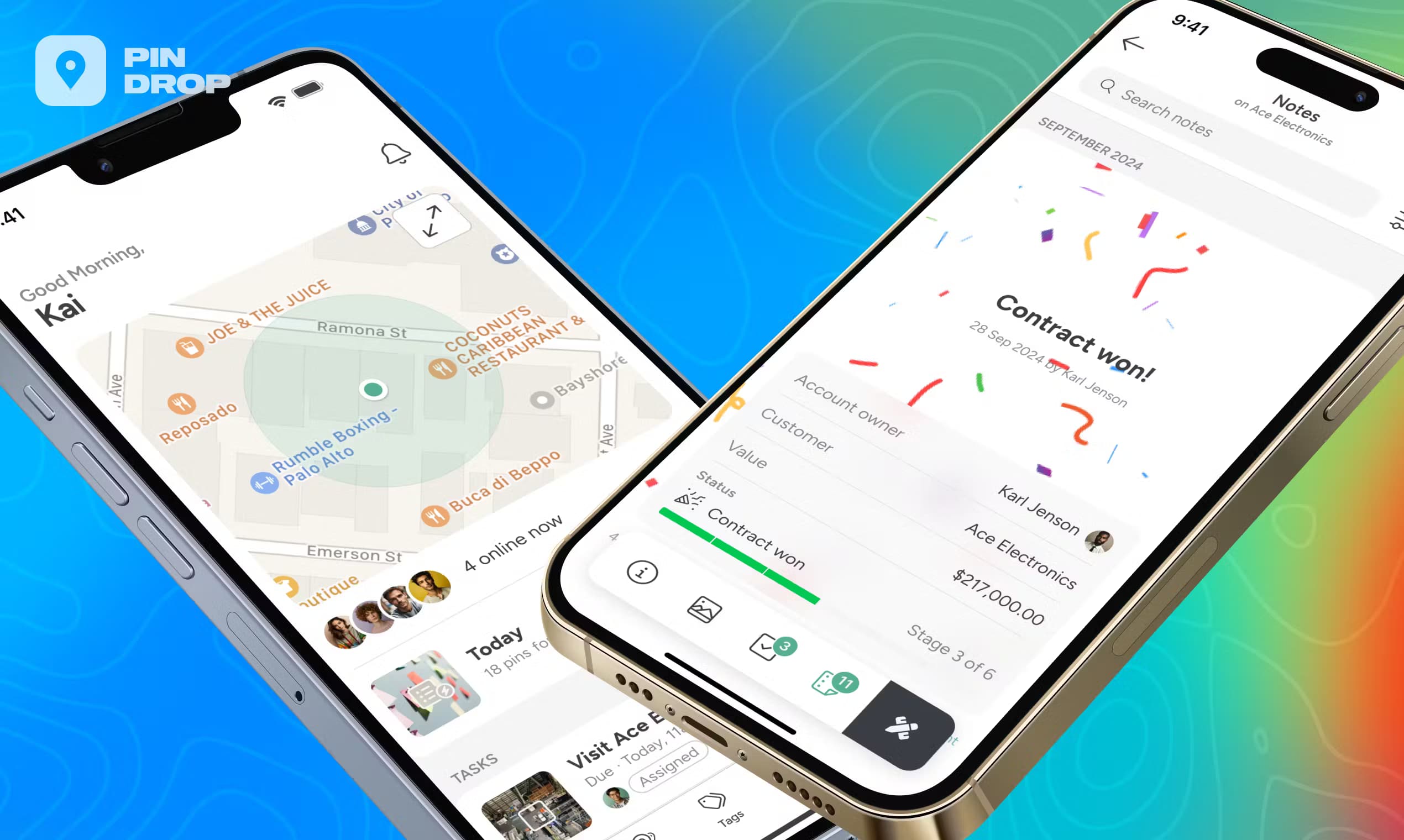
Pin Drop is a private map app for saving and sharing the places that matter. Drop pins for work, travel or daily life, add notes and photos, and keep everything on one live map.
About Pin Drop
What Is Pin Drop
Pin Drop is a mapping and location sharing app built around a simple idea: a pin should remember more than where a place is. Drop one and it holds what's there, what happened and what to do next. The company describes itself as the original pin dropping app, and it has been running since 2011. It works on iPhone, Android, the web and a browser extension, and the same account keeps every place in sync across all of them.
The app splits its audience in two. For personal use, it's a way to keep track of the places you love and the everyday addresses you rely on, all on one private map. For teams, the same map becomes a working record for field service, sales, inspections, logistics and operations. You can add tasks, visit logs, notes, custom fields, comments and files to a pin, then share one live map that keeps everyone current. Google My Maps draws a static picture; Pin Drop is built to stay up to date as work happens.
Two limits are worth knowing before you commit. Turn-by-turn navigation isn't inside the app, so it hands a route over to Waze, Google Maps or Apple Maps. And several of the tools teams rely on, like routes, check-ins, visit history and shared lists, sit on paid plans rather than the free one.
Getting Started
- Download the app free for iPhone or Android, or open it in a browser, then create a free account so your places sync across devices
- Drop your first pin by holding a finger on the map, searching for a business or address, or uploading a geotagged photo
- Add the detail that makes it useful, like a name, tags, description, media and contact info
- Group pins with colour coded tags and icons so any place stays a search away
- Share a list or a whole map, and set what each person can view, comment on or edit
Product Information
A quick look at Pin Drop's pricing, supported platforms, and performance.
Best for
The users, tasks, and scenarios where this tool fits best.
Users
- Travellers and day trippers
- Households and address keepers
- Field service and maintenance crews
- Sales and territory reps
- Home movers and buyers
Tasks
- Dropping and saving pins
- Organising thousands of places
- Importing existing data
- Logging a visit
- Planning a route
- Sharing a live map
Scenarios
- No signal in the field
- A rep covers a whole region alone
- Inspections and site checks
- Planning a big move
- A trip in progress
Key features
One Live Map for Work and Life
The same pin that logs a site visit saves a place you love. Pin Drop runs a single custom map app for both, so a personal account and a work account don't need separate tools. A pin becomes the record for that place, holding tasks, visits, notes, photos, videos, files, custom fields and comments, with an audit trail of what changed and who changed it.
Offline Saving and Background Sync
You can keep working with no signal. Drop pins, add notes and attach photos while offline, and the app queues the changes on the device and uploads them the moment it picks up a connection. That means nobody has to remember to sync by hand, and anyone sharing the map sees the update as soon as it lands. Search and the map background work from what's already cached, so it's worth opening the areas you need before you head somewhere without coverage.
Pins, Tags and Custom Icons
Pins mark a specific location, like a client site or a favourite beach, and tags group them together. When you build a tag you set its name, colour and a custom icon, so the pins using it show up on the map the way you want. Sort thousands of places into layers and lists, and any one of them stays a search away.
Import from Mapstr, Google Maps and Spreadsheets
Bringing your places across is part of the setup, not a chore you do by hand. Pin Drop imports from Mapstr, Google Maps or a spreadsheet, and the places land ready to use rather than as a raw dump to clean up. That matters if you're moving a personal list over, or onboarding a team that already keeps its locations in a shared doc.
Sharing, Roles and Permissions
Sharing is built around one map rather than sending files back and forth. You give each person view, comment or full edit access on the same custom map, and everyone sees the same places. Team plans add comments, role based permissions and a shared record of who did what, so a field crew and the office work from the same live picture.
Routes, Visits and Pipelines
On paid plans the map starts doing work for you. Plan a route by sequencing stops, log a check-in, and track visits against a place. Custom fields and pipelines let you follow a job from first contact to done, and the 90-day activity feed keeps the trail of what happened so nothing gets lost. Territory and people management arrive on Team Pro.
Cross Device Access
Pin Drop runs on iPhone, Android, the web and a browser extension, and one account keeps them in step. Save places on your phone while you're out, then plan and tidy up on a bigger screen, and anything you add on one device comes back to the others. Navigation stays outside the app: it hands a route to Waze, Google Maps or Apple Maps so you use the maps app you already like.
Pros and cons
Pros
- Saving, tagging and searching places is free with no time limit, so you can use it for personal trips without paying
- Offline mode is real, with changes queued on the device and uploaded once a connection returns
- Imports from Mapstr, Google Maps and spreadsheets cut the setup work when you move places across
- Works across iOS, Android, web and a browser extension on one synced account
- Team features like roles, comments, pipelines and a 90-day activity feed are grouped into clear seat based plans
Cons
- Turn-by-turn navigation lives in Waze, Google Maps or Apple Maps, so there's no guidance inside Pin Drop
- Routes, check-ins, visit history and shared lists sit on paid plans, so free users get saving and organising only
- Team pricing starts at two seats and Team Pro at five, which pushes small setups into the pricier tiers
- Some users report that address search abroad is patchy and that pins can vanish from the map until the app reloads
Frequently asked questions
Pin Drop is a private map app for saving, organising and sharing places. You drop pins on a map, add notes, photos, tasks and other detail, then save and share locations on one live map you can keep to yourself or open up. People use it for travel and everyday life, and teams use the same map for field service, sales, inspections, logistics and operations.
Related content
Explore related tools, skills, and articles for Pin Drop.
Pin Drop Alternatives

Base Code
Base44 (Wix) · Coding · ProductivityBase Code is a shared cloud development environment from Base44. Teammates describe changes to an existing GitHub codebase in chat, preview them live and send them back as pull requests.

Knocket
Knocket (Tencent RTC team) · Productivity · Business · ChatbotKnocket is a free live chat and contact page tool that lets visitors message you from your website, app, or a shareable link, with every reply handled from Telegram or one inbox.

FloorGen
Vinit Kumar (FloorGen) · Productivity · China AIFloorGen is a browser-based floor plan maker that turns a sentence or a sketch into an editable 2D plan and a 3D walkthrough. Export to PDF, DXF or video, and draw without an account.